need confirm: #15, #10, #2, #1
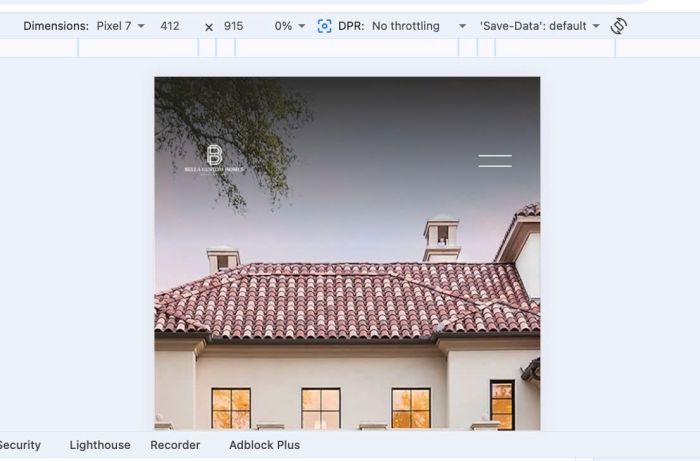
#1. Line 05 to Line 10: This code will change logo to WHITE on Mobile. Do you need this code or remove it?
// mobile - homepage - logo //
@media @mobile {
  body.homepage:not(.header--menu-open) header#header img {
    filter: brightness(0) invert(1);
  }
}
#2. Line 11 to Line 19: set custom font on Paragraph. Do you need this code?
// Paragraph fonts //
@font-face {
font-family: 'IngraLight';
src:url(https://static1.squarespace.com/static/6715a043dec1dd7fbd04eaff/t/6750f0f354df920519129e36/1733357811647/Ingra_Light.otf);
}

p {
font-family:'IngraLight';
}
(I removed code) #3. Line 25 to Line 29: I will delete it because Squarespace core code has already that code
body {
    .header-title-nav-wrapper {
        flex-wrap: nowrap;
    }
}
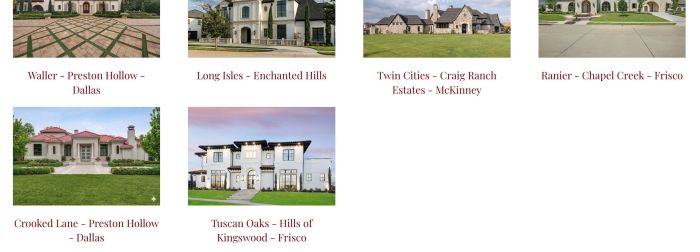
(I adjusted to align center last 2 items on Portfolio page) #4. Line 30 to Line 36: Center last 2 items on previous site (Portfolio Page), however on current site, if you still need this code, I will need to change ID to match with current site.
Let me know what is your option: keep/change it or remove it
/* Portfolio Page - Center last 2 items */
@media @desktop {
  section[data-section-id="674e268e1e10cc6bcf74a635"] div#gridThumbs a.grid-item:nth-child(n+4) {
    position: relative;
    left: calc(~"50% + 15px");
}
}
(I removed code) #5. Line 37 to Line 40: I no longer see any sections with this ID in FOOTER, so I think it is code from previous site, I will remove it
/* Hide Form Block Section in Footer - Only show it when you click EDIT */
body:not(.sqs-edit-mode-active) section[data-section-id="675c0313189b442a007b6138"] {
  display: none;
}
(I adjusted code to make Portfolio images on Homepage clickable) #6. Line 42 to Line 77: Code on previous site, we can remove it, however we can use this code to make Portfolio on Homepage clickable without upgrade Plan to Business Plan. Let me know what you think
/* About Page - Our Collaborators make image clickable */
section[data-section-id="673747d32209983da8ad21e4"] {
  li.list-item {
    position: relative;
}
.list-item-content__button-container {
    position: static;
}
.list-item-content__button-container a {
    position: absolute !important;
    top: 0;
    left: 0;
    width: 100%;
    height: 100%;
    z-index: 9999;
    color: transparent !important;
    background-color: transparent !important;
    border: none !important;
}
.list-item-content__button-container {
    position: static !important;
transform: unset !important;
}
a.list-item-content__button.sqs-block-button-element:before {
    visibility: hidden;
}
.user-items-list-carousel__slide {
    pointer-events: initial !important;
    user-select: unset !important;
}
.user-items-list-carousel__gutter {
    cursor: pointer;
}
.list-item-content--hidden {
    display: block !important;
}}
(I removed code) #7. Line 79 to Line 114: Same #6. I will remove it
/* Homepage - Our Services clickable */
section[data-section-id="675347871353a66b9aaf9a7a"] {
li.list-item {
    position: relative;
}
.list-item-content__button-container {
    position: static;
}
.user-items-list-carousel .list-item-content__button-container a {
    position: absolute !important;
    top: 0;
    left: 0;
    width: 100%;
    height: 100%;
    z-index: 9999;
    color: transparent !important;
    background-color: transparent !important;
    border: none !important;
}
.user-items-list-carousel .list-item-content__button-container {
    position: static !important;
transform: unset !important;
}
a.list-item-content__button.sqs-block-button-element:before {
    visibility: hidden;
}
.user-items-list-carousel__slide {
    pointer-events: initial !important;
    user-select: unset !important;
}
.user-items-list-carousel__gutter {
    cursor: pointer;
}
.list-item-content--hidden {
    display: block !important;
}}
(I removed code) #8. Line 115 to Line 117: Make Homepage header transparent on scroll
I tried remove it but it looks like the code does nothing on current site, it already transparent without using this code
so I will delete it
body.homepage header#header.shrink {
    background-color: transparent !important;
}
(I removed code) #9. Line 118 to Line 149: Code style Blog Side by Site Layout, however on current site, Blog page use Basic Grid layout so the code does nothing now
I will remove it
#collection-674f6797689d883a13dcf2b5 {
div.blog-side-by-side-wrapper, div#block-f0ceb1f4a099c3e84c09 h1 {
    max-width: 800px;
    margin: 0 auto;
}
    div#block-f0ceb1f4a099c3e84c09 h1 {
        border-bottom: 2px solid #806844;
    }
div.blog-side-by-side-wrapper>article {
    border-top: 1px solid #806844;
    text-align: left !important;
    align-items: flex-start !important;
    justify-content: flex-start !important;
    flex-direction: column;
}
    div.blog-side-by-side-wrapper>article:last-child {
        border-bottom: 1px solid #806844;
        padding-bottom: 12px !important;
    }
  div.blog-side-by-side-wrapper>article:first-child {
        border-top: 0 !important;
    }
div.blog-side-by-side-wrapper h1 {
    margin-top: 10px !important;
    margin-bottom: 0px !important;
}
div.blog-item-text {
    width: 100% !important;
}
div.blog-meta-section, section.blog-image-wrapper {
    display: none !important;
}}
#10. Line 150 to Line 155: Code on previous site, it will disable click from Press page. But do you need to disable click in Press page item? I will adjust code or remove it if you don’t need
/* PRESS PAGE - DISABLE CLICK */
#collection-6733a8fd4540275049d661fc {
  .image-wrapper {
    pointer-events: none;
  }
}
(I removed code) #11. Line 156 to Line 162: Code on previous site, it does run on Summary Block on Homepage, but current site homepage has no Summary so the code does nothing now.
I will remove it.
/* HOMEPAGE SUMMAYR IMAGE NOT SHOW FULL */
body.homepage .summary-v2-block img {
    width: auto !important;
    height: 100% !important;
    top: 0 !important;
    left: 0 !important;
}
(I removed code) #12. Line 163 to Line 166: Code style Testimonial List Section on About Page, but I don’t use any List Sections on current About Page, so the code does nothing now.
I will remove it
/* ABOUT PAGE - TESTIMONIAL TEXT SIZE */
section[data-section-id="677878e985c1cf3c28275e97"] h2.list-item-content__title {
    font-size: 27px !important;
}
(I removed code) #13. Line 168 to Line 179: Code on previous site. I will remove it
/* HOMEPAGE - PRESS - AWARDS */
@media @mobile {
    #block-yui_3_17_2_1_1733506612266_61514 {
        img {
        width: 100% !important;
        height: auto !important;
        top: 0 !important;
    }
        .img-wrapper {
            padding-bottom: 125% !important;
        }}
}
(I removed code) #14. Line 180 to Line 191: change size of Footer Gallery Block images. I will remove it
/* HOMEPAGE - FOOTER IMAGES */
@media @mobile {
    div#block-yui_3_17_2_1_1731440502500_31353 {
        .margin-wrapper {
            margin-bottom: 10px !important;
            margin-right: 5px !important;
        }
      .slide {
    width: 100% !important;
}
    }
}
#15. Line 192 to Line 197: Code change Pagination title size on both Blog & Portfolio Page. We can keep it
/* Pagination size - Mobile */
@media @mobile {
  h2.item-pagination-title.preSlide {
    font-size: 19px !important;
}
}
(I removed it) #16. Line 198 to Line 201: Code on previous site, I will delete it
/* About page - Logos */
section[data-section-id="673747d32209983da8ad21e4"] .user-items-list-simple .list-image {
    object-fit: contain !important;
}