You can add me as a contributor then I will do on the site
Or I can test on test site then write you a detailed instructions on each feature, then you can install it by yourself
Since this is our first time working together, you can pay by the section. For future projects, you can pay by the hour (which would be cheaper).
#1. Header Navigation (Possible)
- Button: I have shared code to do this on forum, so I just need to copy – paste to your site and adjust to your desired color
- Nav style with dropdown: Just some lines of CSS to add background behind nav. With dropdown columns, I have already code on my blog, will need to tweak some to have number + same width as nav
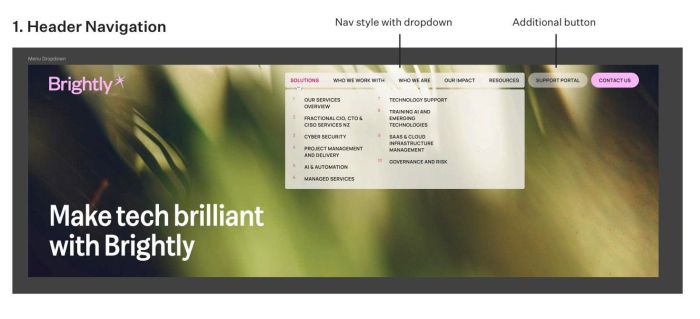
Some questions here
- Do you need to make dropdown width = nav width?
- Do columns for all dropdown or just Solutions only?
- Do you need to do columns on mobile or just use default mobile menu style?
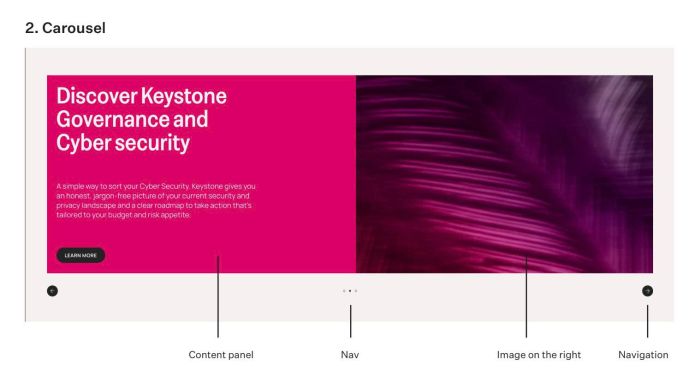
#2. Carousel (Possible, use List Section) ($25)
I have similar Carousel on my blog, so we just need to tweak something to achieve your desired layout.
- https://member.beaverhero.com/0726c21v2-list-naughty-carousel/
- https://member.beaverhero.com/0226c09v1-free-swiper-testimonial-carousel/
- https://member.beaverhero.com/0526c06v4-slideshow-two-photos/
#3. Services section (Possible, use List Section) ($20)
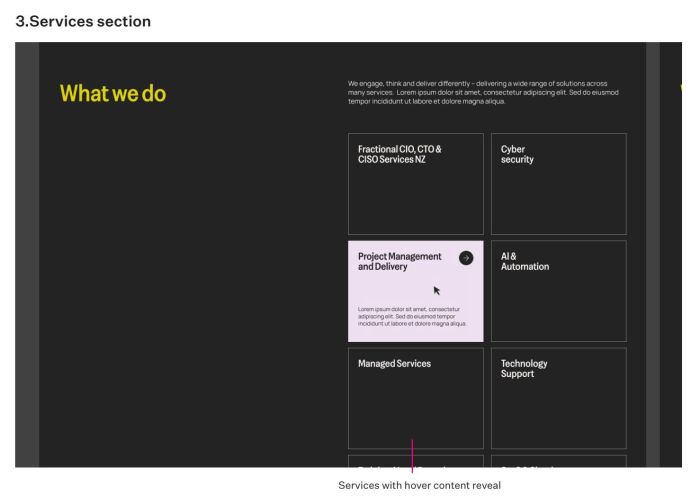
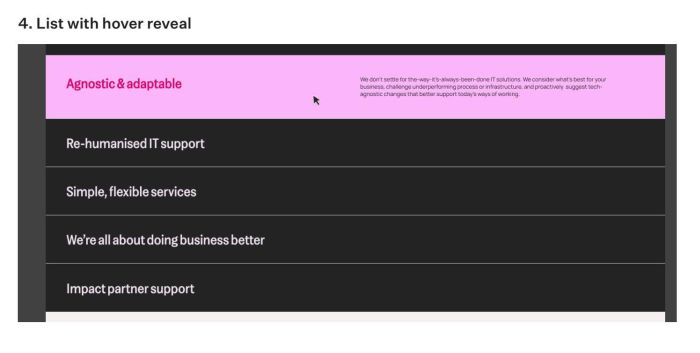
#4. List with hover reveal (Possible, use List Section or Summary Block) ($20)
#5. Featured Section/carousel (Possible, use List Section Carousel) ($35)
Regarding the idea of scaling the middle image, I have previously written code for List Carousels, Gallery Slideshows, and Summary Carousels, so we only need to make a few minor adjustments. You can check it here
- https://member.beaverhero.com/free-swiper-carousel-scale-middle-image/
- https://member.beaverhero.com/0626c01v3v2-summary-carousel-coverflow-portfolio/
- https://member.beaverhero.com/0526c27v1-light-to-dark-carousel/
- ..
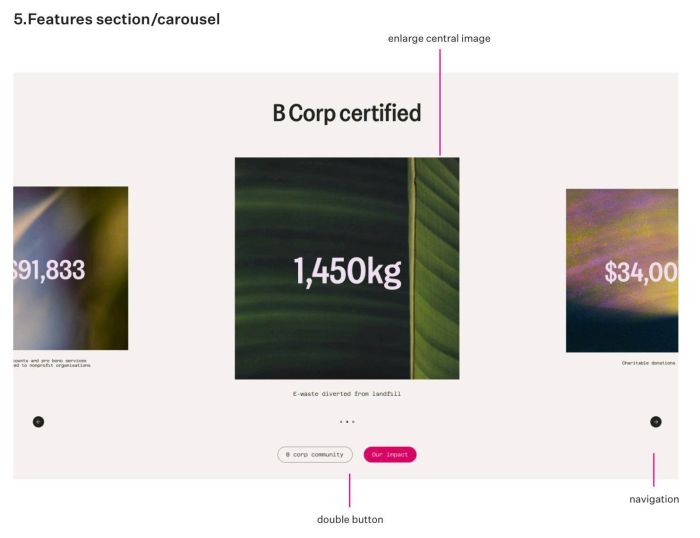
One here
- 1450kg, $34,000 is a part of image or they are text?
- 2 buttons, it is buttons of each item, or buttons of section?
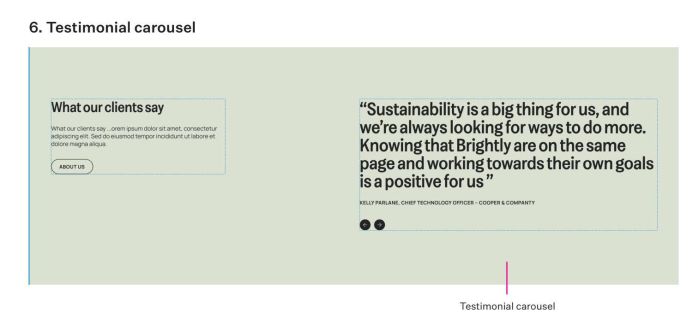
#6. Testimonial Carousel (Possible, we can use Text Block or Summary Block) ($20)
- “Text Block” might sound a bit unusual, but we can actually write code to transform Text Blocks into a testimonial carousel with your desired layout.
- Here I have an instructions with similar layout: https://member.beaverhero.com/0326c02v3-testimonial-carousel-text-only/
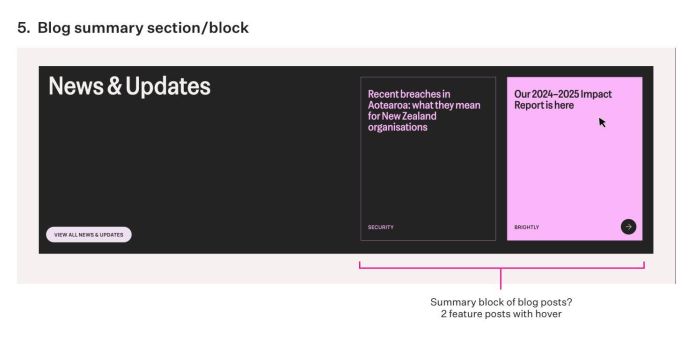
#7. Blog Summary Section/Block (Possible with Summary Block or List Section) ($15)
Some questions
- When hover > Just add background color, change text color, add clickable arrow only?
- OR
- when hover > add background color, clickable arrow, add new text (top + bottom)?
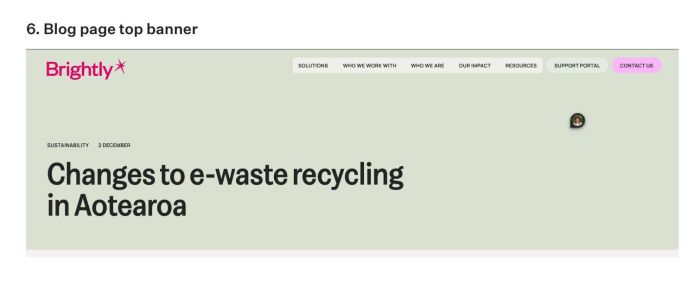
#8. Blog page Top Banner (Possible) ($20)
- Just some JS to change position of title/category/date
- Do you need Avatar image on right? (I see small image on right of your photo)
#9. Blog Posts (Possible) ($40)
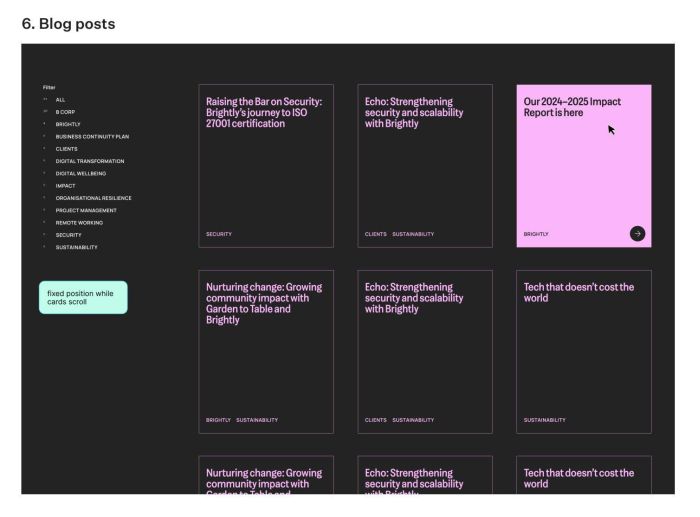
- Same question as #7
- With Filter category links on Left side, we can use UF Filter Plugin or build custom one (I used to build a lot of category filter like this).
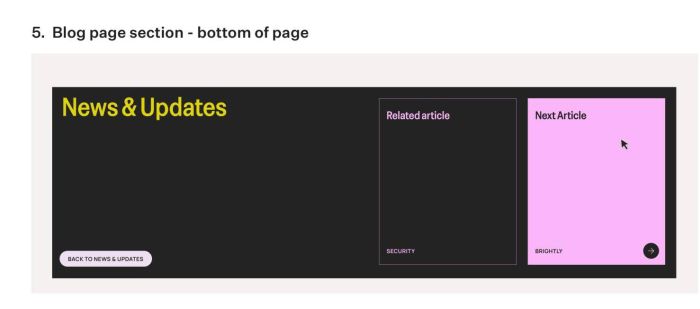
#10. Blog page section – bottom of page (Possible)
This is appears in bottom of Blog Overview Page or Blog Posts (under Pagination)?