Description
When users click Submit in Form Block
- information will be sent to both email (email you set in Form Block) and Google Sheets.
- A confirmation email will be sent to the email address of the person who filled out the form (every 5 minutes)
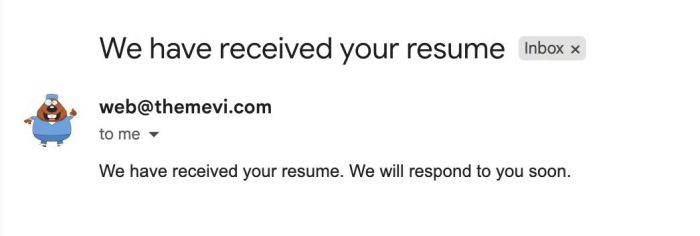
- An email notification will be sent to custom email (email address you set up in the form block). This feature is currently disabled. You can message me if you need it re-enabled.
Install
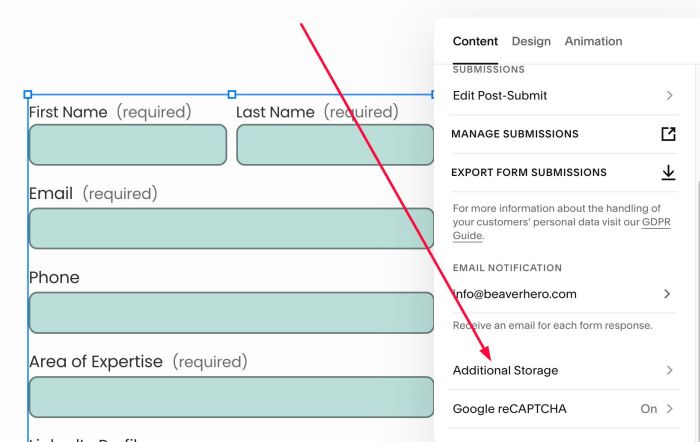
#1. Edit Form > Click Additional Storage
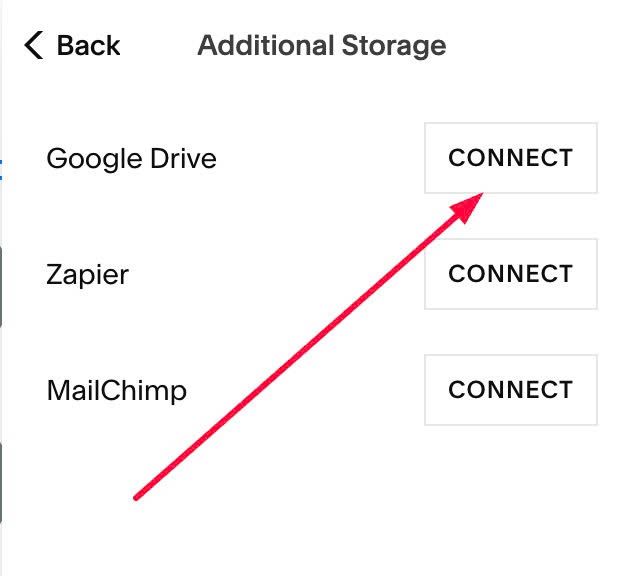
#2. at Google Drive > Click Connect
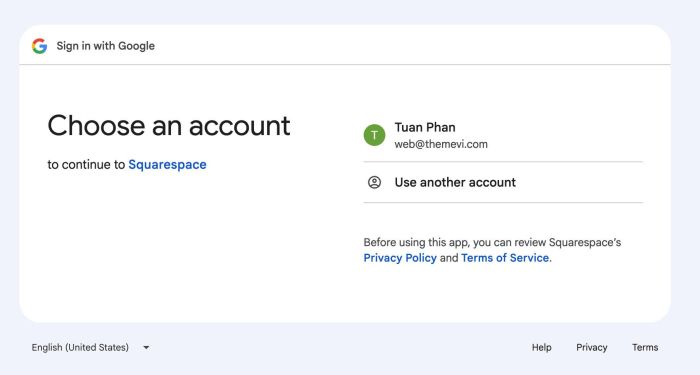
#3. Choose your email
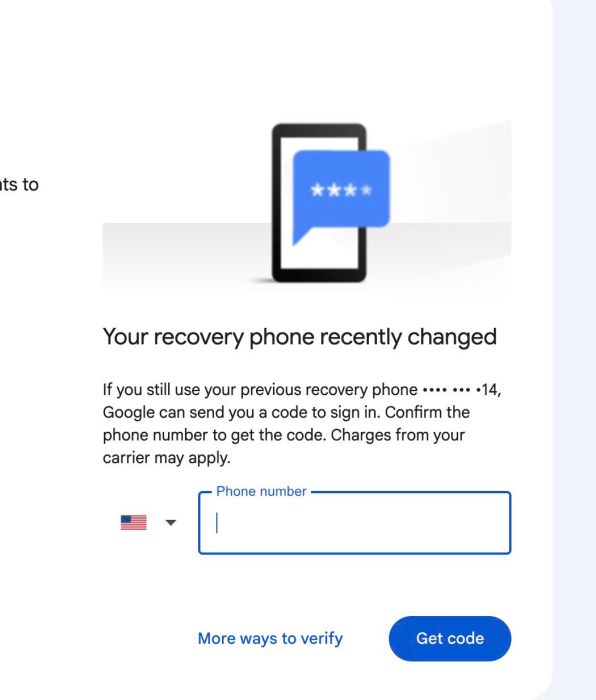
#4. Sometimes it will require phone number verification.
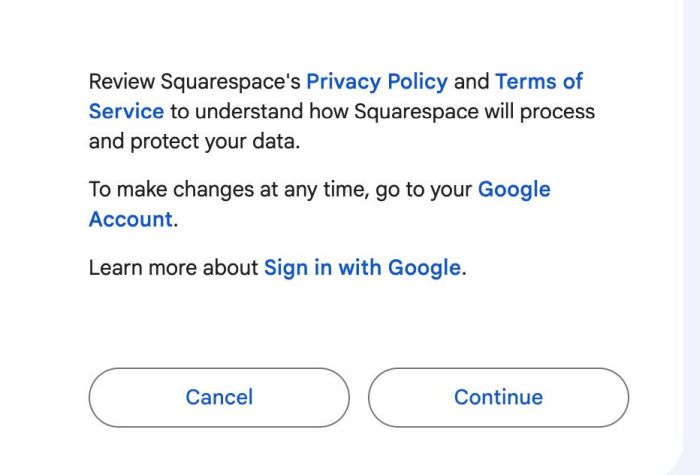
#5. Click Continue
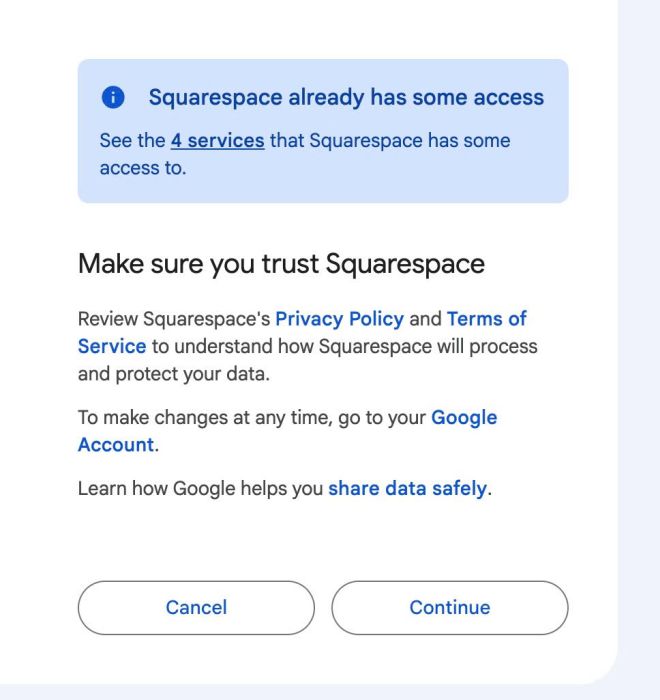
#6. Next, Continue
#7. Enter any names you want here
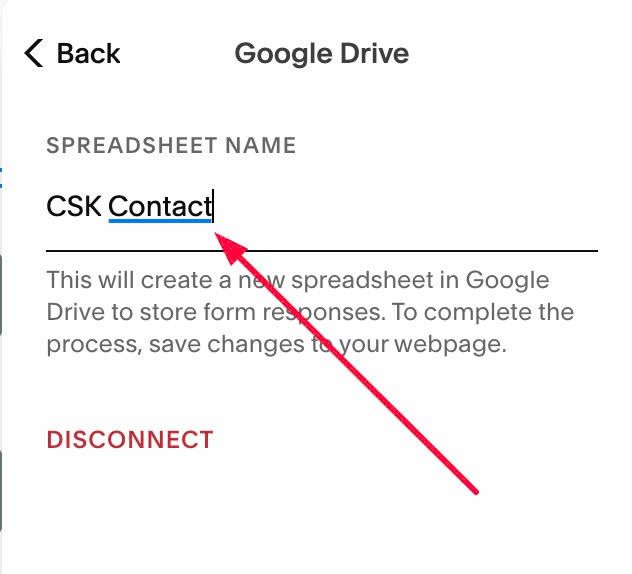
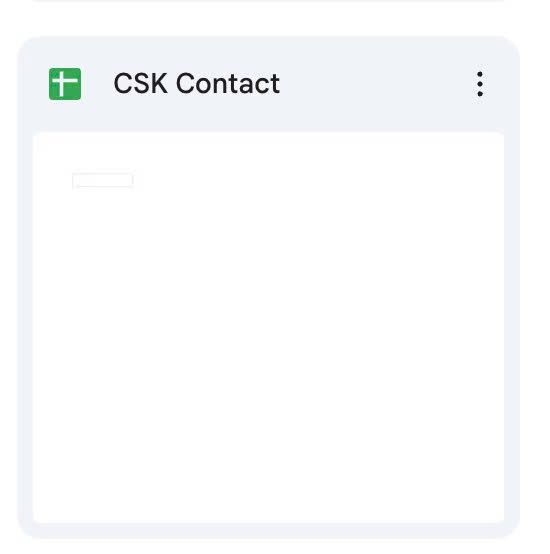
#8. Google Drive will create a Sheet with name you set, something like this
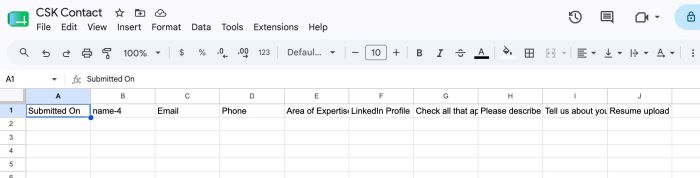
and it will create some columns, something like this
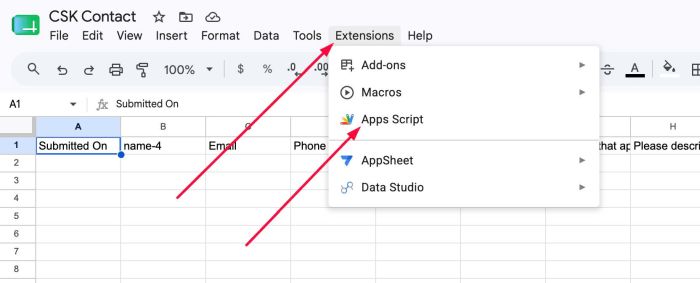
#9. Click Extensions > Apps Script
#10. Enter a name + remove default code
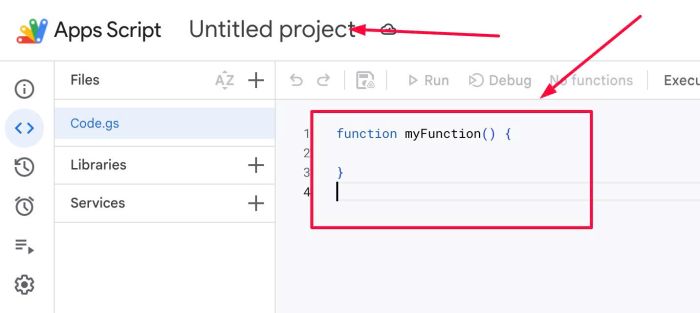
We will have like this
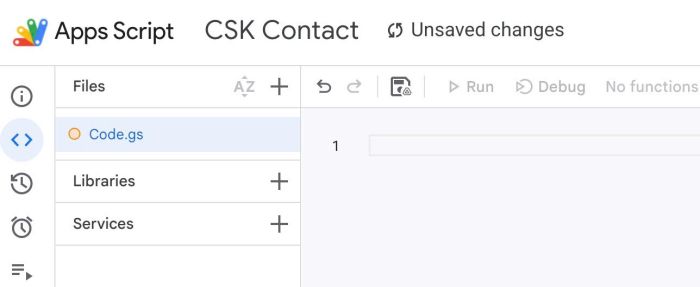
#11. Add this code
/**
 * CSK Advertising - Email Confirmation
 * Runs on a 5-minute timer, emails a confirmation to new submissions,
 * then notifies the site owner with the applicant's name and email (by default, it is disabled)
 * Columns are resolved by header name (row 1), not by fixed index.
 */

var CONFIG = {
  sheetName: '',
  emailHeader: 'Email',               // header text of the recipient column
  nameHeader: 'name-4',               // header text of the applicant name column
  statusHeader: 'Confirmation Sent',  // helper column; created automatically if missing
  subject: 'We have received your resume',
  body: 'We have received your resume. We will respond to you soon.',

  // Owner notification settings; set notifyOwner to false to disable owner emails
  notifyOwner: false,
  notifyEmail: '[email protected]',
  notifySubject: 'Resume confirmation sent'
};

function sendResumeConfirmations() {
  // Prevent two overlapping runs from emailing the same row twice
  var lock = LockService.getScriptLock();
  if (!lock.tryLock(30000)) return;

  try {
    var ss = SpreadsheetApp.getActiveSpreadsheet();
    var sheet = CONFIG.sheetName ? ss.getSheetByName(CONFIG.sheetName) : ss.getSheets()[0];
    if (!sheet) {
      Logger.log('Sheet not found: ' + CONFIG.sheetName);
      return;
    }

    var lastRow = sheet.getLastRow();
    var lastCol = sheet.getLastColumn();
    if (lastRow < 2) return; // header only or empty

    var headers = sheet.getRange(1, 1, 1, lastCol).getValues()[0];

    var emailCol = headers.indexOf(CONFIG.emailHeader);
    if (emailCol === -1) {
      Logger.log('Email column not found: "' + CONFIG.emailHeader + '"');
      return;
    }

    // Name column is optional; -1 means it will be omitted from notifications
    var nameCol = headers.indexOf(CONFIG.nameHeader);

    // Find the status column, or create it at the end if it does not exist
    var statusCol = headers.indexOf(CONFIG.statusHeader);
    if (statusCol === -1) {
      statusCol = lastCol;                 // 0-based index of the new column
      sheet.getRange(1, statusCol + 1).setValue(CONFIG.statusHeader);
      lastCol = lastCol + 1;
    }

    var numRows = lastRow - 1;
    var data = sheet.getRange(2, 1, numRows, lastCol).getValues();

    for (var i = 0; i < data.length; i++) {
      var email = String(data[i][emailCol]).trim();
      var alreadySent = String(data[i][statusCol]).trim();

      if (!email) continue;          // no email in this row
      if (alreadySent) continue;     // already processed
      if (!isValidEmail(email)) {
        Logger.log('Invalid email skipped at row ' + (i + 2) + ': ' + email);
        continue;
      }

      var name = nameCol !== -1 ? String(data[i][nameCol]).trim() : '';

      try {
        // 1. Send confirmation to the applicant
        MailApp.sendEmail({
          to: email,
          subject: CONFIG.subject,
          body: CONFIG.body
        });

        // 2. Send a separate notification to the site owner (best effort)
        if (CONFIG.notifyOwner && CONFIG.notifyEmail) {
          var notifyBody =
            'A resume confirmation (from CSK Advertising) was sent to an applicant.\n\n' +
            'Name: ' + (name || '(not provided)') + '\n' +
            'Email: ' + email + '\n' +
            'Row: ' + (i + 2) + '\n' +
            'Sent at: ' + new Date();
          try {
            MailApp.sendEmail({
              to: CONFIG.notifyEmail,
              subject: CONFIG.notifySubject + (name ? ' - ' + name : ''),
              body: notifyBody
            });
          } catch (notifyErr) {
            Logger.log('Notification failed for row ' + (i + 2) + ': ' + notifyErr);
          }
        }

        sheet.getRange(i + 2, statusCol + 1).setValue(new Date());
      } catch (err) {
        Logger.log('Send failed for ' + email + ' at row ' + (i + 2) + ': ' + err);
      }
    }
  } finally {
    lock.releaseLock();
  }
}

function isValidEmail(value) {
  return /^[^\s@]+@[^\s@]+\.[^\s@]+$/.test(value);
}

function createTrigger() {
  var triggers = ScriptApp.getProjectTriggers();
  for (var i = 0; i < triggers.length; i++) {
    if (triggers[i].getHandlerFunction() === 'sendResumeConfirmations') {
      ScriptApp.deleteTrigger(triggers[i]); // avoid duplicate triggers
    }
  }
  ScriptApp.newTrigger('sendResumeConfirmations')
    .timeBased()
    .everyMinutes(5)
    .create();
}
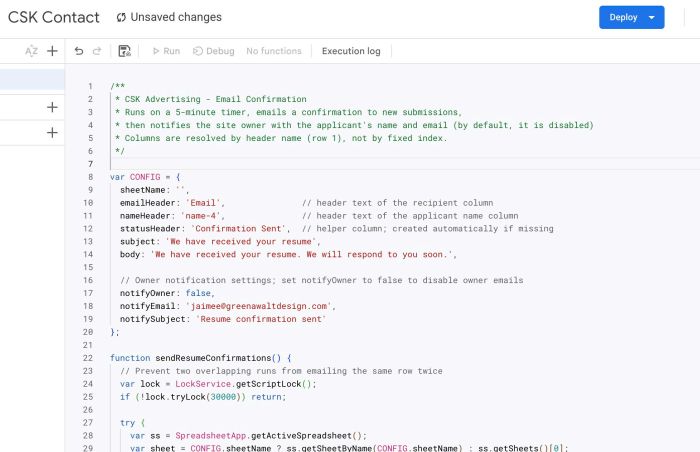
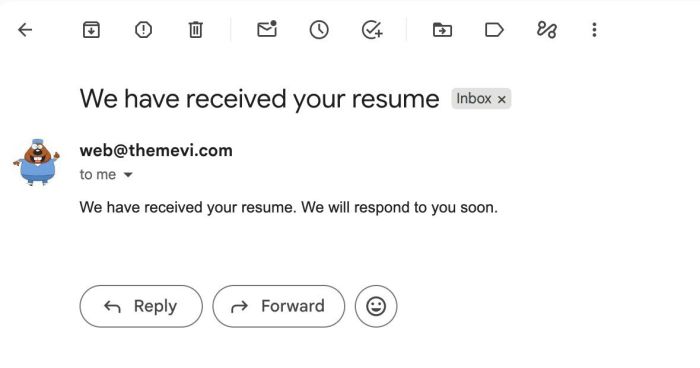
#11-2. You can update Subject & Message text here
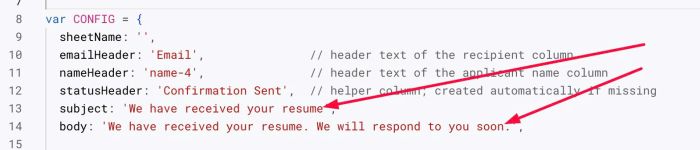
This will appears in Email (Email of the person filling out the form), like this
#11-3. You can update text here
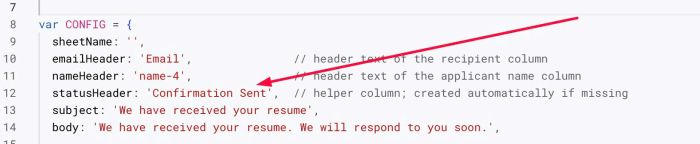
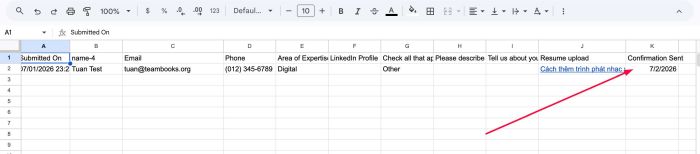
This text will appear in Google Sheets to let you know that the confirmation email has been sent.
#11-4. Other settings
This feature allows you to receive notifications to your email address to let you know that a confirmation email has been sent. By default, it is disabled.

To enable it, change line
notifyOwner: false,
to
notifyOwner: true,
then update your email & desired subject
notifyEmail: '[email protected]',
  notifySubject: 'Resume confirmation sent'
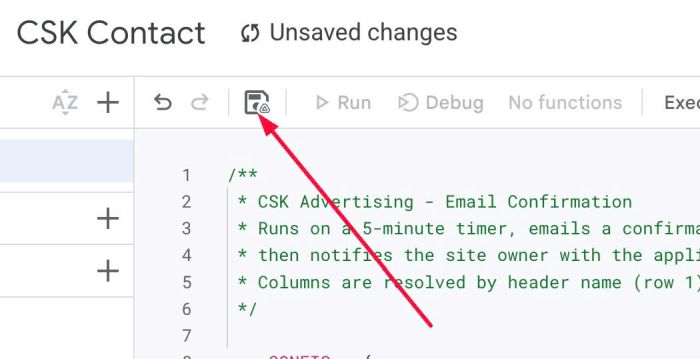
#12. Next, click Save
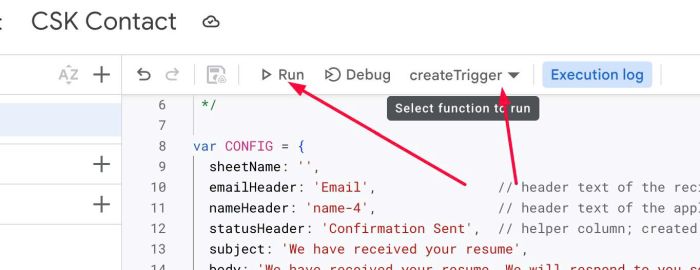
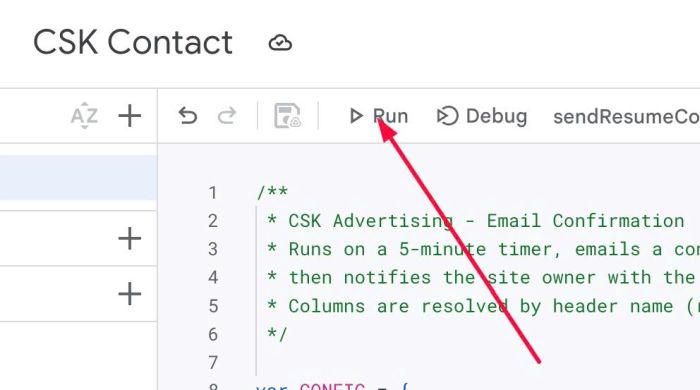
#13. Click Run
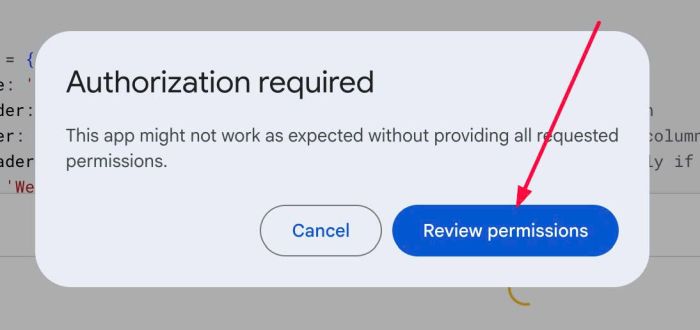
#14. Click Review Permissions
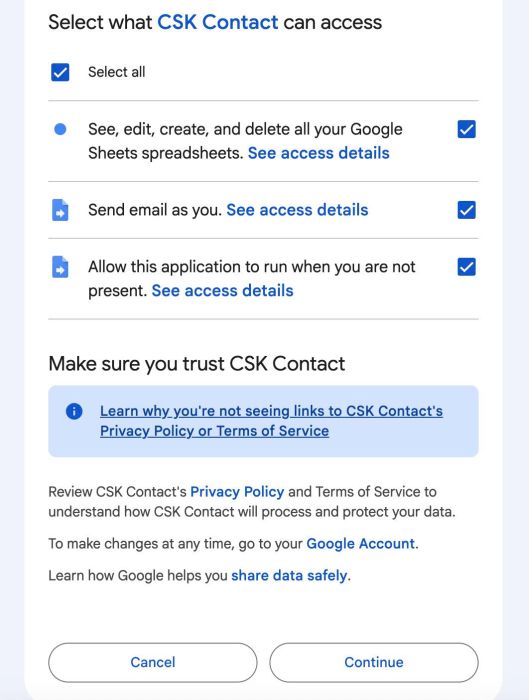
#15. Select All & Click Continue
#16. Next, click createTrigger
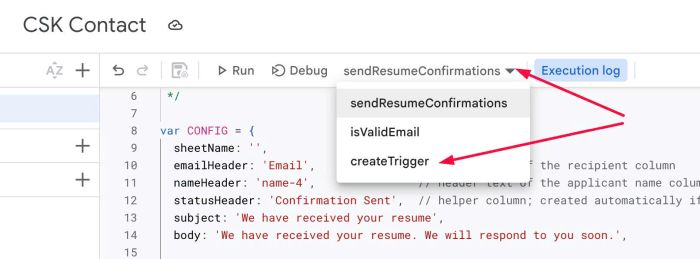
Then click Run again