Description
- adding prev/next to product detail page
- buy me a coffee
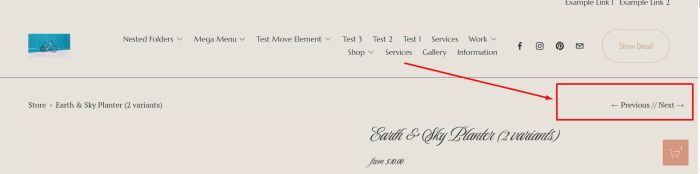
#1. Install Code
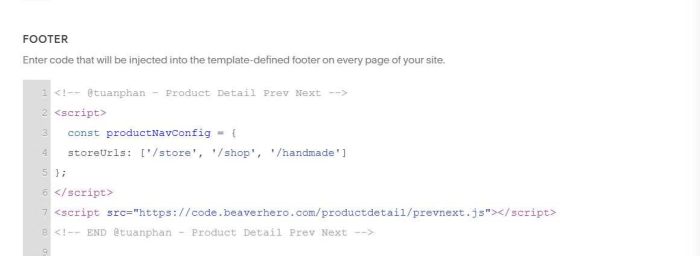
#1.1. First, use this code to Code Injection > Footer
<!-- @tuanphan - Product Detail Prev Next -->
<script>
  const productNavConfig = {
  storeUrls: ['/store', '/shop', '/handmade']
};
</script>
<script src="https://code.beaverhero.com/productdetail/prevnext.js"></script>
<!-- END @tuanphan - Product Detail Prev Next -->
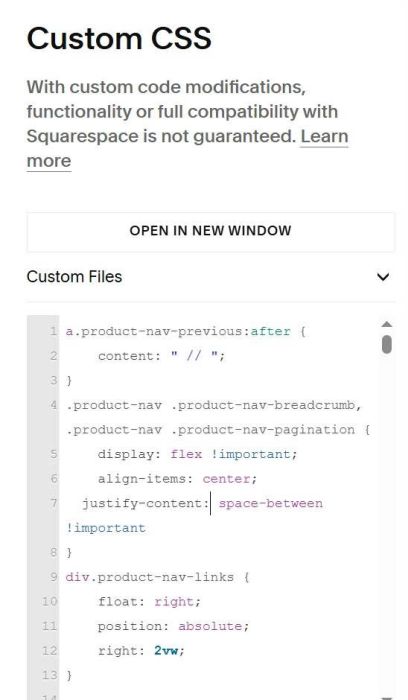
#1.2. Next, use this code to Custom CSS
a.product-nav-previous:after {
    content: " // ";
}
.product-nav .product-nav-breadcrumb, .product-nav .product-nav-pagination {
    display: flex !important;
    align-items: center;
  justify-content: space-between !important
}
div.product-nav-links {
    float: right;
    position: absolute;
    right: 2vw;
}
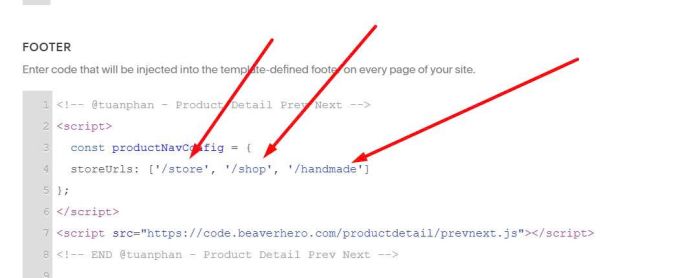
#2. Usage
You need to update Store Page URL here
#3. Customize
#3.1. To make Prev/Next appear on mobile, use this code to Custom CSS
@media screen and (max-width:767px) {
    nav.product-nav {
    display: block !important;
}}