Description
- show different section on page load
- haven’t tested with Section (Vimeo Background, Uploaded video background, Video Block…)
Note
- this require custom plugin
#1. Install Code
#1.1. First you need to install Section Loader Plugin
Plugin will give you some code to add to Code Injection Header + Footer
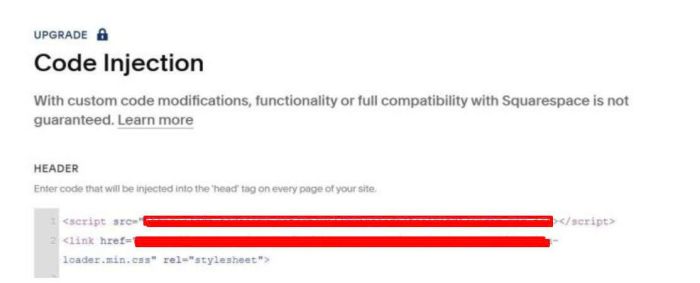
#1.2. Next, use this code to Code Injection > Footer, under plugin code
<script>
(function() {
  const SOURCE_URL = '/on-load-section';
  const TARGET_SECTION_ID = 'on-load';
  const STORAGE_KEY = 'wm_section_index';

  function initYouTubeBackgrounds(container) {
    container.querySelectorAll('[data-controller="VideoBackground"]').forEach(function(wrapper) {
      console.log('[WM] found VideoBackground wrapper:', wrapper);

      const videoDiv = wrapper.querySelector('.sqs-video-background');
      if (!videoDiv) {
        console.warn('[WM] no .sqs-video-background found');
        return;
      }

      const configUrl = videoDiv.getAttribute('data-config-url');
      console.log('[WM] configUrl:', configUrl);
      if (!configUrl) return;

      const ytMatch = configUrl.match(/(?:youtu\.be\/|youtube\.com\/(?:watch\?v=|embed\/))([a-zA-Z0-9_-]{11})/);
      console.log('[WM] ytMatch:', ytMatch);
      if (!ytMatch) return;

      const videoId = ytMatch[1];
      console.log('[WM] videoId:', videoId);

      const existingIframe = videoDiv.querySelector('iframe');
      if (existingIframe) {
        console.log('[WM] iframe already exists, skipping');
        return;
      }

      const iframe = document.createElement('iframe');
      iframe.id = 'player-' + Math.random().toString(36).substr(2, 9);
      iframe.setAttribute('frameborder', '0');
      iframe.setAttribute('allowfullscreen', '');
      iframe.setAttribute('allow', 'accelerometer; autoplay; clipboard-write; encrypted-media; gyroscope; picture-in-picture');
      iframe.setAttribute('referrerpolicy', 'strict-origin-when-cross-origin');
      iframe.setAttribute('width', '640');
      iframe.setAttribute('height', '360');
      iframe.className = 'background-video ready';
      iframe.style.cssText = 'position:absolute;top:50%;left:50%;transform:translate(-50%,-50%);min-width:100%;min-height:100%;width:auto;height:auto;';

      const params = [
        'autohide=1',
        'autoplay=1',
        'controls=0',
        'enablejsapi=1',
        'iv_load_policy=3',
        'loop=1',
        'playlist=' + videoId,
        'modestbranding=1',
        'mute=1',
        'playsinline=1',
        'rel=0',
        'showinfo=0',
        'wmode=opaque'
      ].join('&');

      iframe.src = 'https://www.youtube.com/embed/' + videoId + '?' + params;

      const playerDiv = videoDiv.querySelector('#player, div');
      if (playerDiv) {
        playerDiv.replaceWith(iframe);
      } else {
        videoDiv.appendChild(iframe);
      }

      wrapper.setAttribute('data-controllers-bound', 'VideoBackground');
      console.log('[WM] iframe injected for videoId:', videoId);
    });
  }

  async function run() {
    console.log('[WM] run() started');

    const fragment = await wm$.getFragment(SOURCE_URL, '#sections');
    if (!fragment) { console.error('[WM] fragment null'); return; }

    const sections = Array.from(fragment.querySelectorAll('section.page-section'));
    console.log('[WM] sections count:', sections.length);
    if (!sections.length) return;

    const currentIndex = parseInt(localStorage.getItem(STORAGE_KEY) || '0', 10);
    const nextIndex = (currentIndex + 1) % sections.length;
    localStorage.setItem(STORAGE_KEY, nextIndex);
    console.log('[WM] using index:', currentIndex);

    const section = sections[currentIndex];
    console.log('[WM] section id:', section.dataset.sectionId);

    section.removeAttribute('data-controllers-bound');
    section.removeAttribute('data-active');
    section.querySelectorAll('[data-controllers-bound]').forEach(el => el.removeAttribute('data-controllers-bound'));

    const container = document.createElement('div');
    container.setAttribute('data-wm-plugin', 'load');
    container.setAttribute('data-loading-state', 'complete');
    container.appendChild(section);

    const target = document.getElementById(TARGET_SECTION_ID);
    if (!target) { console.error('[WM] target #' + TARGET_SECTION_ID + ' not found'); return; }

    target.parentNode.insertBefore(container, target);
    console.log('[WM] inserted into DOM');

    initYouTubeBackgrounds(container);

    await wm$.reloadSquarespaceLifecycle([container]);
    console.log('[WM] lifecycle reloaded');

    const iframeAfter = container.querySelector('iframe');
    console.log('[WM] iframe after reload:', iframeAfter?.src?.substring(0, 80));
  }

  if (document.readyState === 'loading') {
    document.addEventListener('DOMContentLoaded', run);
  } else {
    run();
  }
})();
</script>
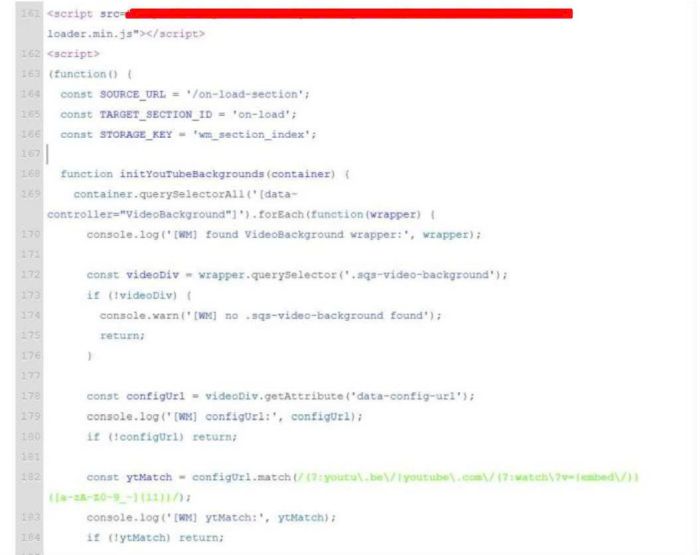
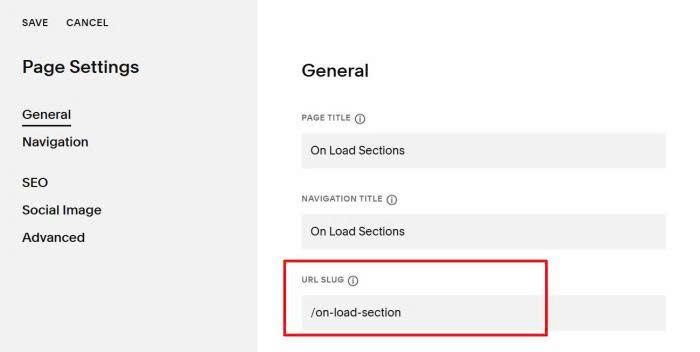
#1.3. Create a Page in Not Linked with Page URL: /on-load-section
/on-load-section
#1.4. Edit the page where you want these sections to appear. In my case, it is Homepage
Look at screenshot, you will see the top red section where it will appear.
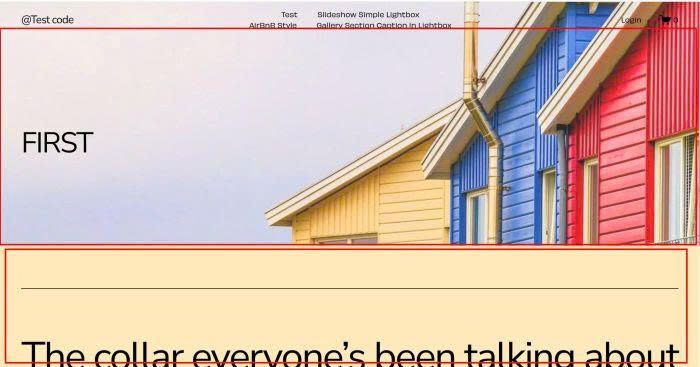
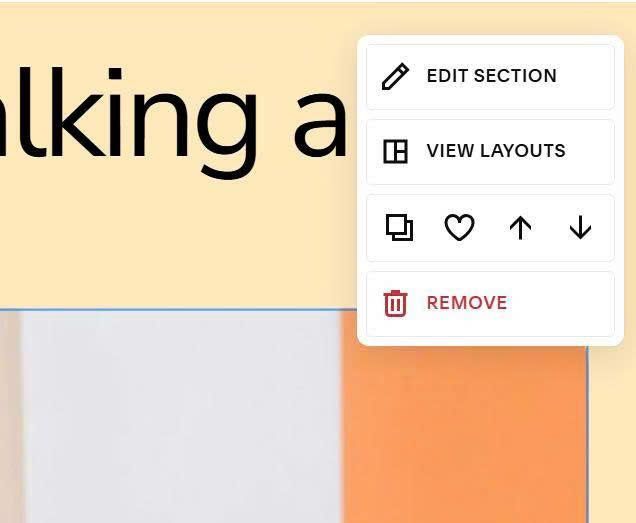
We need to hover on next section > Click Edit Section
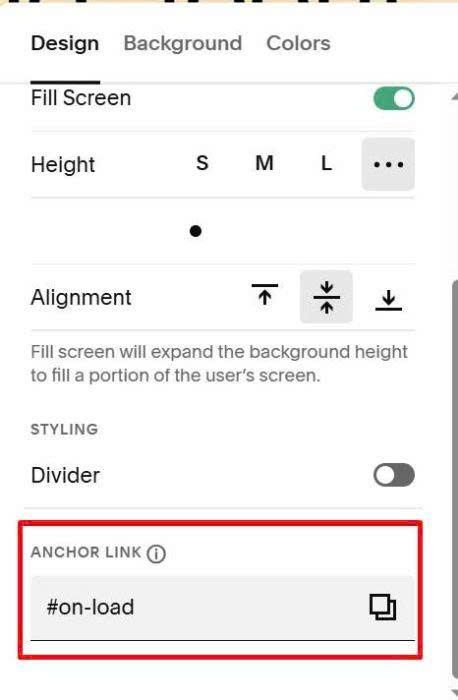
at Anchor Link, enter word: on-load
on-load
If you need support you can email/message me.