Description
- click on/off swap another image
- view demo – password: abc
- buy a coffee
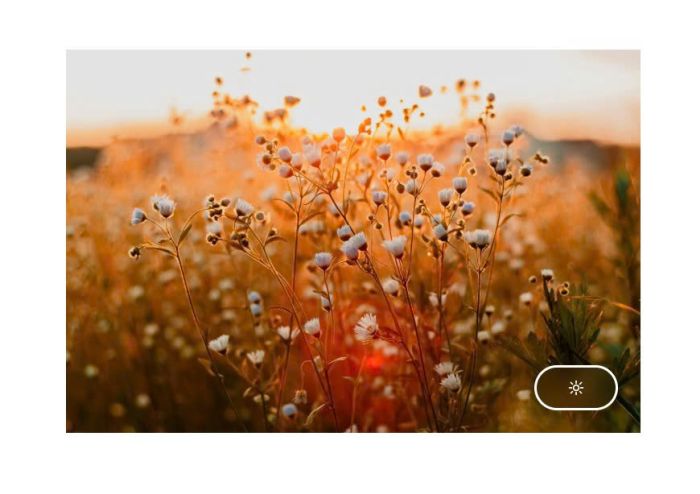
(initial)
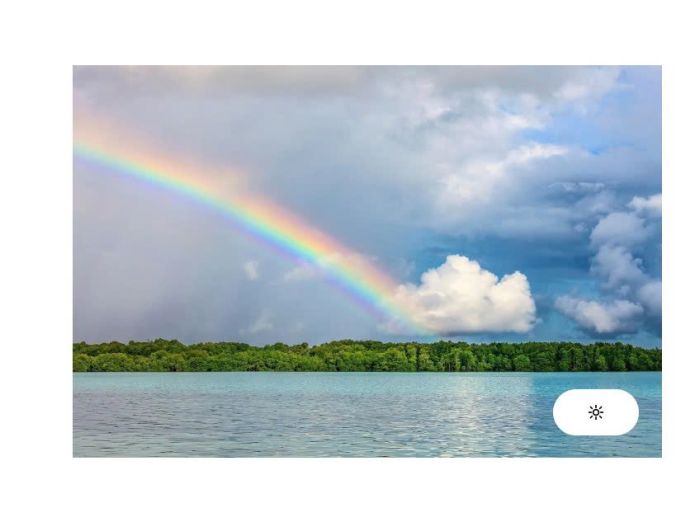
(on-click)
#1. Install Code
if you use Personal/Basic Plan and you can’t have Code Injection, see step #2.2.
#1.1. First, add a Text Block with 2 texts: lighton-lightoff

#1.2. Highlight text lighton > Click Link icon
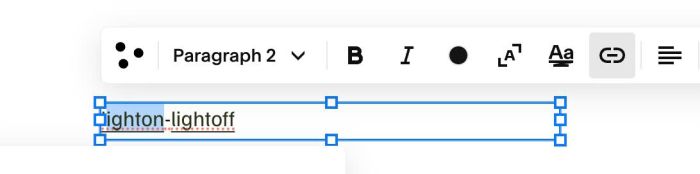
#1.3. Next, upload Image (at URL in screenshot, click down arrow to choose File then you able to upload image) or paste Image URL
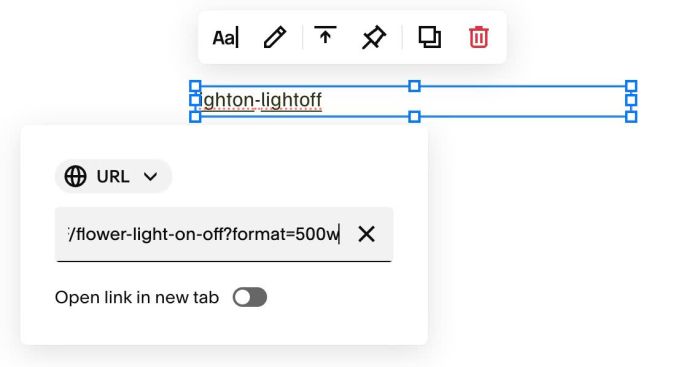
#1.4. Repeat similar for lightoff text
#1.5. Hover on Page where you use Text > Click Gear icon
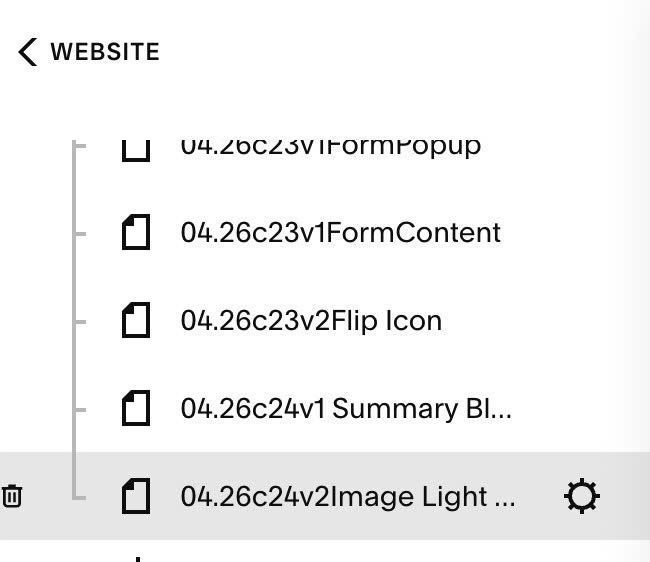
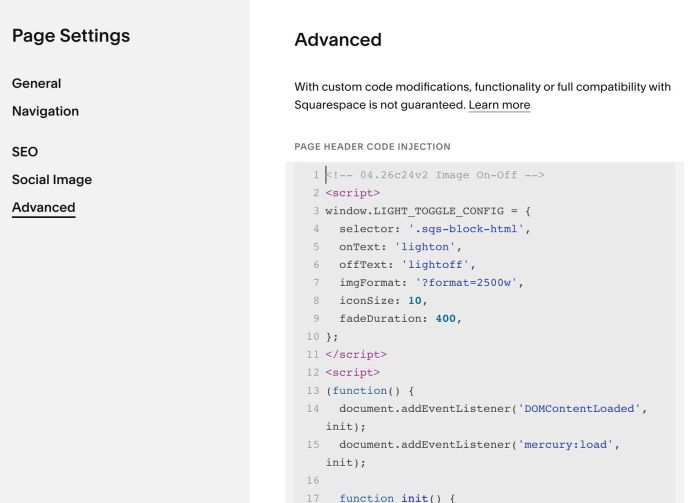
Click Advanced > Paste this code
<!-- 04.26c24v2 Image On-Off -->
<script>
window.LIGHT_TOGGLE_CONFIG = {
  selector: '.sqs-block-html',
  onText: 'lighton',
  offText: 'lightoff',
  imgFormat: '?format=2500w',
  iconSize: 10,
  fadeDuration: 400,
};
</script>
<!-- <script src="https://code.beaverhero.com/imageblock/0426c24v2imageonoff.js"></script>
-->
<script>
(function() {
  document.addEventListener('DOMContentLoaded', init);
  document.addEventListener('mercury:load', init);

  function init() {
    const C = window.LIGHT_TOGGLE_CONFIG;

    document.querySelectorAll(C.selector).forEach(block => {
      if (block.dataset.lightInit) return;

      const content = block.querySelector('.sqs-html-content');
      if (!content) return;

      const links = content.querySelectorAll('a');
      let onUrl = null, offUrl = null;

      links.forEach(a => {
        const t = a.textContent.trim();
        if (t === C.onText) onUrl = new URL(a.getAttribute('href'), location.origin).href;
        if (t === C.offText) offUrl = new URL(a.getAttribute('href'), location.origin).href;
      });

      if (!onUrl || !offUrl) return;

      block.dataset.lightInit = '1';

      const isSquarespaceUrl = url => url.includes('squarespace-cdn.com') || url.includes('sqspcdn.com');
      const formatUrl = url => isSquarespaceUrl(url) ? url.split('?')[0] + C.imgFormat : url;

      const s = C.iconSize;
      const btnW = s * 5.2;
      const btnH = s * 2.8;
      const fade = C.fadeDuration;

      const wrapper = document.createElement('div');
      wrapper.style.cssText = 'position:relative;display:inline-block;width:100%;';

      const skeleton = document.createElement('div');
      skeleton.style.cssText = `
        position:absolute;
        top:0;left:0;
        width:100%;
        height:100%;
        background:linear-gradient(90deg,#e0e0e0 25%,#ececec 50%,#e0e0e0 75%);
        background-size:200% 100%;
        animation:lightSkeletonShimmer 1.4s infinite;
        display:block;
        z-index:1;
      `;

      const sharedImgStyle = `position:absolute;top:0;left:0;display:block;width:100%;transition:opacity ${fade}ms ease;`;

      const imgOn = document.createElement('img');
      imgOn.style.cssText = sharedImgStyle + 'opacity:0;z-index:2;';
      imgOn.src = formatUrl(onUrl);

      const imgOff = document.createElement('img');
      imgOff.style.cssText = sharedImgStyle + 'opacity:0;z-index:2;';
      imgOff.src = formatUrl(offUrl);

      const sizer = document.createElement('div');
      sizer.style.cssText = 'width:100%;visibility:hidden;display:block;';
      const sizerImg = document.createElement('img');
      sizerImg.style.cssText = 'display:block;width:100%;';
      sizerImg.src = formatUrl(onUrl);
      sizer.appendChild(sizerImg);

      imgOn.addEventListener('load', () => {
        skeleton.style.display = 'none';
        imgOn.style.opacity = '1';
      });
      imgOn.addEventListener('error', () => {
        skeleton.style.display = 'none';
        imgOn.style.opacity = '1';
      });

      const btn = document.createElement('button');
      btn.setAttribute('aria-label', 'Toggle light');
      btn.innerHTML = svgIcon(true, s);
      btn.style.cssText = `
        position:absolute;
        bottom:14px;
        right:14px;
        width:${btnW}px;
        height:${btnH}px;
        border-radius:999px;
        border:1.5px solid rgba(255,255,255,1);
        cursor:pointer;
        display:flex;
        align-items:center;
        justify-content:center;
        padding:0;
        transition:background 0.25s;
        background:rgba(255,255,255,0);
        backdrop-filter:blur(6px);
        -webkit-backdrop-filter:blur(6px);
        z-index:3;
      `;

      let isOn = true;
      let busy = false;

      btn.addEventListener('click', () => {
        if (busy) return;
        busy = true;
        isOn = !isOn;

        const incoming = isOn ? imgOn : imgOff;
        const outgoing = isOn ? imgOff : imgOn;

        incoming.style.zIndex = '3';
        outgoing.style.zIndex = '2';
        incoming.style.opacity = '1';
        outgoing.style.opacity = '0';

        btn.innerHTML = svgIcon(isOn, s);
        btn.style.background = isOn ? 'rgba(255,255,255,0)' : 'rgba(255,255,255,1)';

        setTimeout(() => { busy = false; }, fade);
      });

      if (!document.getElementById('light-toggle-keyframes')) {
        const style = document.createElement('style');
        style.id = 'light-toggle-keyframes';
        style.textContent = `@keyframes lightSkeletonShimmer{0%{background-position:200% 0}100%{background-position:-200% 0}}`;
        document.head.appendChild(style);
      }

      content.innerHTML = '';
      wrapper.appendChild(skeleton);
      wrapper.appendChild(sizer);
      wrapper.appendChild(imgOn);
      wrapper.appendChild(imgOff);
      wrapper.appendChild(btn);
      content.appendChild(wrapper);
    });
  }

  function svgIcon(isOn, s) {
    const color = isOn ? '#ffffff' : '#000000';
    return `<svg xmlns="http://www.w3.org/2000/svg" width="${s}" height="${s}" viewBox="0 0 24 24" fill="none" stroke="${color}" stroke-width="2" stroke-linecap="round" stroke-linejoin="round">
      <circle cx="12" cy="12" r="4"/>
      <line x1="12" y1="2" x2="12" y2="5"/>
      <line x1="12" y1="19" x2="12" y2="22"/>
      <line x1="4.22" y1="4.22" x2="6.34" y2="6.34"/>
      <line x1="17.66" y1="17.66" x2="19.78" y2="19.78"/>
      <line x1="2" y1="12" x2="5" y2="12"/>
      <line x1="19" y1="12" x2="22" y2="12"/>
      <line x1="4.22" y1="19.78" x2="6.34" y2="17.66"/>
      <line x1="17.66" y1="6.34" x2="19.78" y2="4.22"/>
    </svg>`;
  }
})();
</script>
#2. Customize
#2.1. You can change options (icon size, fade speed) here
window.LIGHT_TOGGLE_CONFIG = {
  selector: '.sqs-block-html',
  onText: 'lighton',
  offText: 'lightoff',
  imgFormat: '?format=2500w',
  iconSize: 10,
  fadeDuration: 400,
};
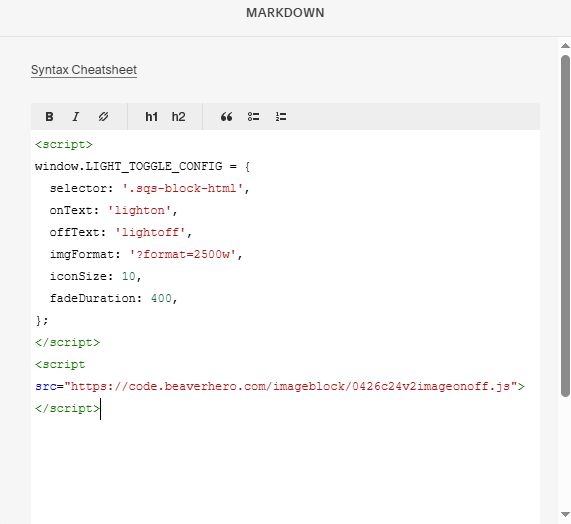
#2.2. If you use Personal/Basic Plan and you can’t add code to Code Injection, you can add a Markdown Block to Page.

Then paste this code into Markdown Block.
<script>
window.LIGHT_TOGGLE_CONFIG = {
  selector: '.sqs-block-html',
  onText: 'lighton',
  offText: 'lightoff',
  imgFormat: '?format=2500w',
  iconSize: 10,
  fadeDuration: 400,
};
</script>
<script src="https://code.beaverhero.com/imageblock/0426c24v2imageonoff.js"></script>