Description
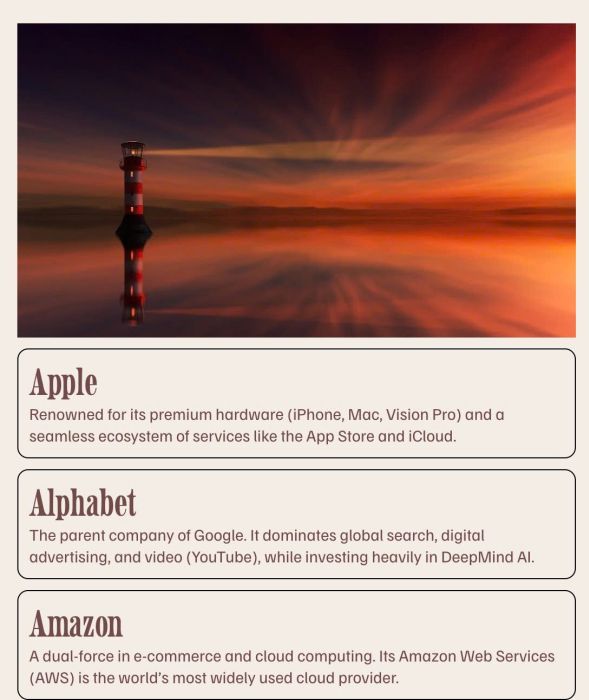
- image and some text boxes under it with Gallery Block Stacked
- view demo – password: abc
- buy me a coffee
#1. Install Code
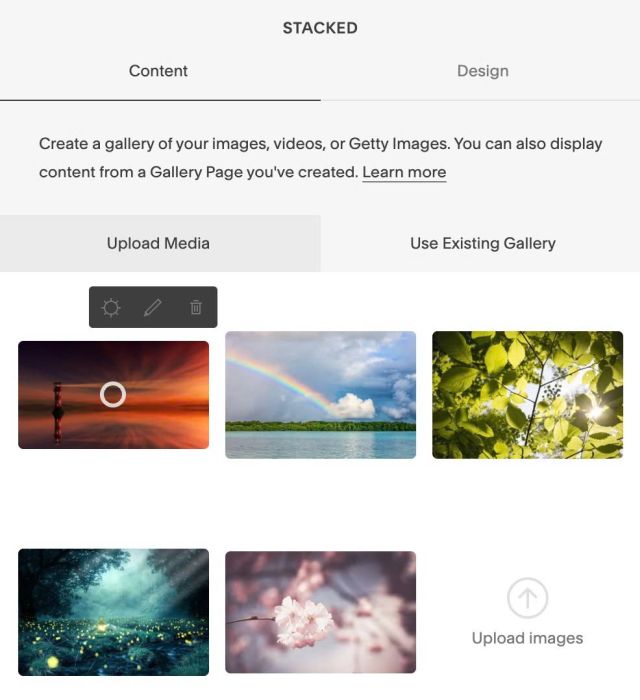
#1.1. First, you can add a Gallery Block Stacked
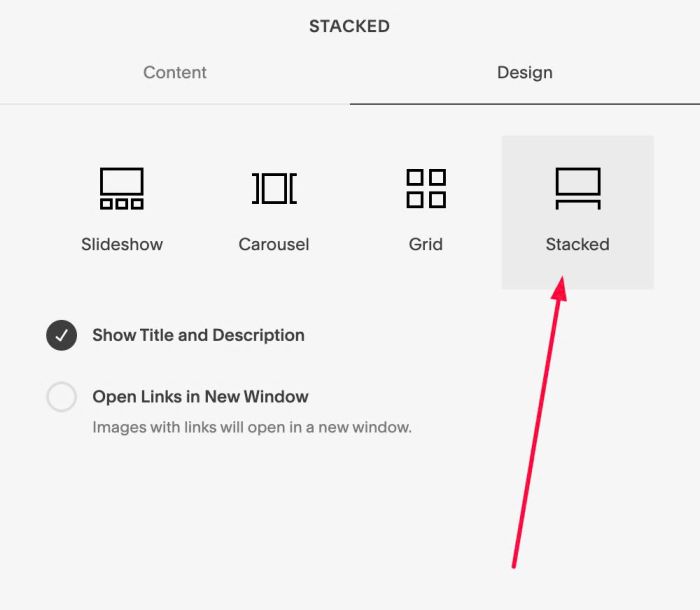
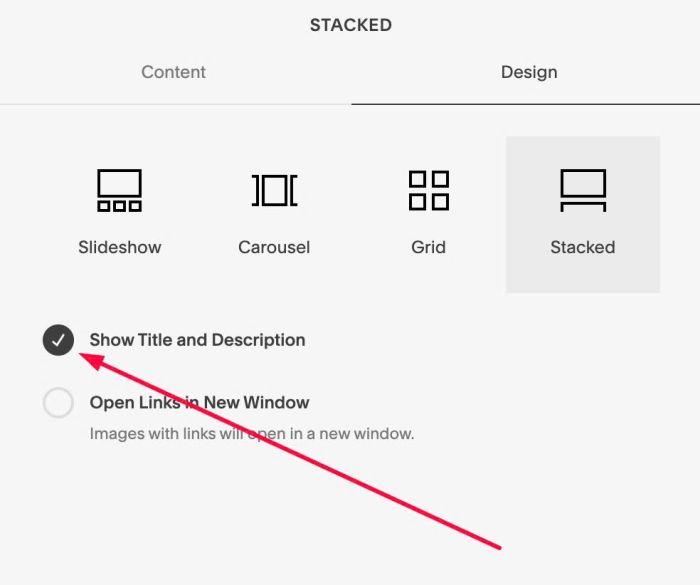
#1.2. Make sure you enabled Title – Description
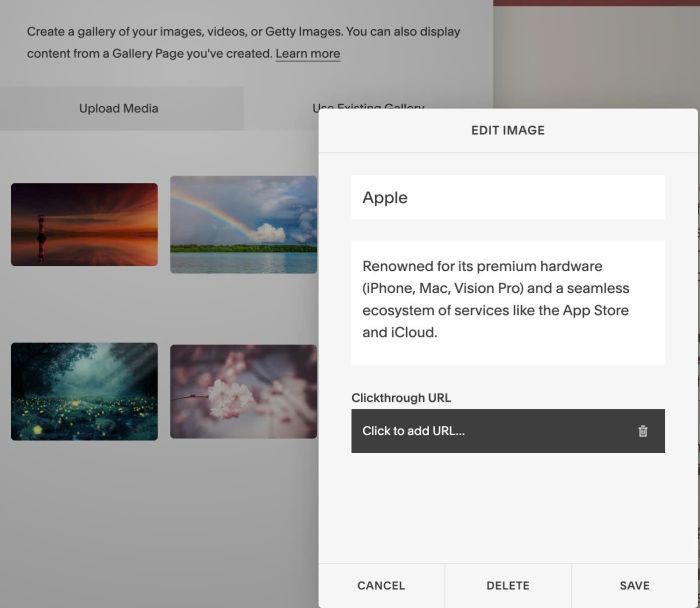
#1.3. Hover on each image > Click Gear icon to add title/description
Something like this
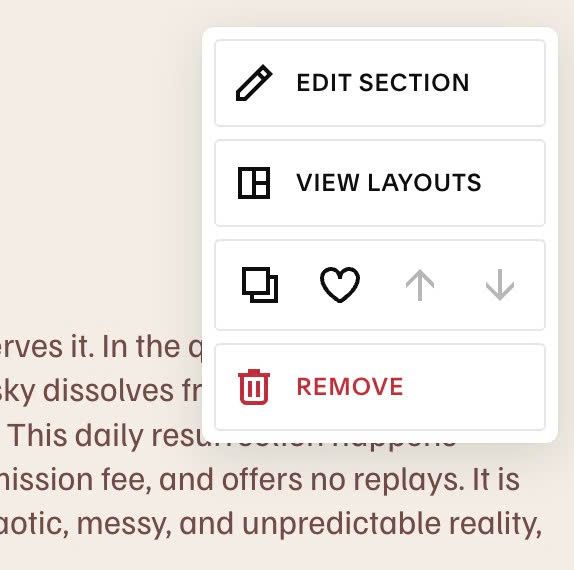
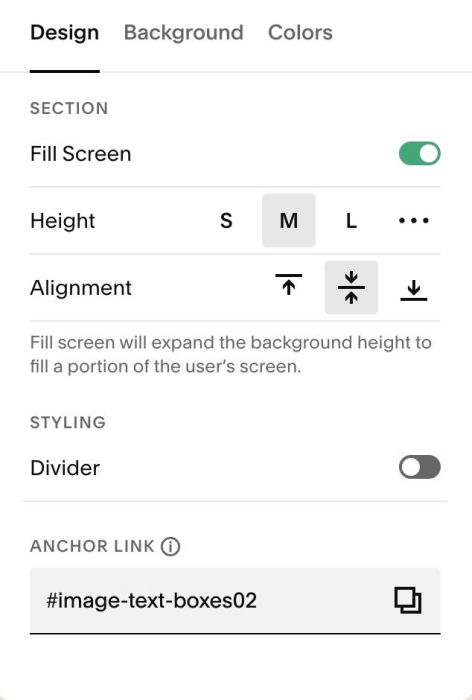
#1.4. Hover on top right of section > Click EDIT SECTION
at Design > Anchor Link > enter word: image-text-boxes
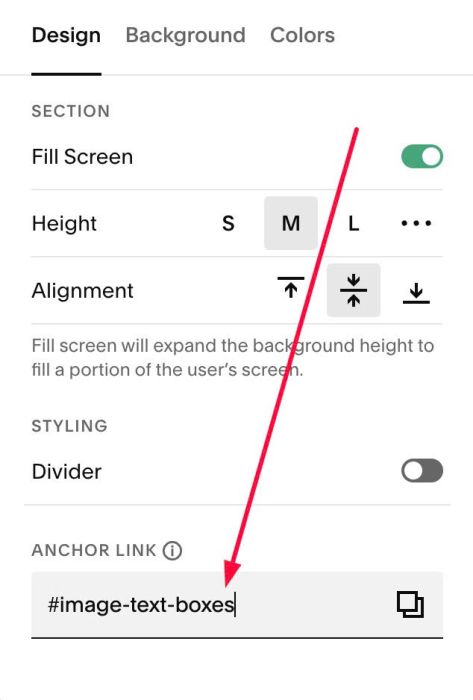
If you have multiple sections on same page and want to install this code, you can use anchor link like this: image-text-boxes02, image-text-boxes03…
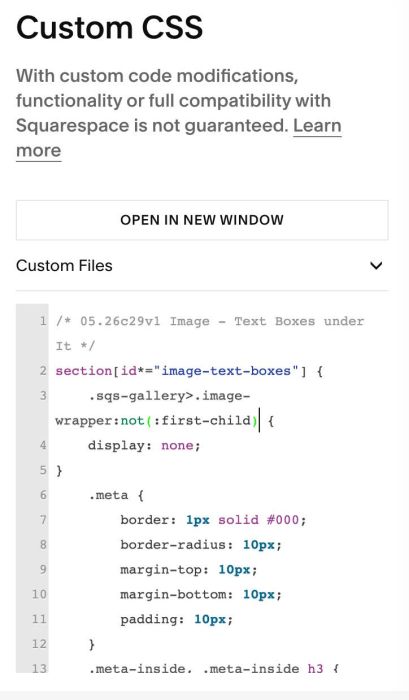
#1.5. Use this code to Custom CSS box
/* 05.26c29v1 Image - Text Boxes under It */
section[id*="image-text-boxes"] {
    .sqs-gallery>.image-wrapper:not(:first-child) {
    display: none;
}
    .meta {
        border: 1px solid #000;
        border-radius: 10px;
        margin-top: 10px;
        margin-bottom: 10px;
        padding: 10px;
    }
    .meta-inside, .meta-inside h3 {
        margin: 0px !important;
    }}
#2. Customize
#2.1. Explain code
Line 01: target all sections with anchor link: image-text-boxes
section[id*="image-text-boxes"]
In case you want to target section with anchor link: image-text-boxes02 you can use ID like this
section[id="image-text-boxes02"]
and, If you use another text for anchor link, something like this: our-services
you can also change ID to this
section[id="our-services"]
Line 03 – Line 05: Hide images from Item 2, 3, 4, 5… Keep image in First item only
 .sqs-gallery>.image-wrapper:not(:first-child) {
    display: none;
}
Line 06 – Line 12
- Line 07: add a black border around each text box
- Line 08: round corners of each text
- Line 09, Line 10: add 10px space above/under each text box
- Line 11: adding 10px padding around each text
.meta {
        border: 1px solid #000;
        border-radius: 10px;
        margin-top: 10px;
        margin-bottom: 10px;
        padding: 10px;
    }
Line 13 – Line 15: remove default space between Title-Description
.meta-inside, .meta-inside h3 {
        margin: 0px !important;
    }
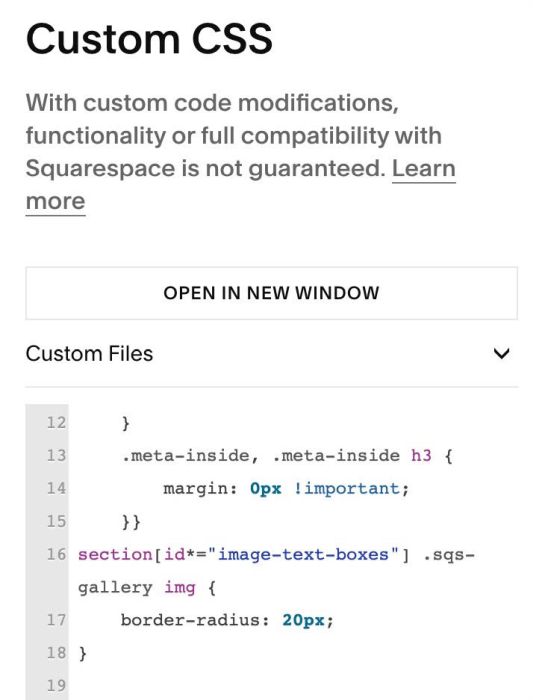
#2.2. To add border radius for Images, you can use this extra CSS code
section[id*="image-text-boxes"] .sqs-gallery img {
    border-radius: 20px;
}
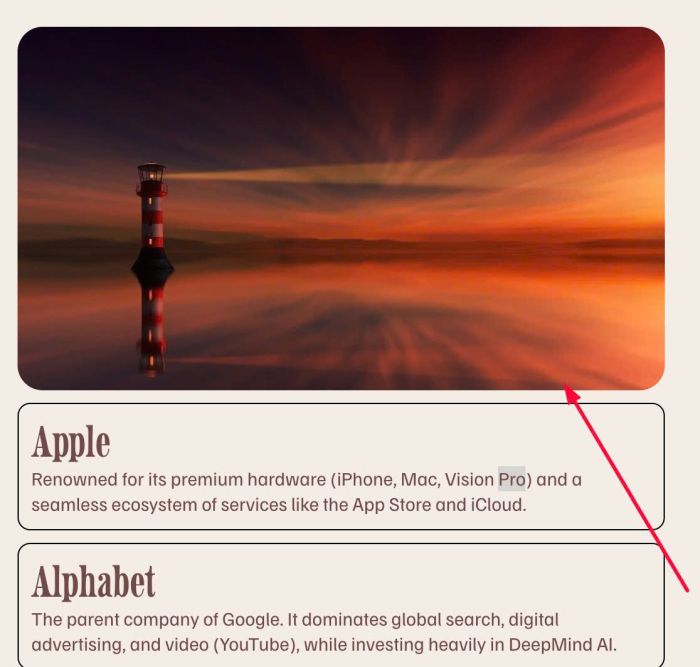
Result like this
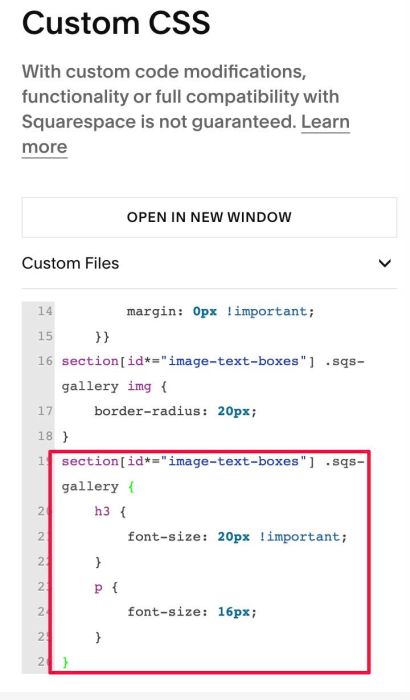
#2.3. To change Title, Description size, you can adjust Heading 3 and Paragraph size, or use this extra CSS code
section[id*="image-text-boxes"] .sqs-gallery {
    h3 {
        font-size: 20px !important;
    }
    p {
        font-size: 16px;
    }
}