Description
- adding image credit to Images (Image Block, Section Background Image) (copyright icon, hover it will show custom text)
- view demo – password: abc
- buy me a coffee

#1. Install Code
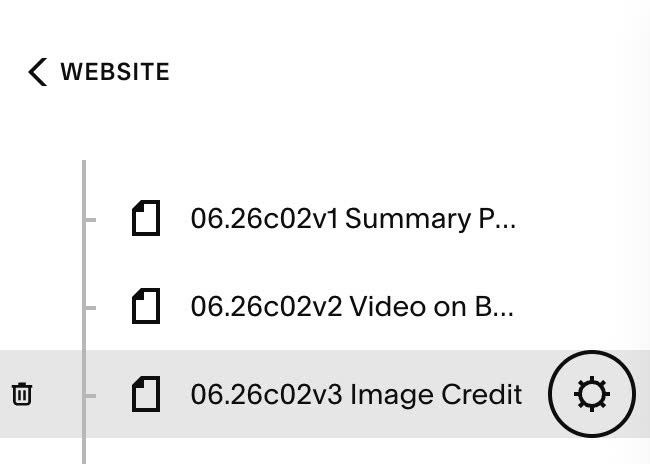
#1.1. Hover on Page where you use Images > Click Gear icon
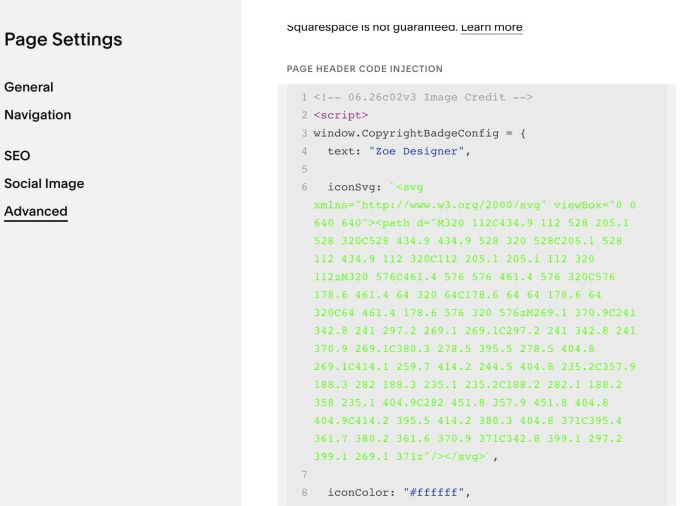
#1.2. Click Advanced > Paste this code
- If you use Personal/Basic Plan and your plan doesn’t support Injection, see #3.1.
<!-- 06.26c02v3 Image Credit -->
<script>
window.CopyrightBadgeConfig = {
  text: "Zoe Designer",

  iconSvg: `<svg xmlns="http://www.w3.org/2000/svg" viewBox="0 0 640 640"><path d="M320 112C434.9 112 528 205.1 528 320C528 434.9 434.9 528 320 528C205.1 528 112 434.9 112 320C112 205.1 205.1 112 320 112zM320 576C461.4 576 576 461.4 576 320C576 178.6 461.4 64 320 64C178.6 64 64 178.6 64 320C64 461.4 178.6 576 320 576zM269.1 370.9C241 342.8 241 297.2 269.1 269.1C297.2 241 342.8 241 370.9 269.1C380.3 278.5 395.5 278.5 404.8 269.1C414.1 259.7 414.2 244.5 404.8 235.2C357.9 188.3 282 188.3 235.1 235.2C188.2 282.1 188.2 358 235.1 404.9C282 451.8 357.9 451.8 404.8 404.9C414.2 395.5 414.2 380.3 404.8 371C395.4 361.7 380.2 361.6 370.9 371C342.8 399.1 297.2 399.1 269.1 371z"/></svg>`,

  iconColor: "#ffffff",
  iconSize: "16px",

  textColor: "#ffffff",
  textSize: "13px",

  iconTextGap: "6px",

  verticalPosition: "bottom",
  horizontalPosition: "right",

  imageBlockSelector: ".image-block-outer-wrapper",
  sectionSelector: "[data-sqsp-section]",
};
</script>
<style>.section-background:has(.cb-badge-wrapper) {pointer-events: initial !important;}</style>
<script src="https://code.beaverhero.com/other/0626c02v3imagecredit.js"></script>
#2. Customize
#2.1. You can change text when hover icon
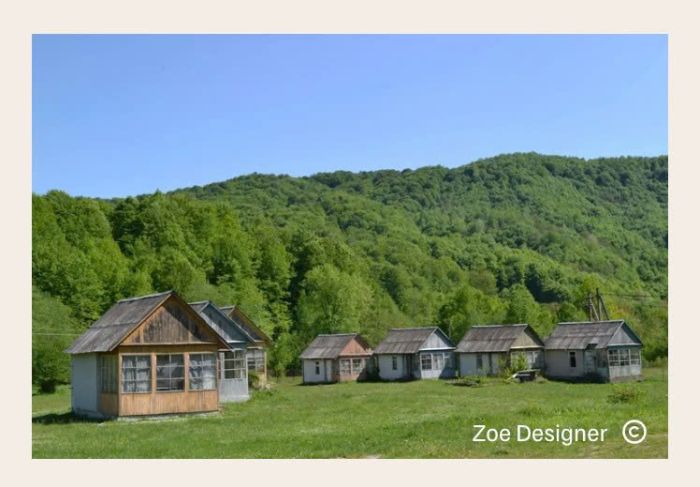
by edit Line 04
text: "Zoe Designer",
#2.2. If you want to change copyright icon to another icon, you can change Line 06. Here I used free icon in FontAwesome.com
iconSvg: `<svg xmlns="http://www.w3.org/2000/svg" viewBox="0 0 640 640"><path d="M320 112C434.9 112 528 205.1 528 320C528 434.9 434.9 528 320 528C205.1 528 112 434.9 112 320C112 205.1 205.1 112 320 112zM320 576C461.4 576 576 461.4 576 320C576 178.6 461.4 64 320 64C178.6 64 64 178.6 64 320C64 461.4 178.6 576 320 576zM269.1 370.9C241 342.8 241 297.2 269.1 269.1C297.2 241 342.8 241 370.9 269.1C380.3 278.5 395.5 278.5 404.8 269.1C414.1 259.7 414.2 244.5 404.8 235.2C357.9 188.3 282 188.3 235.1 235.2C188.2 282.1 188.2 358 235.1 404.9C282 451.8 357.9 451.8 404.8 404.9C414.2 395.5 414.2 380.3 404.8 371C395.4 361.7 380.2 361.6 370.9 371C342.8 399.1 297.2 399.1 269.1 371z"/></svg>`,
#2.3. To change icon size/color, change Line 08, Line 09
iconColor: "#ffffff",
 iconSize: "16px",
#2.4. To change text style, change Line 11, 12
textColor: "#ffffff",
  textSize: "13px",
#2.5. To change gap between icon – text, change Line 15
iconTextGap: "6px",
#2.6. To change icon position from Bottom Right to Bottom Left, you can change Line 17
horizontalPosition: "right",
to
horizontalPosition: "left",
#2.7. To increase gap between icon – right of screen/icon – bottom of screen, you can add this under main code
<style>
#siteWrapper div.cb-badge-wrapper {
    bottom: 20px;
    right: 20px;
}
</style>
#3. Other
#3.1. If you use Personal/Basic Plan and your plan doesn’t support Injection, you can edit current page > Add a Block
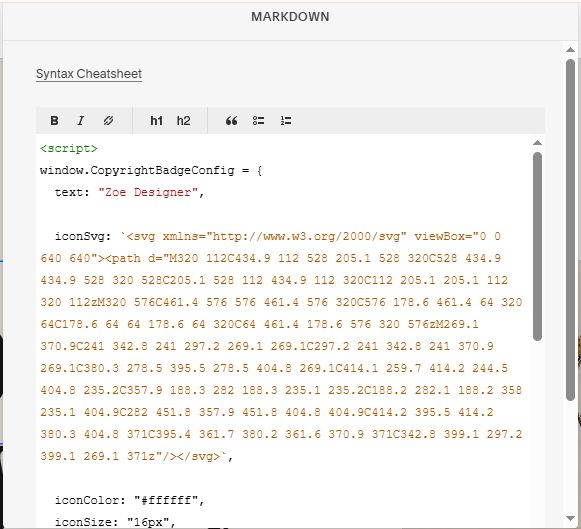
Choose Markdown

Paste this code into Markdown
<script>
window.CopyrightBadgeConfig = {
  text: "Zoe Designer",

  iconSvg: `<svg xmlns="http://www.w3.org/2000/svg" viewBox="0 0 640 640"><path d="M320 112C434.9 112 528 205.1 528 320C528 434.9 434.9 528 320 528C205.1 528 112 434.9 112 320C112 205.1 205.1 112 320 112zM320 576C461.4 576 576 461.4 576 320C576 178.6 461.4 64 320 64C178.6 64 64 178.6 64 320C64 461.4 178.6 576 320 576zM269.1 370.9C241 342.8 241 297.2 269.1 269.1C297.2 241 342.8 241 370.9 269.1C380.3 278.5 395.5 278.5 404.8 269.1C414.1 259.7 414.2 244.5 404.8 235.2C357.9 188.3 282 188.3 235.1 235.2C188.2 282.1 188.2 358 235.1 404.9C282 451.8 357.9 451.8 404.8 404.9C414.2 395.5 414.2 380.3 404.8 371C395.4 361.7 380.2 361.6 370.9 371C342.8 399.1 297.2 399.1 269.1 371z"/></svg>`,

  iconColor: "#ffffff",
  iconSize: "16px",

  textColor: "#ffffff",
  textSize: "13px",

  iconTextGap: "6px",

  verticalPosition: "bottom",
  horizontalPosition: "right",

  imageBlockSelector: ".image-block-outer-wrapper",
  sectionSelector: "[data-sqsp-section]",
};
</script>
<style>.section-background:has(.cb-badge-wrapper) {pointer-events: initial !important;}</style>
<script src="https://code.beaverhero.com/other/0626c02v3imagecredit.js"></script>