Description
- hover Portfolio will show title, description, button, overlay color in limited width
- view demo – password: abc
- buy me a coffee

#1. Install Code
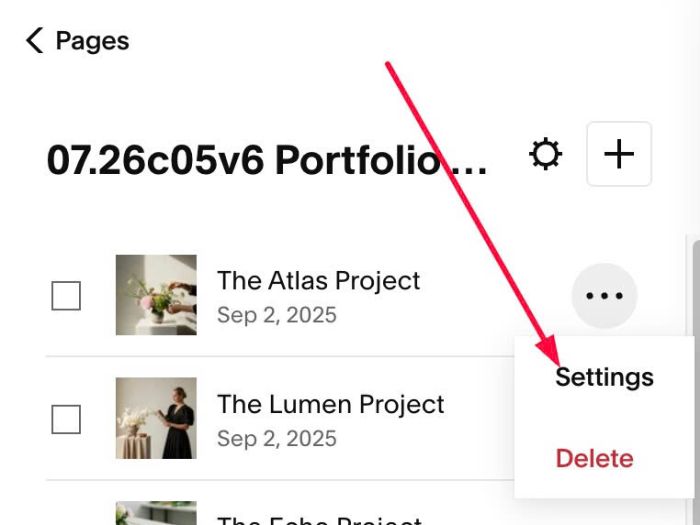
#1.1. First, hover on each Portfolio item > Click Settings
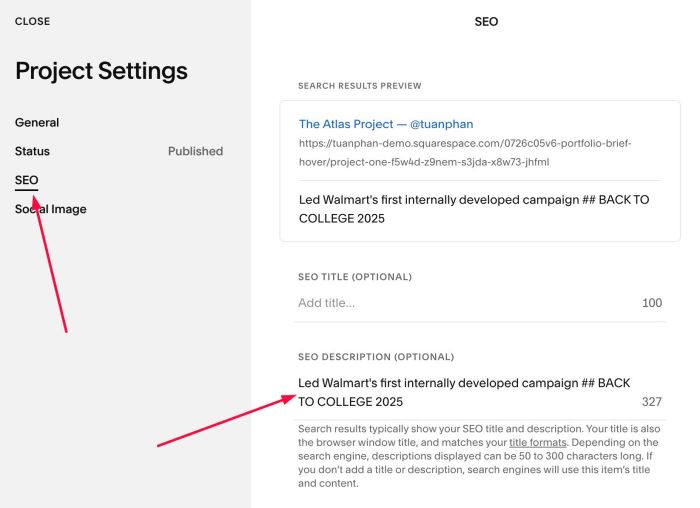
#1.2. Enter text in SEO Description, use format: description ## button
something like this
Led Walmart's first internally developed campaign ## BACK TO COLLEGE 2025
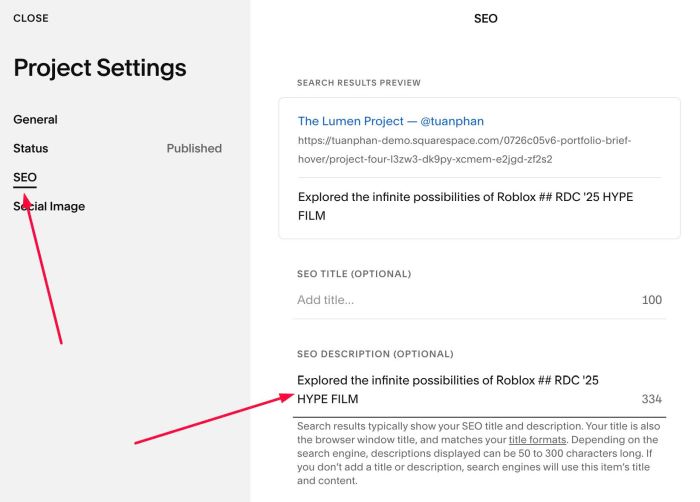
or like this
Explored the infinite possibilities of Roblox ## RDC '25 HYPE FILM
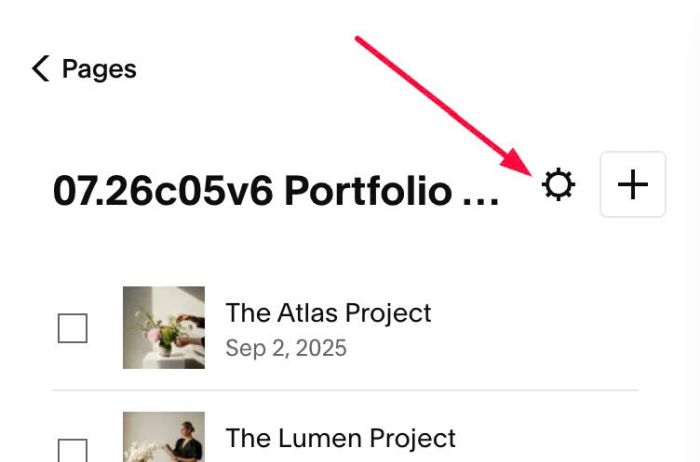
#1.3. Click Gear icon on Portfolio Page
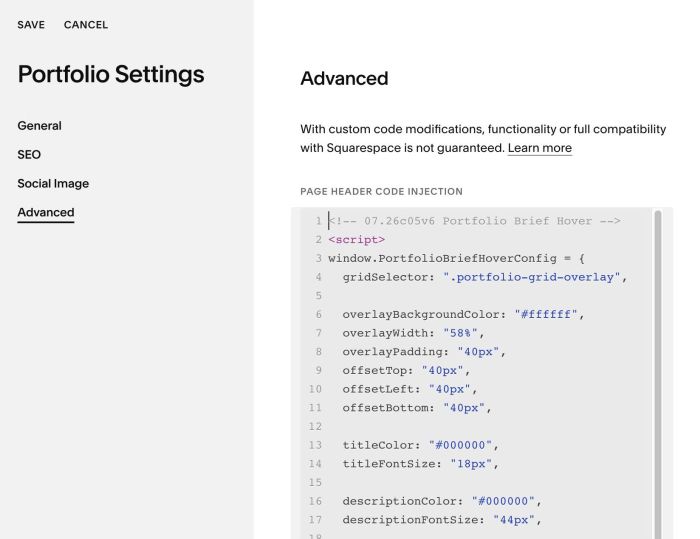
#1.4. Click Advanced > Paste this code
- If you use Personal/Basic Plan and your plan doesn’t support Injection, see #3.1
<!-- 07.26c05v6 Portfolio Brief Hover -->
<script>
window.PortfolioBriefHoverConfig = {
  gridSelector: ".portfolio-grid-overlay",

  overlayBackgroundColor: "#ffffff",
  overlayWidth: "58%",
  overlayPadding: "40px",
  offsetTop: "40px",
  offsetLeft: "40px",
  offsetBottom: "40px",

  titleColor: "#000000",
  titleFontSize: "18px",

  descriptionColor: "#000000",
  descriptionFontSize: "44px",

  buttonTextColor: "#000000",
  buttonFontSize: "16px",
  buttonPadding: "16px 28px",
  buttonBackground: "transparent",
  buttonBorder: "1px solid #000000",

  buttonTextColorHover: "#ffffff",
  buttonBackgroundHover: "#000000",
  buttonBorderColorHover: "#000000",

  overlayWidthMobile: "80%",
  overlayPaddingMobile: "20px",
  offsetTopMobile: "20px",
  offsetLeftMobile: "20px",
  offsetBottomMobile: "20px",
  descriptionFontSizeMobile: "24px",
  buttonFontSizeMobile: "14px",
  mobileTapDelay: 3000,

  debug: false
};
</script>
<script src="https://code.beaverhero.com/portfolio/0726c05v6portfoliobriefhover.js"></script>
<style>
  header#header {display: none !important;}
</style>
#2. Customize
#2.1. To change white background color to another color, you can change Line 06
overlayBackgroundColor: "#ffffff",
#2.2. To change white background width/space between white – top/left/bottom, change line 07 – line 11 (Desktop)
overlayWidth: "58%",
overlayPadding: "40px",
offsetTop: "40px",
offsetLeft: "40px",
offsetBottom: "40px",
and line 29 – line 33 (Mobile)
overlayWidthMobile: "80%",
overlayPaddingMobile: "20px",
offsetTopMobile: "20px",
offsetLeftMobile: "20px",
offsetBottomMobile: "20px",
#2.3. To change title, description, button style, change line 13 – line 23
titleColor: "#000000",
titleFontSize: "18px",

descriptionColor: "#000000",
descriptionFontSize: "44px",

buttonTextColor: "#000000",
buttonFontSize: "16px",
buttonPadding: "16px 28px",
buttonBackground: "transparent",
buttonBorder: "1px solid #000000",
#2.4. To change description, button size on mobile, change line 34, 35
descriptionFontSizeMobile: "24px",
  buttonFontSizeMobile: "14px",
#3. Other
#3.1. If you use Personal/Basic Plan and your plan doesn’t support Injection, you can edit Site Footer
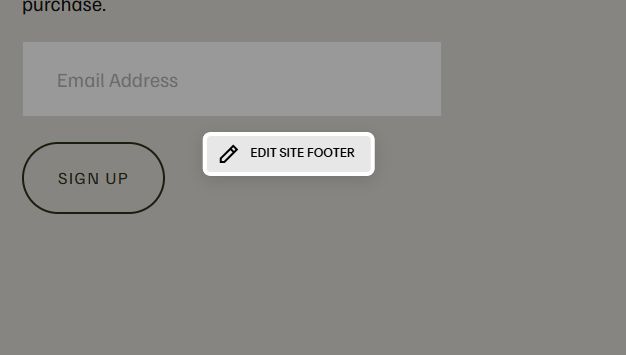
Add a Markdown Block

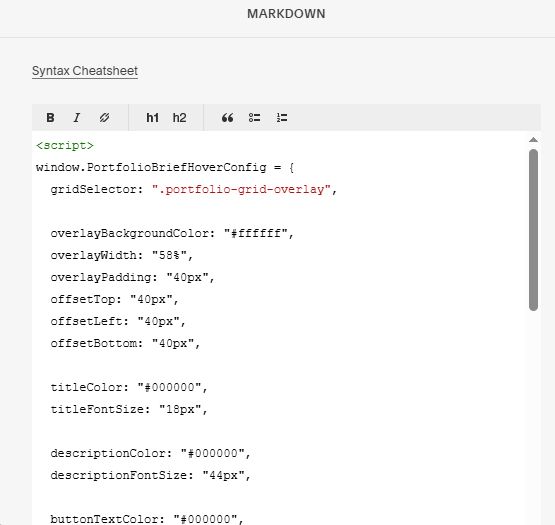
Add this code into Markdown
<script>
window.PortfolioBriefHoverConfig = {
  gridSelector: ".portfolio-grid-overlay",

  overlayBackgroundColor: "#ffffff",
  overlayWidth: "58%",
  overlayPadding: "40px",
  offsetTop: "40px",
  offsetLeft: "40px",
  offsetBottom: "40px",

  titleColor: "#000000",
  titleFontSize: "18px",

  descriptionColor: "#000000",
  descriptionFontSize: "44px",

  buttonTextColor: "#000000",
  buttonFontSize: "16px",
  buttonPadding: "16px 28px",
  buttonBackground: "transparent",
  buttonBorder: "1px solid #000000",

  buttonTextColorHover: "#ffffff",
  buttonBackgroundHover: "#000000",
  buttonBorderColorHover: "#000000",

  overlayWidthMobile: "80%",
  overlayPaddingMobile: "20px",
  offsetTopMobile: "20px",
  offsetLeftMobile: "20px",
  offsetBottomMobile: "20px",
  descriptionFontSizeMobile: "24px",
  buttonFontSizeMobile: "14px",
  mobileTapDelay: 3000,

  debug: false
};
</script>
<script src="https://code.beaverhero.com/portfolio/0726c05v6portfoliobriefhover.js"></script>