Description
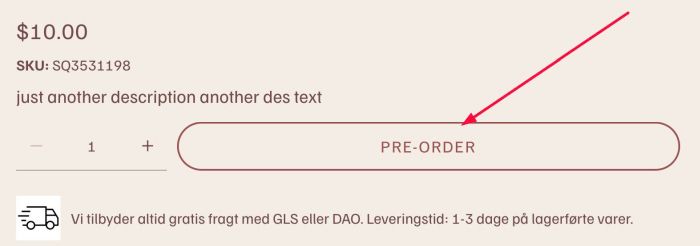
- change Add to Cart text if Stock = Unlimited
- view demo – password: abc
- buy me a coffee
#1. Install Code
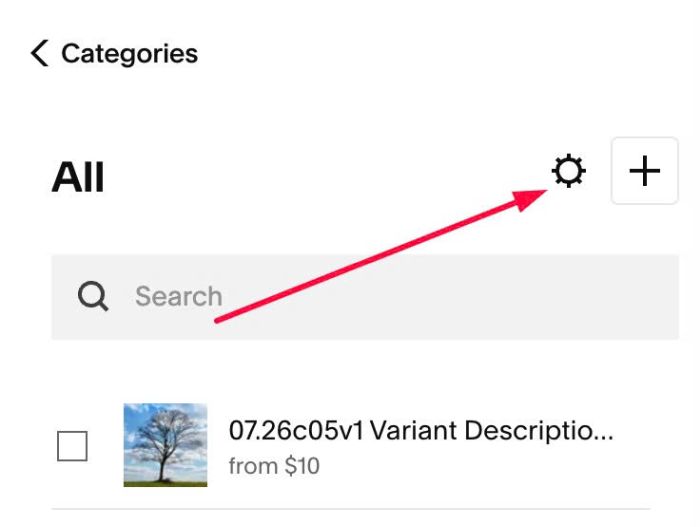
#1.1. Click Gear icon on Store Page
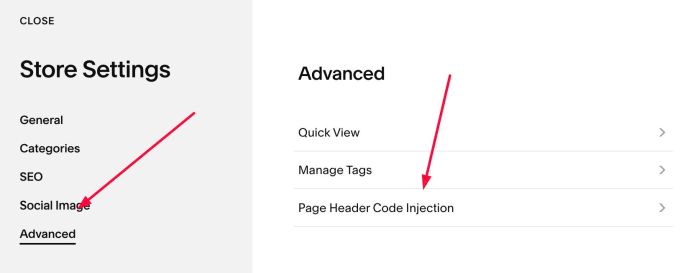
Next, click Advanced > Page Header Code Injection
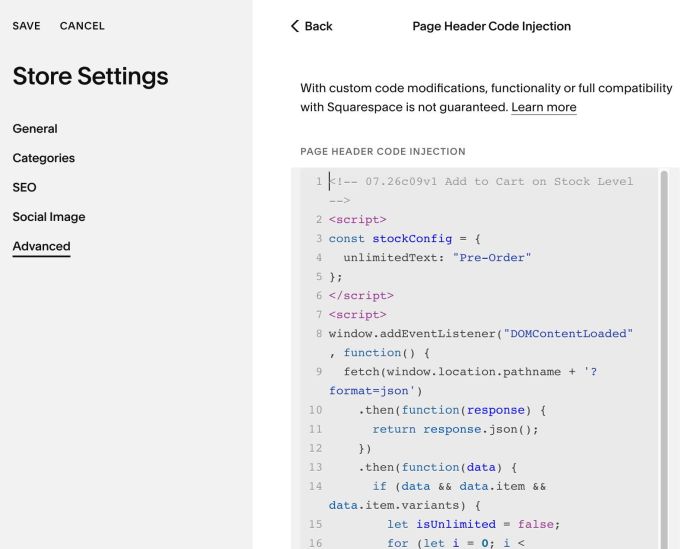
#1.2. Add this code to right box
<!-- 07.26c09v1 Add to Cart on Stock Level -->
<script>
const stockConfig = {
  unlimitedText: "Pre-Order"
};
</script>
<script>
window.addEventListener("DOMContentLoaded", function() {
  fetch(window.location.pathname + '?format=json')
    .then(function(response) {
      return response.json();
    })
    .then(function(data) {
      if (data && data.item && data.item.variants) {
        let isUnlimited = false;
        for (let i = 0; i < data.item.variants.length; i++) {
          if (data.item.variants[i].unlimited) {
            isUnlimited = true;
            break;
          }
        }
        if (isUnlimited) {
          const checkElement = setInterval(function() {
            const textElement = document.querySelector('.add-to-cart-text');
            if (textElement) {
              textElement.textContent = stockConfig.unlimitedText;
              clearInterval(checkElement);
            }
          }, 100);
          setTimeout(function() { clearInterval(checkElement); }, 5000);
        }
      }
    })
    .catch(function(error) {});
});
</script>
#2. Customize
#2.1. To change Pre-Order text, change this line 04
unlimitedText: "Pre-Order"