Description
- adding Filter in Stock/Out Stock on Store Page
- view demo – password: abc
- buy me a coffee
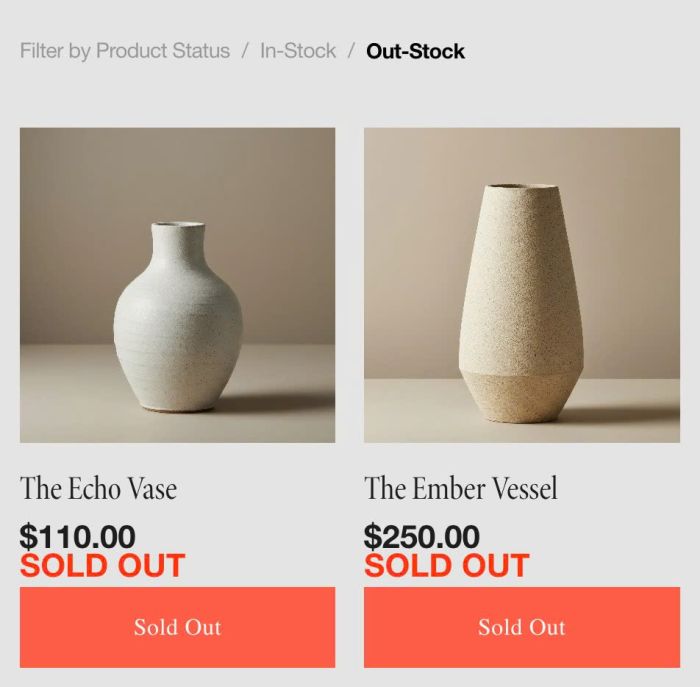
#1. Install Code
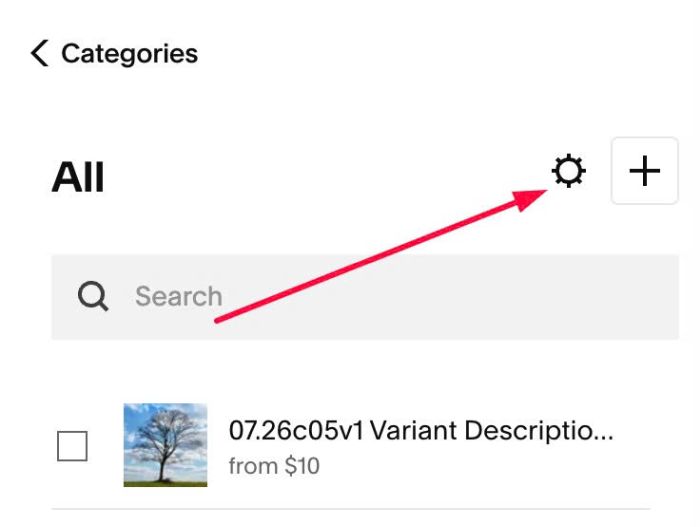
#1.1. Click Gear icon on Store Page
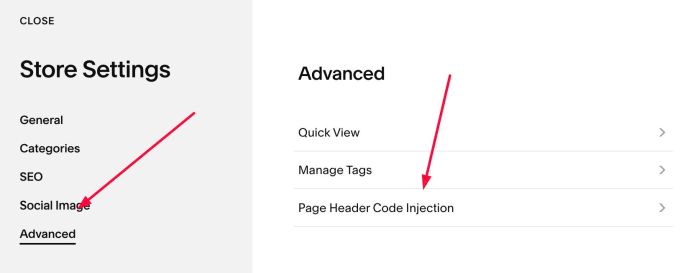
Next, click Advanced > Page Header Code Injection
#1.2. Add this code to right box
<!-- 07.26c09v5 Filter In Stock -->
<script>
window.StoreFilterConfig = {
  sectionSelector: '.product-list-container',
  filters: ['Filter by Product Status', 'In-Stock', 'Out-Stock'],
  defaultFilter: 'Filter by Product Status',
  divider: '/',
  align: 'left',
  styles: {
    wrapper: {
      gap: '8px',
      marginBottom: '30px',
      paddingLeft: '0',
      paddingRight: '0',
    },
    activeColor: '#000',
    inactiveColor: '#999',
    fontSize: '0.9rem',
    dividerColor: '#999',
    cursor: 'pointer',
  }
};
</script>
<script src="https://code.beaverhero.com/store/0726c09v5filterinstock.js"></script>
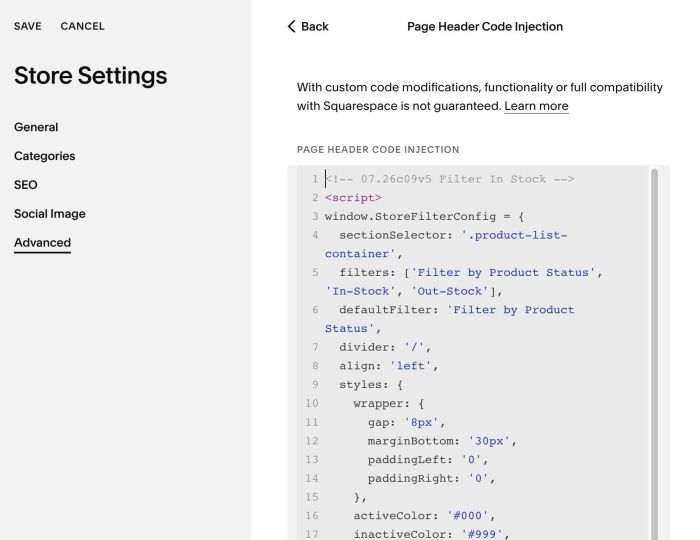
#2. Customize
#2.1. To change Filter texts, change Line 06, Line 07
filters: ['Filter by Product Status', 'In-Stock', 'Out-Stock'],
  defaultFilter: 'Filter by Product Status',
#2.2. To change filter text size/color/divider, change Line 17, 18, 19
activeColor: '#000',
inactiveColor: '#999',
fontSize: '0.9rem',
dividerColor: '#999',