Description
- remove sold out items on related products and add new items instead
- buy me a coffee
#1. Install Code
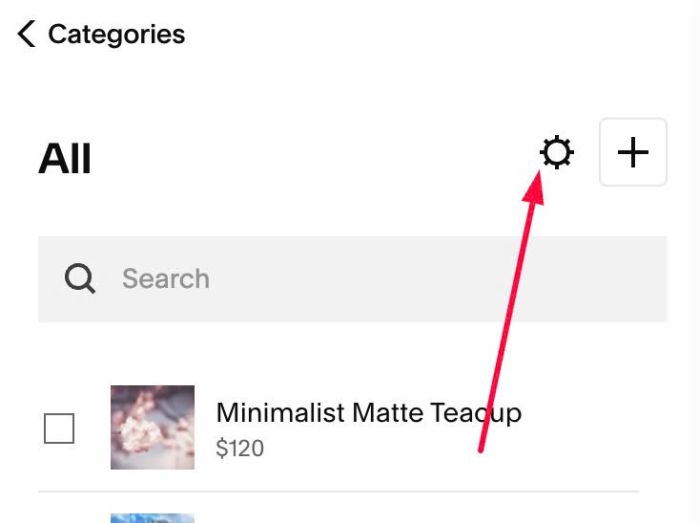
#1.1. Click Gear icon on Store Page
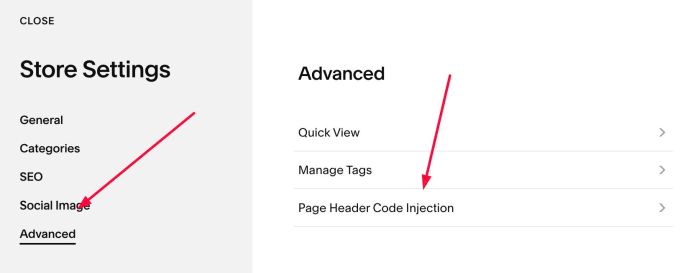
Next, click Advanced > Page Header Code Injection
#1.2. Add this code to right box
<!-- 07.26c15v2 Remove Sold Out items on Related Products -->
<script>
window.RelatedNoSoldOutConfig = {
  poolMode: "category",
  storeUrls: [],
  fillOrder: "random",
  cacheMinutes: 10,
  hideBeforeReady: true,
  revealTimeout: 6000,
  fromPriceFormat: "from {price}"
};
</script>
<script src="https://code.beaverhero.com/store/0726c15v2soldonrelated.js"></script>
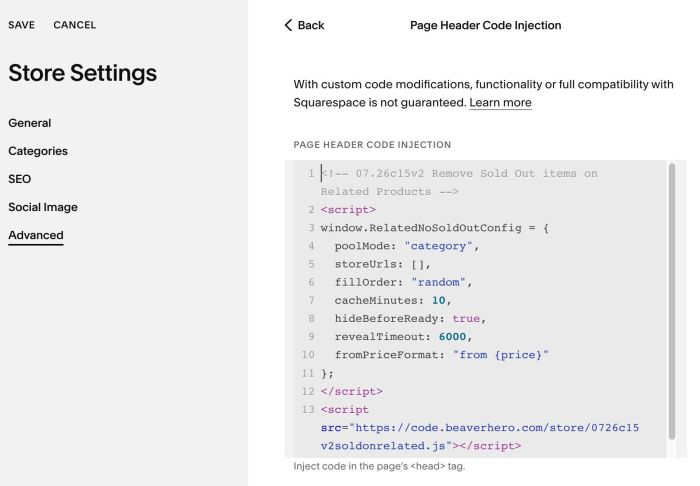
#1.3. Note: Code will check current category and replace sold-out items with new items. However, if you want to check list of all products instead of categories…change this line
poolMode: "category",
to
poolMode: "all",
#2. Customize
nothing now