Description
- make video block clickable
- view demo – password: abc
- buy me a coffee
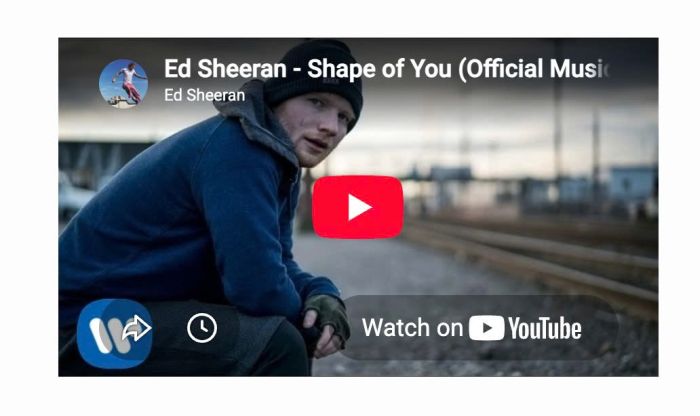
#1. Install Code
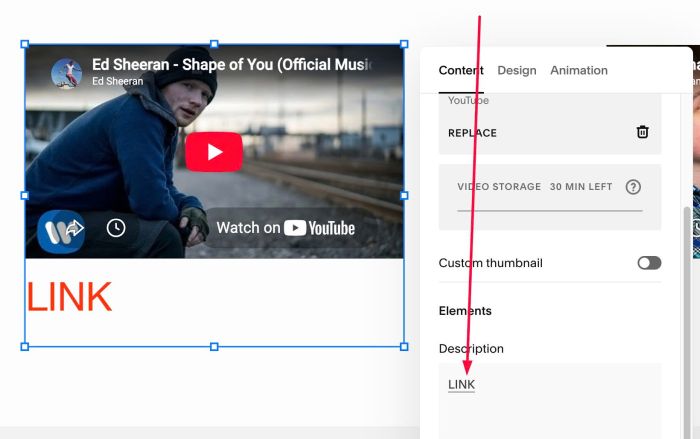
#1.1. First, add a text Link to Video Description
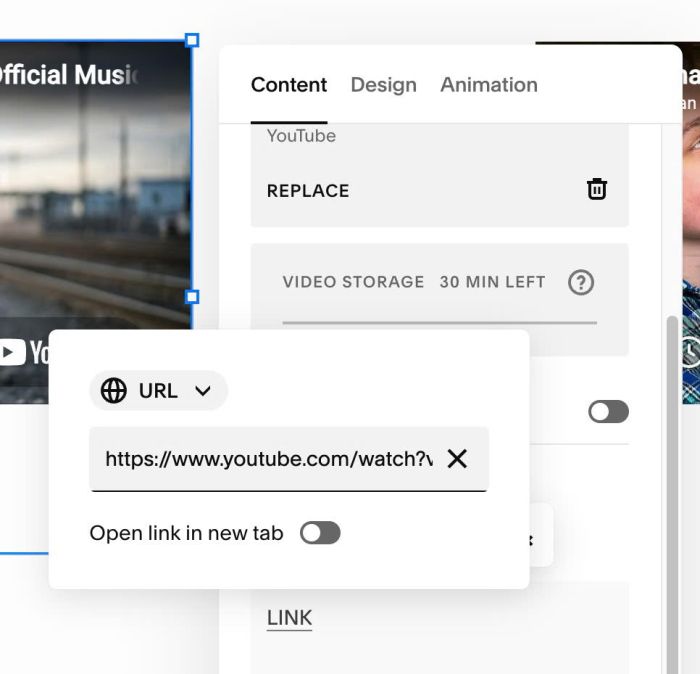
#1.2. Add link to text Link
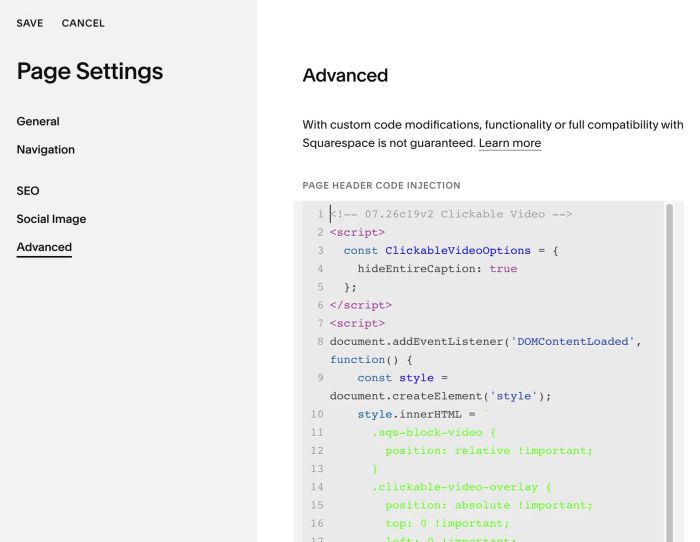
#1.3. Hover on Page where you use Video Block > Click Gear icon

#1.4. Click Advanced > Paste this code
- If you use Personal/Basic Plan and your plan doesn’t support Injection, see #3.1
<!-- 07.26c19v2 Clickable Video -->
<script>
  const ClickableVideoOptions = {
    hideEntireCaption: true
  };
</script>
<script>
document.addEventListener('DOMContentLoaded', function() {
    const style = document.createElement('style');
    style.innerHTML = `
      .sqs-block-video {
        position: relative !important;
      }
      .clickable-video-overlay {
        position: absolute !important;
        top: 0 !important;
        left: 0 !important;
        width: 100% !important;
        height: 100% !important;
        z-index: 9999 !important;
        cursor: pointer !important;
        background: transparent !important;
        text-decoration: none !important;
      }
      .hide-video-caption-container .video-caption-wrapper,
      .hide-video-caption-container .sqs-video-caption {
        display: none !important;
      }
    `;
    document.head.appendChild(style);

    const videoBlocks = document.querySelectorAll('.sqs-block-video');

    videoBlocks.forEach(block => {
        const linkElement = block.querySelector('.video-caption-wrapper a, .sqs-video-caption a');

        if (linkElement && linkElement.innerText.trim().toUpperCase() === 'LINK') {
            const url = linkElement.getAttribute('href');
            const target = linkElement.getAttribute('target') || '_self';

            const overlay = document.createElement('a');
            overlay.href = url;
            overlay.target = target;
            overlay.className = 'clickable-video-overlay';
            overlay.setAttribute('aria-label', 'Video Link Overlay');

            const videoWrapper = block.querySelector('.sqs-video-wrapper, .intrinsic-inner');
            if (videoWrapper) {
                videoWrapper.appendChild(overlay);
            } else {
                block.appendChild(overlay);
            }

            if (ClickableVideoOptions.hideEntireCaption) {
                block.classList.add('hide-video-caption-container');
            } else {
                linkElement.style.display = 'none';
            }
        }
    });
});
</script>
#2. Customize
nothing now
#3. Other
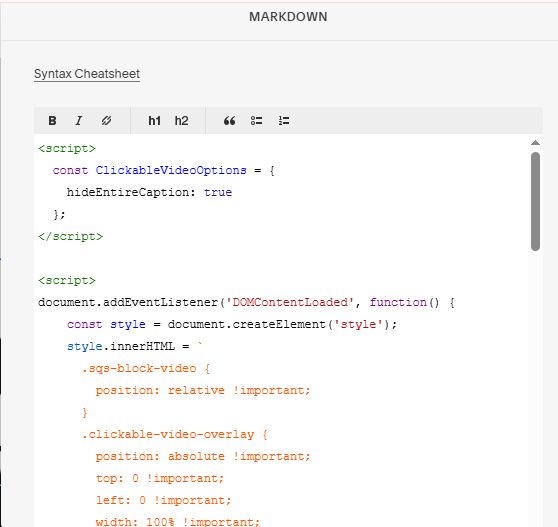
#3.1. If you use Personal/Basic Plan and your plan doesn’t support Injection, you can add a Markdown Block under Video Block

Then add this code into Markdown Block
<script>
  const ClickableVideoOptions = {
    hideEntireCaption: true
  };
</script>

<script>
document.addEventListener('DOMContentLoaded', function() {
    const style = document.createElement('style');
    style.innerHTML = `
      .sqs-block-video {
        position: relative !important;
      }
      .clickable-video-overlay {
        position: absolute !important;
        top: 0 !important;
        left: 0 !important;
        width: 100% !important;
        height: 100% !important;
        z-index: 9999 !important;
        cursor: pointer !important;
        background: transparent !important;
        text-decoration: none !important;
      }
      .hide-video-caption-container .video-caption-wrapper,
      .hide-video-caption-container .sqs-video-caption {
        display: none !important;
      }
    `;
    document.head.appendChild(style);

    const videoBlocks = document.querySelectorAll('.sqs-block-video');

    videoBlocks.forEach(block => {
        const linkElement = block.querySelector('.video-caption-wrapper a, .sqs-video-caption a');

        if (linkElement && linkElement.innerText.trim().toUpperCase() === 'LINK') {
            const url = linkElement.getAttribute('href');
            const target = linkElement.getAttribute('target') || '_self';

            const overlay = document.createElement('a');
            overlay.href = url;
            overlay.target = target;
            overlay.className = 'clickable-video-overlay';
            overlay.setAttribute('aria-label', 'Video Link Overlay');

            const videoWrapper = block.querySelector('.sqs-video-wrapper, .intrinsic-inner');
            if (videoWrapper) {
                videoWrapper.appendChild(overlay);
            } else {
                block.appendChild(overlay);
            }

            if (ClickableVideoOptions.hideEntireCaption) {
                block.classList.add('hide-video-caption-container');
            } else {
                linkElement.style.display = 'none';
            }
        }
    });
});
</script>