Description
- pause slideshow after specific round (for example if slideshow has 9 images and need pause after 2 rounds, autoscroll will pause after 17 images)
- view demo – password: abc
- buy me a coffee
#1. Install Code
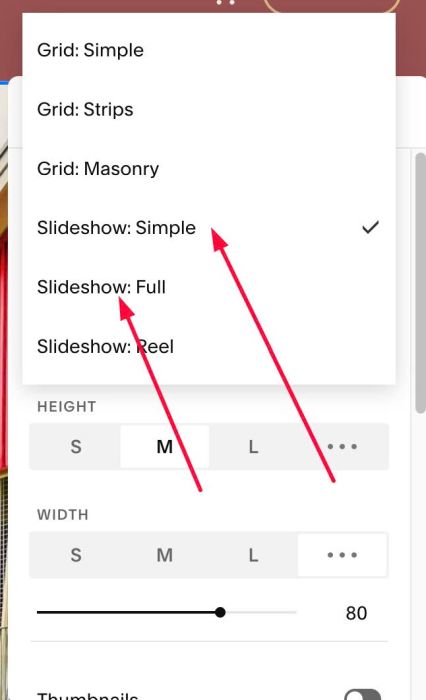
#1.1. Make sure you use Slideshow Simple or Slideshow Full
#1.2. Make sure you disabled Autoplay

#1.3. Hover on top right of Slideshow > click EDIT SECTION > at Gallery > Anchor Link > enter word: roundv1

or roundv2

#1.4. Use this code to Page Header Injection (page where you use Slideshow)
- if you use Personal/Basic Plan and your plan doesn’t support Injection, see #3.1
<!-- 07.26c23v1 Pause Slideshow after specific round -->
<script>
window.SlideshowRoundLimitConfig = {
  targets: [
    { section: "roundv1", rounds: 2, intervalMs: 2000 },
    { section: "roundv2", rounds: 2, intervalMs: 2000 }
  ],
  startDelayMs: 0,
  pauseOnHover: true,
  pauseWhenOutOfView: true,
  stopOnUserClick: true,
  onFinish: null,
  debug: false
};
</script>
<script src="https://code.beaverhero.com/gallerys/0726c23v1pauseslideshowspecificround.js"></script>

#1.5. You can update number of round for each anchor link section here
- 2000 = autoplay speed (2 seconds)
targets: [
  { section: "roundv1", rounds: 2, intervalMs: 2000 },
  { section: "roundv2", rounds: 2, intervalMs: 2000 }
],
#2. Customize
nothing now
#3. Other
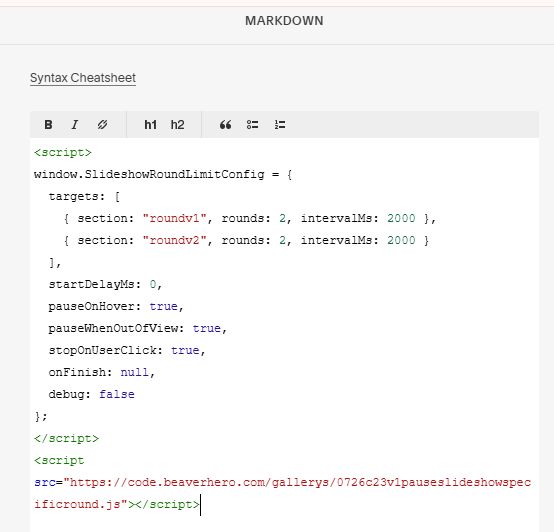
#3.1. If you use Personal/Basic Plan and your plan doesn’t support Injection, you can edit current page (page where you use Slideshow) > Add a Block > Choose Markdown

Then add this code into Markdown
<script>
window.SlideshowRoundLimitConfig = {
  targets: [
    { section: "roundv1", rounds: 2, intervalMs: 2000 },
    { section: "roundv2", rounds: 2, intervalMs: 2000 }
  ],
  startDelayMs: 0,
  pauseOnHover: true,
  pauseWhenOutOfView: true,
  stopOnUserClick: true,
  onFinish: null,
  debug: false
};
</script>
<script src="https://code.beaverhero.com/gallerys/0726c23v1pauseslideshowspecificround.js"></script>