Description
- adding search box to top of blog page, it can search blog title in real time
- view demo – password: abc
- buy me a coffee

#1. Install Code
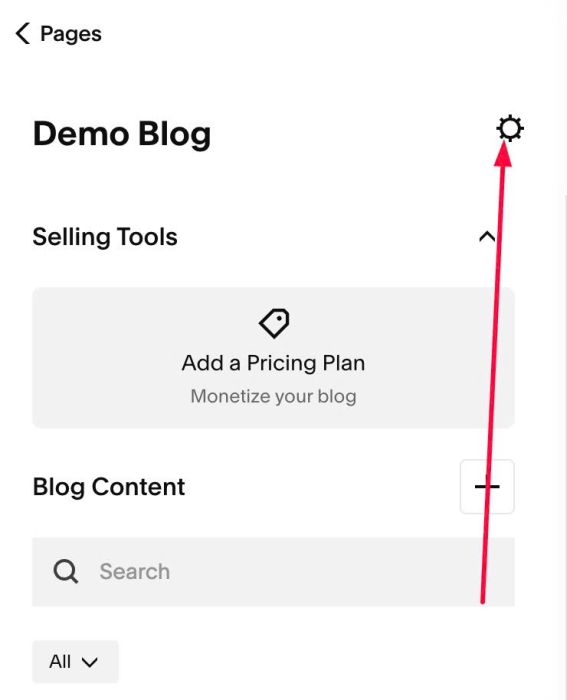
#1.1. Click Gear icon on Blog Page
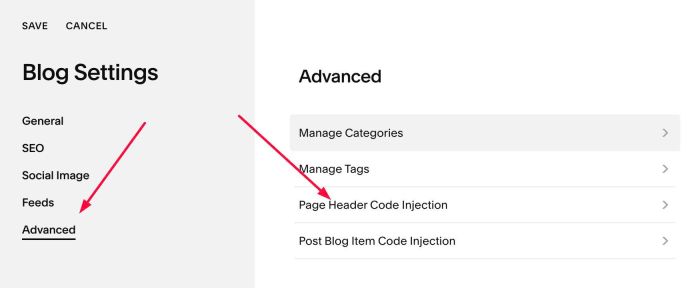
#1.2. Click Advanced > Page Header Code Injection
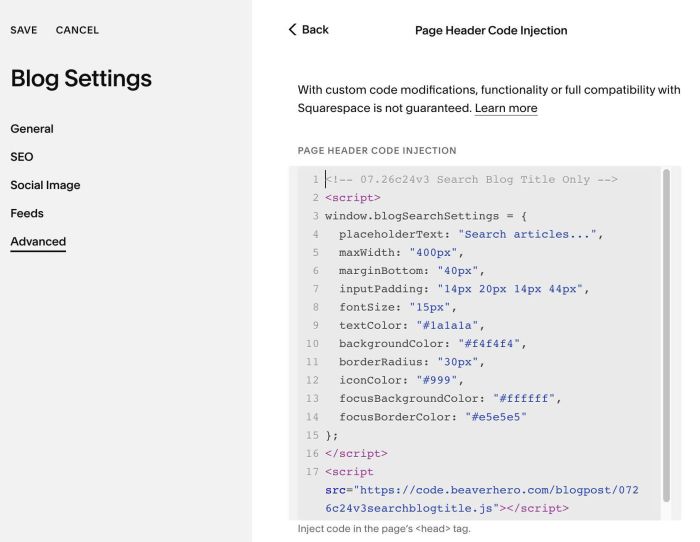
#1.3. Paste this code
- If your site is Personal/Basic Plan and it doesn’t support Injection, see #3.1
<!-- 07.26c24v3 Search Blog Title Only -->
<script>
window.blogSearchSettings = {
  placeholderText: "Search articles...",
  maxWidth: "400px",
  marginBottom: "40px",
  inputPadding: "14px 20px 14px 44px",
  fontSize: "15px",
  textColor: "#1a1a1a",
  backgroundColor: "#f4f4f4",
  borderRadius: "30px",
  iconColor: "#999",
  focusBackgroundColor: "#ffffff",
  focusBorderColor: "#e5e5e5"
};
</script>
<script src="https://code.beaverhero.com/blogpost/0726c24v3searchblogtitle.js"></script>
#2. Customize
You can change all style here
window.blogSearchSettings = {
  placeholderText: "Search articles...",
  maxWidth: "400px",
  marginBottom: "40px",
  inputPadding: "14px 20px 14px 44px",
  fontSize: "15px",
  textColor: "#1a1a1a",
  backgroundColor: "#f4f4f4",
  borderRadius: "30px",
  iconColor: "#999",
  focusBackgroundColor: "#ffffff",
  focusBorderColor: "#e5e5e5"
};
#3. Other
#3.1. If you use Personal/Basic Plan and your plan doesn’t support Injection, you can edit Site Footer
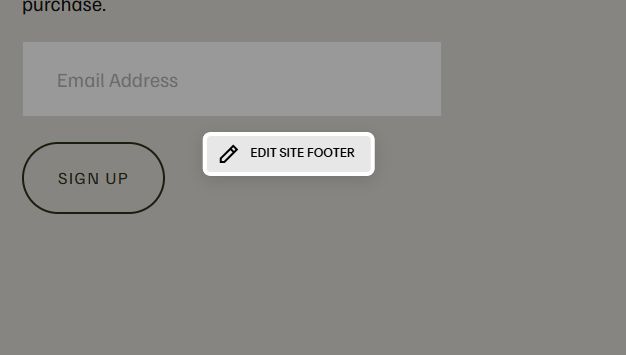
Add a Markdown Block

Add this code into Markdown
<script>
window.blogSearchSettings = {
  placeholderText: "Search articles...",
  maxWidth: "400px",
  marginBottom: "40px",
  inputPadding: "14px 20px 14px 44px",
  fontSize: "15px",
  textColor: "#1a1a1a",
  backgroundColor: "#f4f4f4",
  borderRadius: "30px",
  iconColor: "#999",
  focusBackgroundColor: "#ffffff",
  focusBorderColor: "#e5e5e5"
};
</script>
<script src="https://code.beaverhero.com/blogpost/0726c24v3searchblogtitle.js"></script>
