Description
- change style (color, font…) of four of seven words in Site Title
- buy me a coffee

#1. Install Code
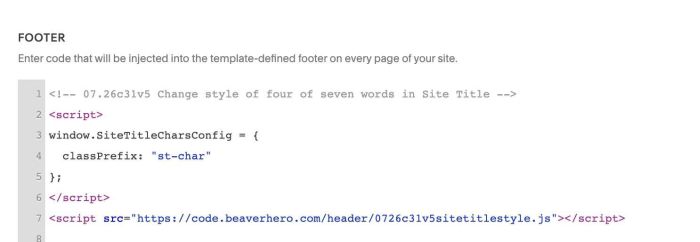
#1.1. You can use this code to Code Injection > Footer
- If you use Personal/Basic Plan and your plan doesn’t support Injection, you can see #3.1
<!-- 07.26c31v5 Change style of four of seven words in Site Title -->
<script>
window.SiteTitleCharsConfig = {
  classPrefix: "st-char"
};
</script>
<script src="https://code.beaverhero.com/header/0726c31v5sitetitlestyle.js"></script>
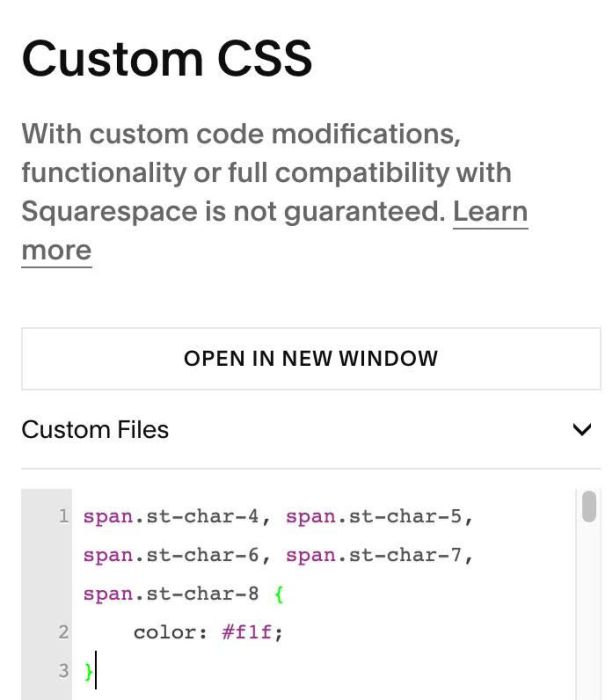
#1.2. Next, to change style of 4 words, for example word: 4, 5, 6, 7
we can use code like this to Custom CSS
span.st-char-4, span.st-char-5, span.st-char-6, span.st-char-7, span.st-char-8 {
    color: #f1f;
}
#2. Customize
If you need to tweak more you can use this AI Assistant (designed for Squarespace sites)
#3. Other
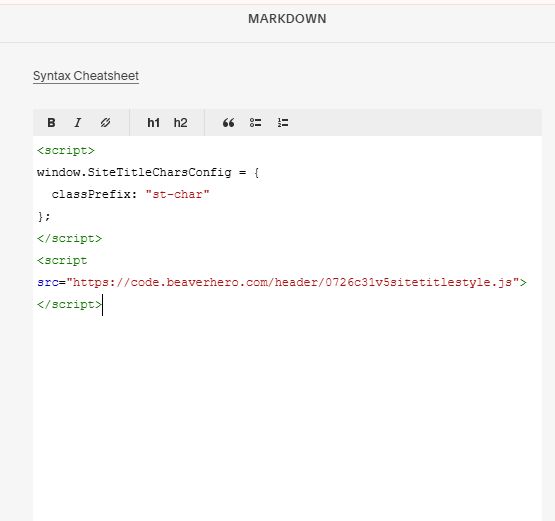
#3.1. If you use Personal/Basic Plan and your plan doesn’t support Injection, you can edit Site Footer > Add a Markdown Block

Add this code into Markdown
<script>
window.SiteTitleCharsConfig = {
  classPrefix: "st-char"
};
</script>
<script src="https://code.beaverhero.com/header/0726c31v5sitetitlestyle.js"></script>