Description
- turn Portfolio image to carousel slideshow with arrows
- view demo – password: abc
- buy me a coffee

#1. Install Code
#1.1. First, edit each Portfolio item
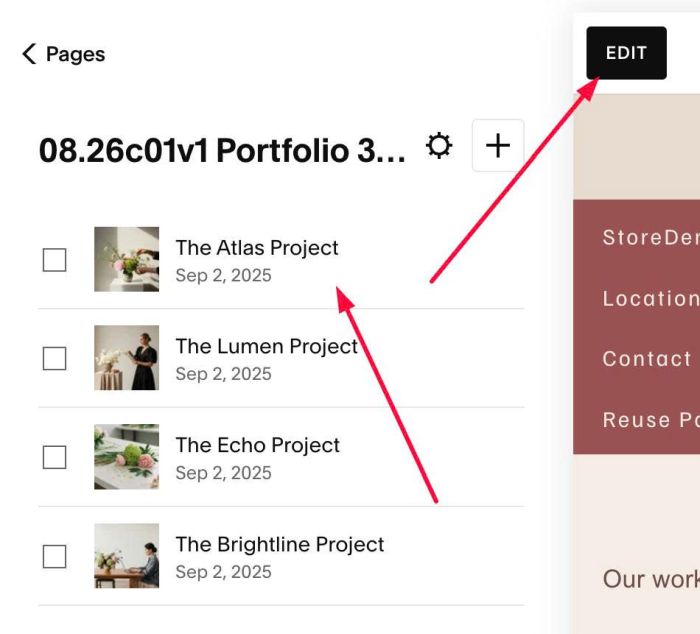
#1.2. Click Add Section

#1.3. Choose Images > Choose section with (i) icon
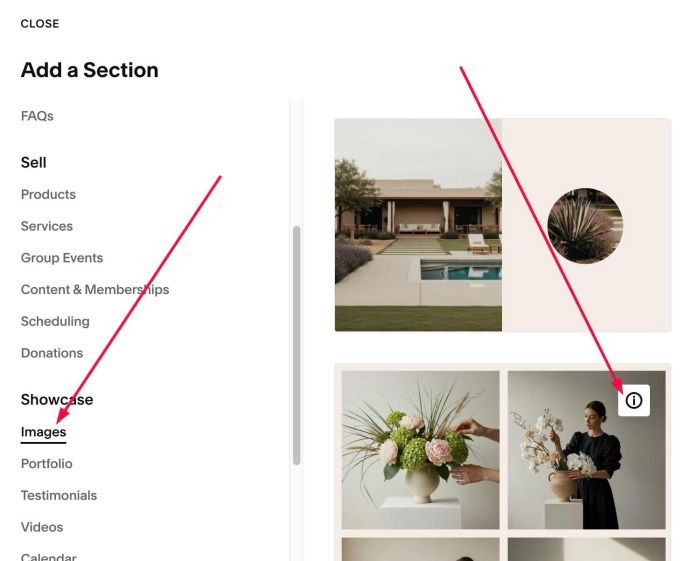
#1.4. Hover on top right of Images section > Click EDIT SECTION

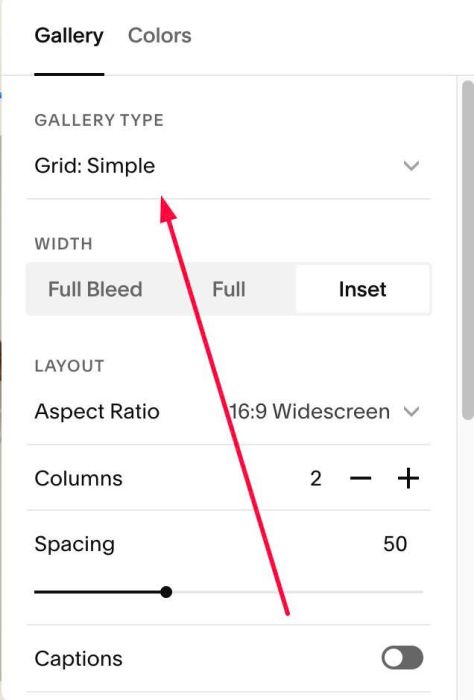
#1.5. Make sure you use Grid: Simple
#1.6. at Anchor Link > enter word: portfolio-thumbnail
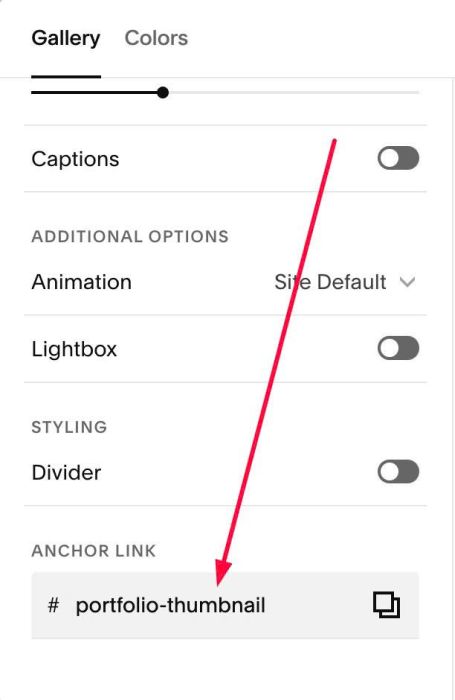
#1.7. Hover on top right of Images section > Click EDIT Gallery to upload your desired images
#1.8. Click Gear icon on Portfolio Page
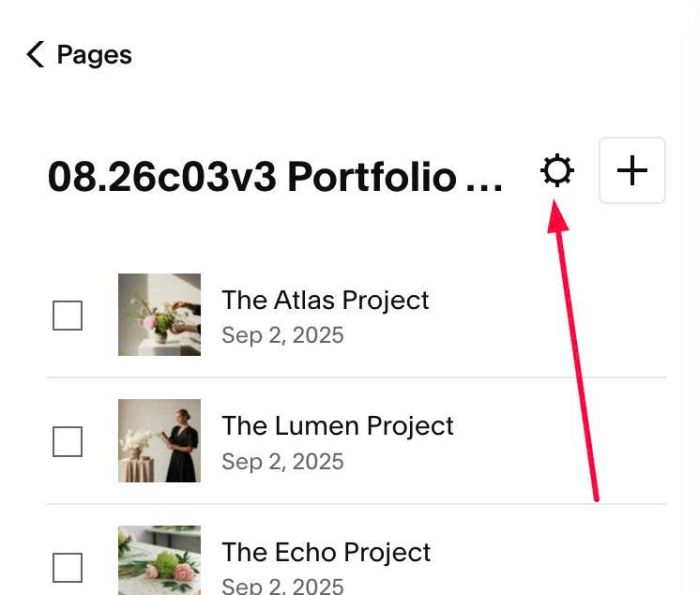
#1.9. Click Advanced > Paste this code
- If you use Personal/Basic Plan and your plan doesn’t support Injection, see #3.1
<!-- 08.26c03v3 Portfolio Thumbnail Carousel -->
<script>
window.PortfolioThumbCarouselConfig = {
    gridSelector: "#gridThumbs",
    gridItemSelector: ".grid-item",
    mainImageSelector: ".grid-image-inner-wrapper img",
    projectImageSelector: ".gallery-grid-item img",
    includeMainImage: true,
    maxImages: 0,
    thumbImageWidth: 1000,
    fadeDuration: 500,
    arrowIconSize: 18,
    circleSize: 40,
    arrowColor: "#ffffff",
    circleColor: "rgba(0,0,0,0.5)",
    edgeOffset: 10,
    enableWheel: false,
    enableKeyboard: true
};
</script>
<script src="https://code.beaverhero.com/portfolio/0826c03v3portfoliothumbnailcarousel.js"></script>

#2. Customize
#2.1. To change arrow style, you can change these (line 12 to line 16)
arrowIconSize: 18,
circleSize: 40,
arrowColor: "#ffffff",
circleColor: "rgba(0,0,0,0.5)",
edgeOffset: 10,
#2.2. If you need to tweak more you can use this AI Assistant (designed for Squarespace sites)
#3. Other
#3.1. If you use Personal/Basic Plan and your plan doesn’t support Injection, you can edit Site Footer
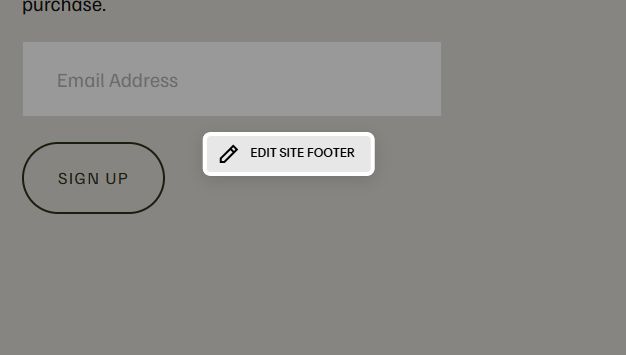
Add a Markdown Block

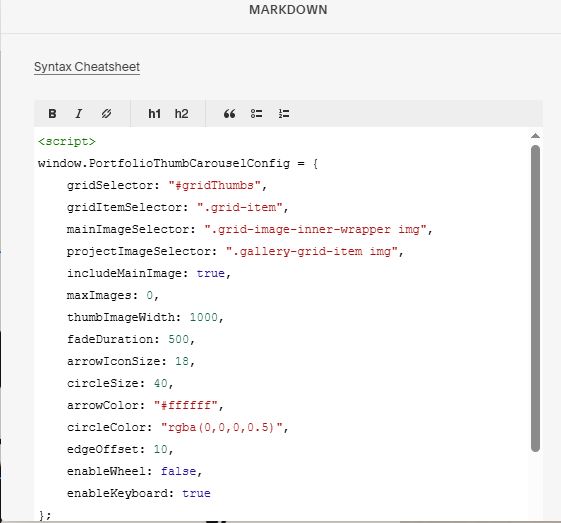
Add this code into Markdown
<script>
window.PortfolioThumbCarouselConfig = {
    gridSelector: "#gridThumbs",
    gridItemSelector: ".grid-item",
    mainImageSelector: ".grid-image-inner-wrapper img",
    projectImageSelector: ".gallery-grid-item img",
    includeMainImage: true,
    maxImages: 0,
    thumbImageWidth: 1000,
    fadeDuration: 500,
    arrowIconSize: 18,
    circleSize: 40,
    arrowColor: "#ffffff",
    circleColor: "rgba(0,0,0,0.5)",
    edgeOffset: 10,
    enableWheel: false,
    enableKeyboard: true
};
</script>
<script src="https://code.beaverhero.com/portfolio/0826c03v3portfoliothumbnailcarousel.js"></script>