Description
- move button from product detail to store page, under price
- buy me a coffee

#1. Install Code
#1.1. First, edit a Product > Add Section

#1.2. Add a Button Block with desired text/url

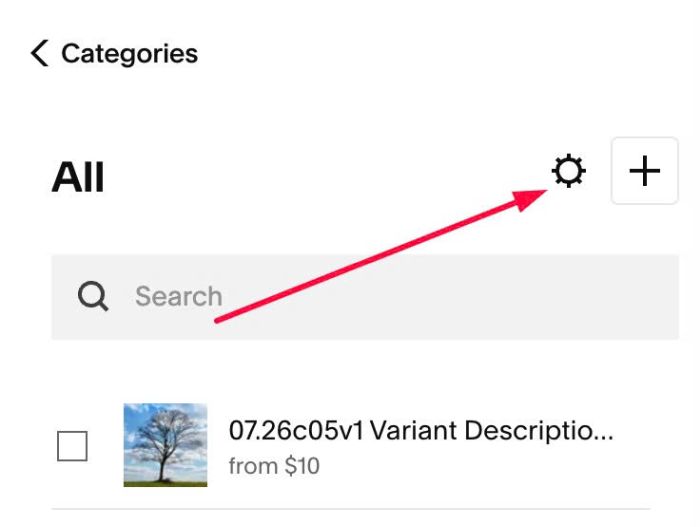
#1.3. Click Gear icon on Store Page
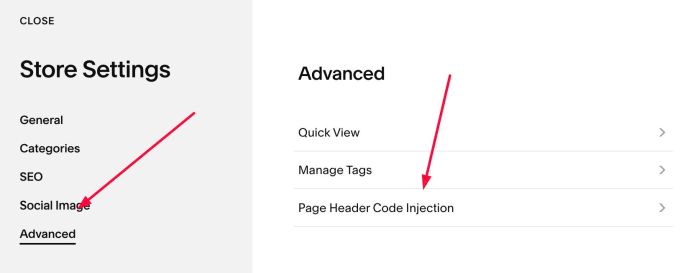
Next, click Advanced > Page Header Code Injection
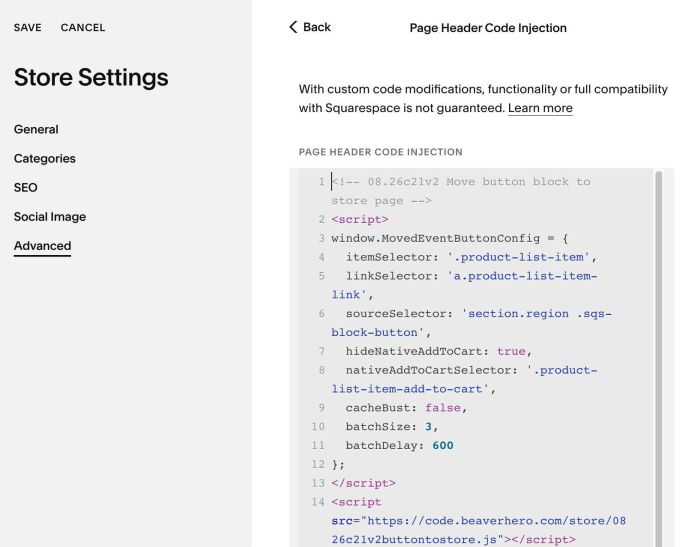
#1.4. Add this code to right box
<!-- 08.26c21v2 Move button block to store page -->
<script>
window.MovedEventButtonConfig = {
  itemSelector: '.product-list-item',
  linkSelector: 'a.product-list-item-link',
  sourceSelector: 'section.region .sqs-block-button',
  hideNativeAddToCart: true,
  nativeAddToCartSelector: '.product-list-item-add-to-cart',
  cacheBust: false,
  batchSize: 3,
  batchDelay: 600
};
</script>
<script src="https://code.beaverhero.com/store/0826c21v2buttontostore.js"></script>
#2. Customize
#2.1. To make Add to Cart appears, change line 07
hideNativeAddToCart: true,
to
hideNativeAddToCart: false,