Description
- hover (or click) image/logo/icon will change text
- view demo – password: abc
- buy me a coffee

#1. Install Code
#1.1. You can add some Text Blocks + some Image Blocks

#1.2. In each group of Image Block – Text Block, enter format: #s01#
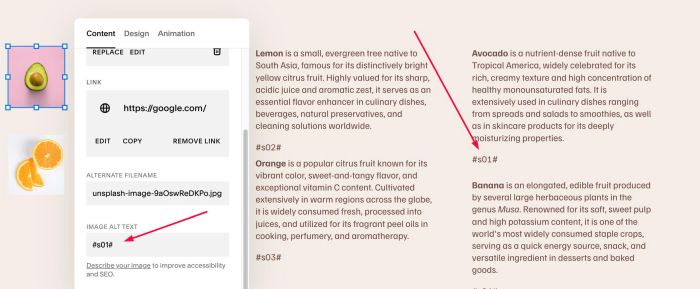
#s02#

#s03#

similar #s04#, #s05#…if you have more Images, Texts
#1.3. Next, drag Text Blocks overlap together, you can skip if you want

#1.4. Hover on Page where you use Texts, Images > Click Gear icon
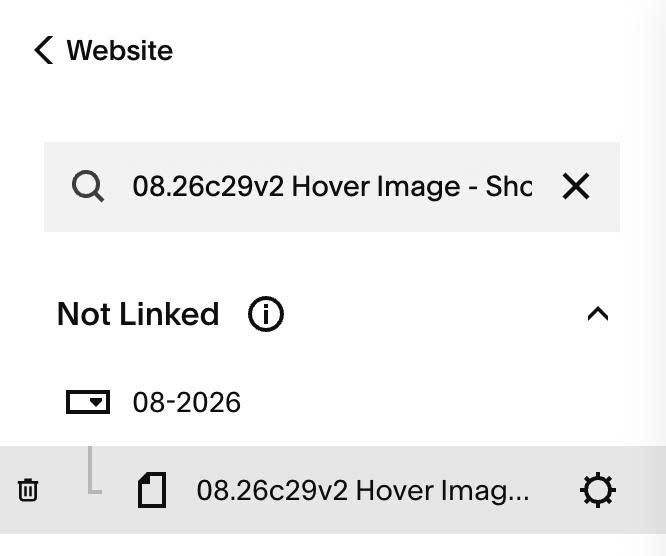
#1.5. Click Advanced > Paste this code
- If you use Personal/Basic Plan and your plan doesn’t support Injection, you can see #3.1
<!-- 08.26c29v2 Hover Image - Show Text -->
<script>
window.HOVER_IMAGE_TEXT_CONFIG = {
  triggerMode: 'hover',
  transitionDuration: '0.35s',
  showInitialText: true,
  initialIndex: 1,
  mobileLinkDelay: 5000
};
</script>
<script src="https://code.beaverhero.com/imageblock/0826c29v2hoverimgshowtext.js"></script>

#2. Customize
#2.1. If you want to change effect to “Click image” without hover, change line 04
triggerMode: 'hover',
to
triggerMode: 'click',
#2.2. If you want to hide all texts initial, change line 06
- true = show initial text
- false = hide all text
showInitialText: true,
#3. Other
#3.1. If you use Personal/Basic Plan and your plan doesn’t support Code Injection, you can edit current page > Add a Markdown Block.

Use this code into Markdown Block
<script>
window.HOVER_IMAGE_TEXT_CONFIG = {
  triggerMode: 'hover',
  transitionDuration: '0.35s',
  showInitialText: true,
  initialIndex: 1,
  mobileLinkDelay: 5000
};
</script>
<script src="https://code.beaverhero.com/imageblock/0826c29v2hoverimgshowtext.js"></script>
