Description
- adding related posts to blog posts (filter by Author), you can set related posts position: above, under pagination, above comment, under blog post content…
- view demo (author 01) – password: abc
- view demo (author 02) – password: abc
- buy me a coffee

#1. Install Code
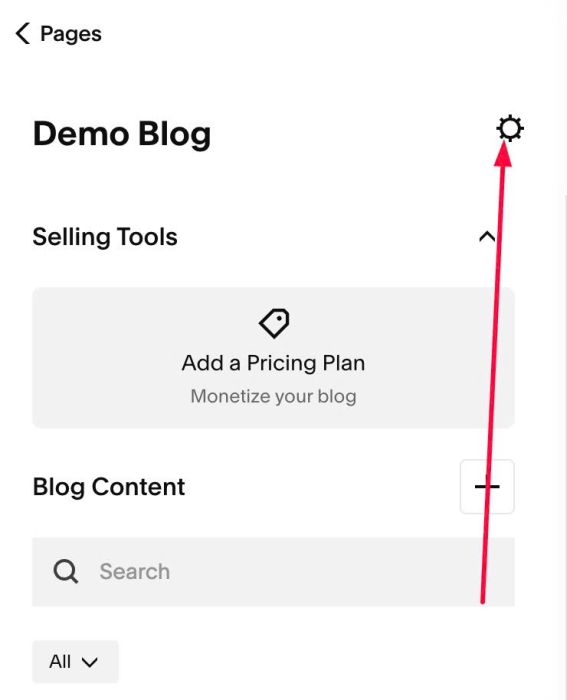
#1.1. Click Gear icon on Blog Page
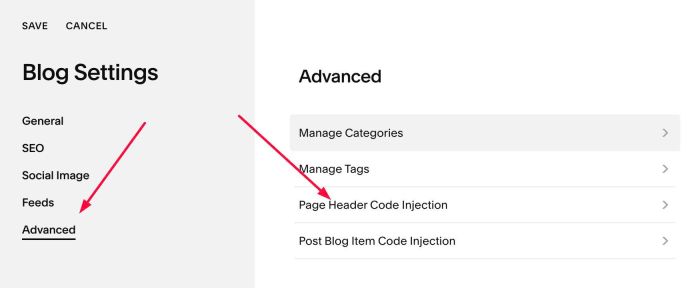
#1.2. Click Advanced > Page Header Code Injection
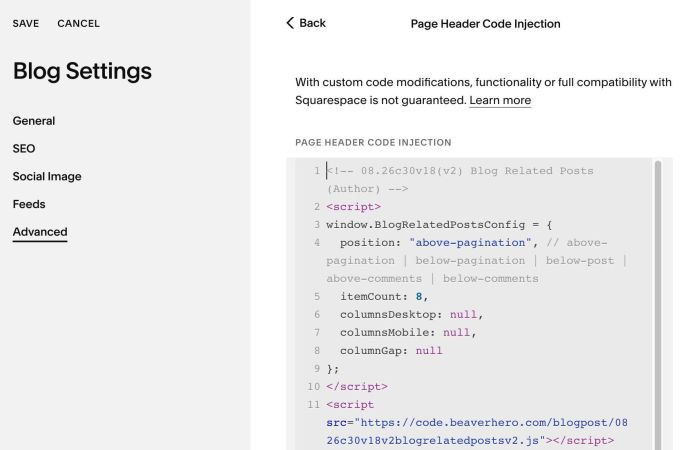
#1.3. Paste this code
<!-- 08.26c30v18(v2) Blog Related Posts (Author) -->
<script>
window.BlogRelatedPostsConfig = {
  position: "above-pagination", // above-pagination | below-pagination | below-post | above-comments | below-comments
  itemCount: 8,
  columnsDesktop: null,
  columnsMobile: null,
  columnGap: null
};
</script>
<script src="https://code.beaverhero.com/blogpost/0826c30v18v2blogrelatedpostsv2.js"></script>
#2. Customize
#2.1. Code offers some positions
position: "above-pagination", // above-pagination | below-pagination | below-post | above-comments | below-comments
#2.2. To change number of items in related posts, change line 05
itemCount: 8,
#2.3. To change number of columns on desktop, mobile, change line 06, 07
columnsDesktop: null,
  columnsMobile: null,
ex
columnsDesktop: 4,
 columnsMobile: 2,
#2.4. To change gap between items, change line 08
columnGap: null
ex
columnGap: '10px'
#2.5. If you need to tweak more you can use this AI Assistant (designed for Squarespace sites)