Description
- hover on image will show text: Click here, click image will open bottom image
- view demo – password: abc
- buy me a coffee
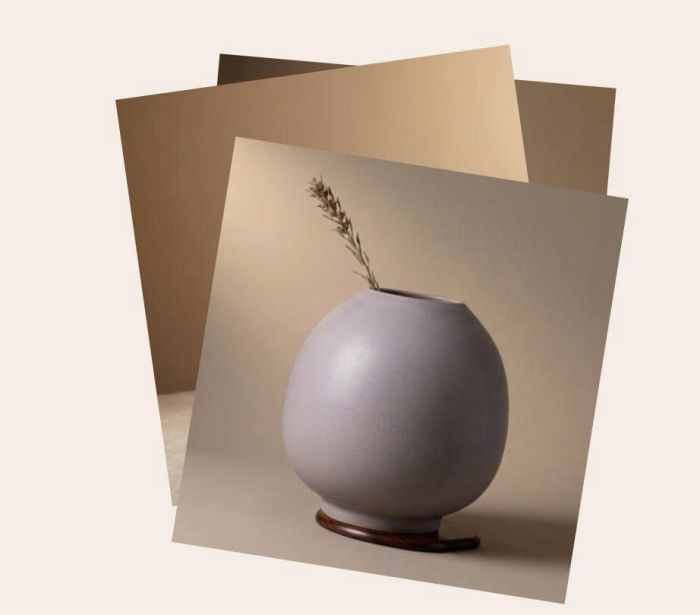
#1. Install Code
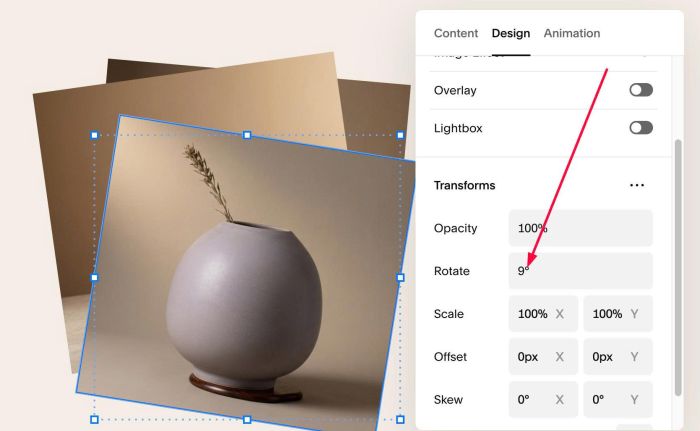
#1.1. First, you can add some Image Blocks and use this option to rotate image
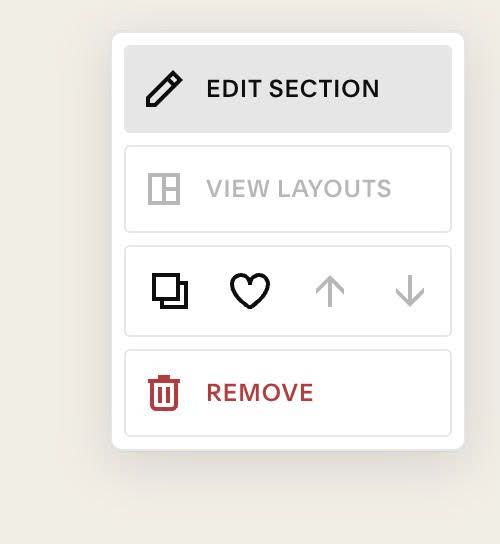
#1.2. Hover on top right of section > Click EDIT SECTION
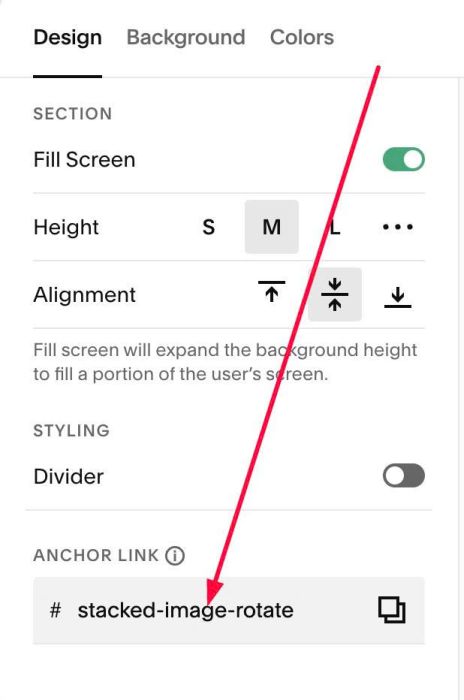
#1.3. at Design > Anchor Link > enter word: stacked-image-rotate
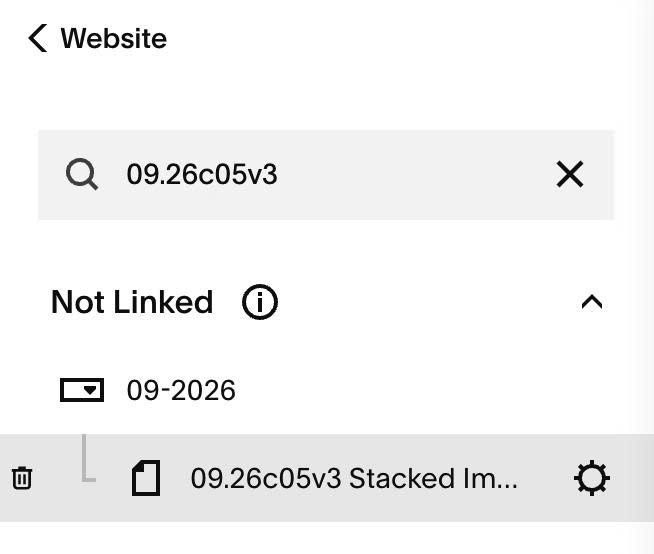
#1.4. Hover on Page where you use Images > Click Gear icon
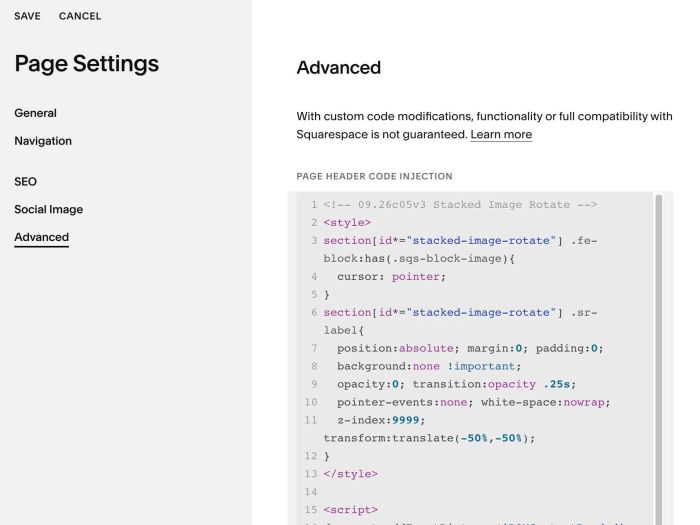
#1.5. Click Advanced > Paste this code
<!-- 09.26c05v3 Stacked Image Rotate -->
<style>
section[id*="stacked-image-rotate"] .fe-block:has(.sqs-block-image){
  cursor: pointer;
}
section[id*="stacked-image-rotate"] .sr-label{
  position:absolute; margin:0; padding:0;
  background:none !important;
  opacity:0; transition:opacity .25s;
  pointer-events:none; white-space:nowrap;
  z-index:9999; transform:translate(-50%,-50%);
}
</style>

<script>
document.addEventListener('DOMContentLoaded', function(){
  var CONFIG = {
    label: 'Click here',
    tag:   'p',
    color: '',
    size:  ''
  };

  var sec = document.querySelector('section[id*="stacked-image-rotate"]');
  if(!sec) return;

  var blocks = Array.prototype.slice.call(sec.querySelectorAll('.fe-block'))
    .filter(function(b){ return b.querySelector('.sqs-block-image'); });
  if(blocks.length < 2) return;

  var n = blocks.length;

  blocks.sort(function(a,b){
    return (parseInt(getComputedStyle(a).zIndex,10)||0) - (parseInt(getComputedStyle(b).zIndex,10)||0);
  });
  blocks.forEach(function(b,i){
    b.dataset.srZ = (i + 1);
    b.style.zIndex = (i + 1);
  });

  function getHost(b){
    return b.querySelector('.sqs-block-image .intrinsic, .sqs-block-image .image-block-wrapper, .sqs-block-image') || b;
  }
  function topBlock(){
    var t = blocks[0], m = -1;
    blocks.forEach(function(b){ var z = parseInt(b.dataset.srZ,10); if(z > m){ m = z; t = b; } });
    return t;
  }
  function makeLabel(){
    var l = document.createElement(CONFIG.tag);
    l.className = 'sr-label';
    l.textContent = CONFIG.label;
    l.style.setProperty('color', CONFIG.color || '#000', 'important');
    if(CONFIG.size) l.style.setProperty('font-size', CONFIG.size);
    return l;
  }
  function refreshLabel(){
    var old = sec.querySelectorAll('.sr-label');
    Array.prototype.forEach.call(old, function(e){ e.remove(); });
    var host = getHost(topBlock());
    host.style.position = 'relative';
    host.appendChild(makeLabel());
  }
  refreshLabel();

  blocks.forEach(function(b){
    var host = getHost(b);
    host.addEventListener('mousemove', function(e){
      if(b !== topBlock()) return;
      var lbl = b.querySelector('.sr-label'); if(!lbl) return;
      var r = host.getBoundingClientRect();
      lbl.style.left = (e.clientX - r.left) + 'px';
      lbl.style.top  = (e.clientY - r.top) + 'px';
      lbl.style.opacity = '1';
    });
    host.addEventListener('mouseleave', function(){
      var lbl = b.querySelector('.sr-label'); if(lbl) lbl.style.opacity = '0';
    });
    b.addEventListener('click', function(){
      if(b !== topBlock()) return;
      blocks.forEach(function(x){
        var z = (parseInt(x.dataset.srZ,10) - 2 + n) % n + 1;
        x.dataset.srZ = z;
        x.style.zIndex = z;
      });
      refreshLabel();
    });
  });
});
</script>
#2. Customize
nothing now