Description
- popup appears on scroll over specific position, you can set multiple popups on same page
- view demo – password: abc
- buy me a coffee

#1. Install Code
Note: You will need to use plugin: WM Popup Plugin
#1.1. First create some pages in Not Linked with URL
/popup-scroll-01

/popup-scroll-02

#1.2. Next, design your desired layout on these not linked page

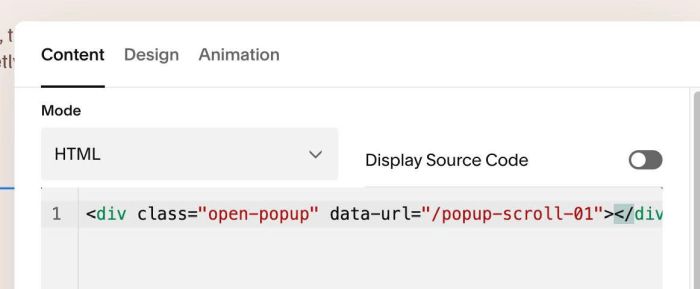
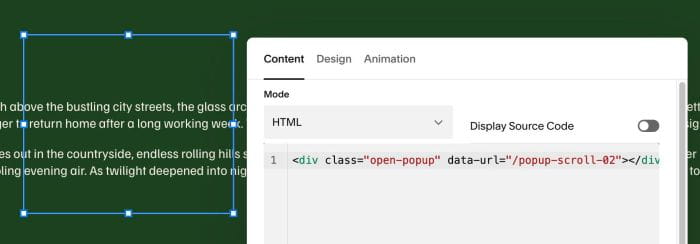
#1.3. Edit section where you want to make Popup appears > Add a Code Block with syntax like this. Make sure URL in data-url match with URL in step #1.1
<div class="open-popup" data-url="/popup-scroll-01"></div>
<div class="open-popup" data-url="/popup-scroll-02"></div>
#1.4. Hover on Page where you want to make Popup appears > Click Gear icon

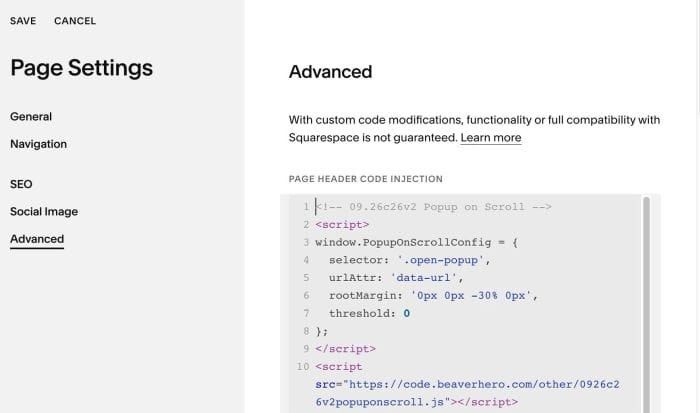
#1.5. Click Advanced > Paste this code
Note: You will need to use plugin: WM Popup Plugin
<!-- 09.26c26v2 Popup on Scroll -->
<script>
window.PopupOnScrollConfig = {
  selector: '.open-popup',
  urlAttr: 'data-url',
  rootMargin: '0px 0px -30% 0px',
  threshold: 0
};
</script>
<script src="https://code.beaverhero.com/other/0926c26v2popuponscroll.js"></script>
#2. Customize
nothing now