Description
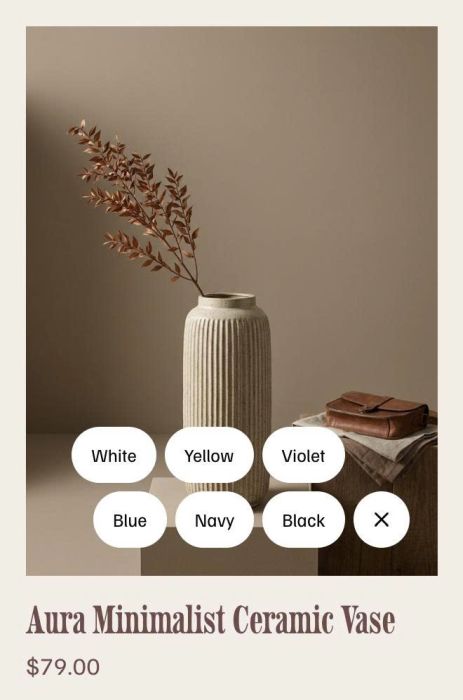
- show (+) icon in bottom right of store image, hover on it will show variant options. click on each variant will add product to cart
- view demo – password: abc
- buy me a coffee
#1. Install Code
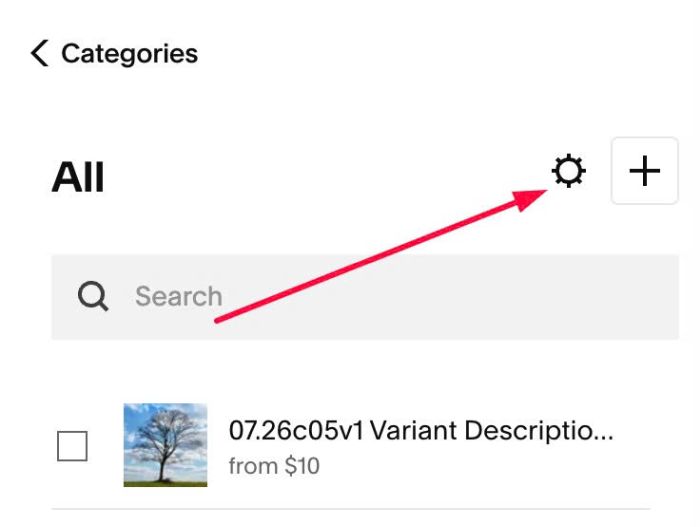
#1.1. Click Gear icon on Store Page
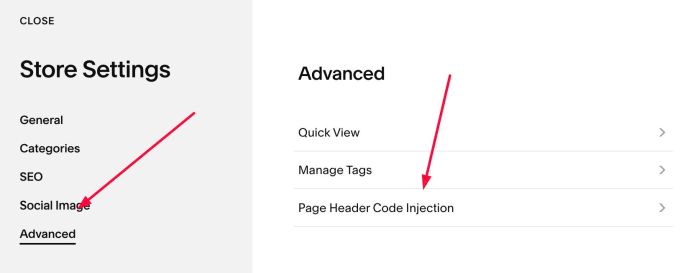
Next, click Advanced > Page Header Code Injection
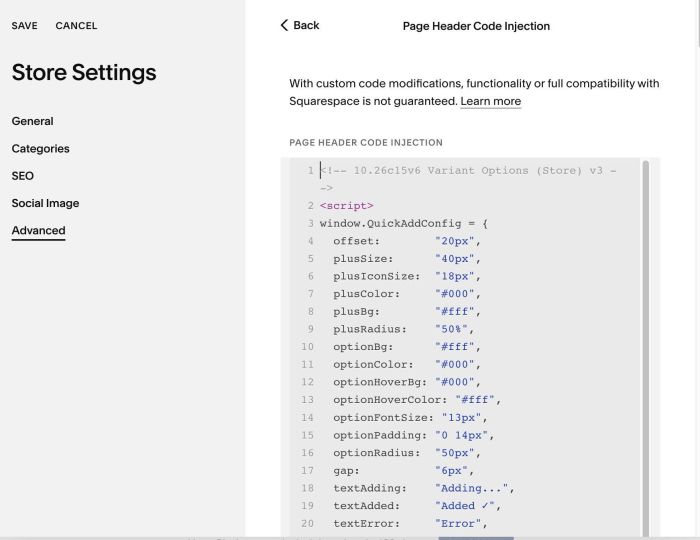
#1.2. Add this code to right box
<!-- 10.26c15v6 Variant Options (Store) v3 -->
<script>
window.QuickAddConfig = {
  offset:        "20px",
  plusSize:      "40px",
  plusIconSize:  "18px",
  plusColor:     "#000",
  plusBg:        "#fff",
  plusRadius:    "50%",
  optionBg:      "#fff",
  optionColor:   "#000",
  optionHoverBg: "#000",
  optionHoverColor: "#fff",
  optionFontSize: "13px",
  optionPadding: "0 14px",
  optionRadius:  "50px",
  gap:           "6px",
  textAdding:    "Adding...",
  textAdded:     "Added ✓",
  textError:     "Error",
  hideSoldOut:   false
};
</script>
<script src="https://code.beaverhero.com/store/1026c15v6variantoptionsstorev3.js"></script>
#2. Customize
nothing now