Description
- adding thumbnail image to accordion block title
- view demo – password: abc
- buy me a coffee
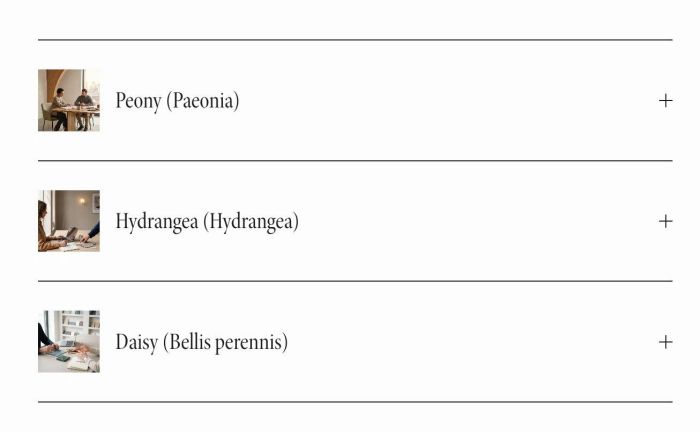
#1. Install Code
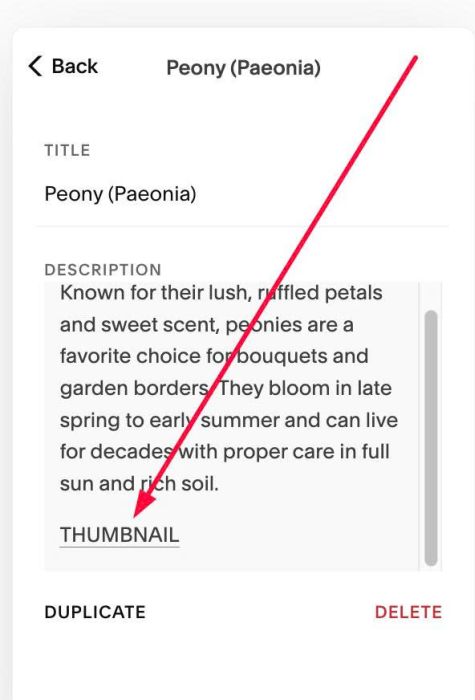
#1.1. First, add a text THUMBNAIL to bottom of Accordion Content, like this
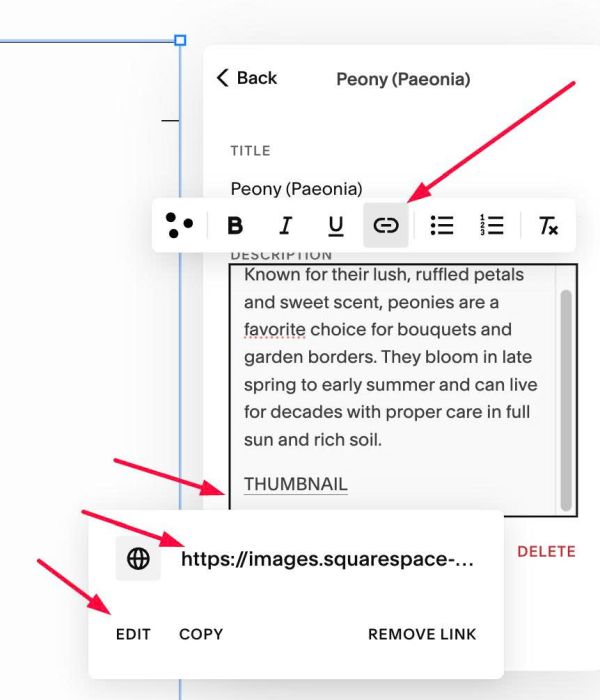
#1.2. Highlight text > Enter Image URL
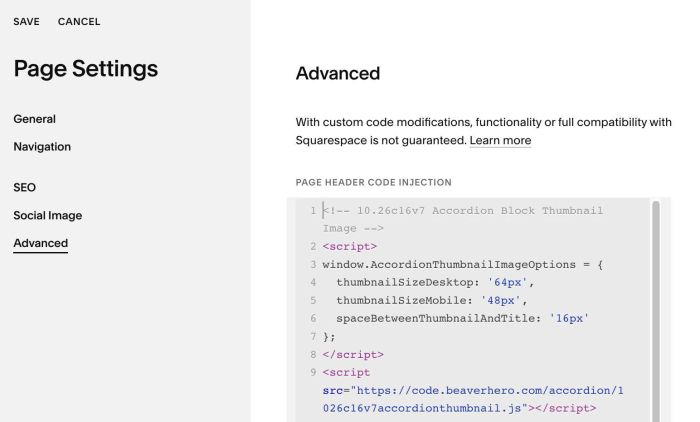
#1.3. Use code to Page Header Injection (page where you use Accordion Block)
<!-- 10.26c16v7 Accordion Block Thumbnail Image -->
<script>
window.AccordionThumbnailImageOptions = {
  thumbnailSizeDesktop: '64px',
  thumbnailSizeMobile: '48px',
  spaceBetweenThumbnailAndTitle: '16px'
};
</script>
<script src="https://code.beaverhero.com/accordion/1026c16v7accordionthumbnail.js"></script>
#2. Customize
#2.1. You can change thumbnail size here
thumbnailSizeDesktop: '64px',
 thumbnailSizeMobile: '48px',