Description
- quote block with quote icon
- view demo (scroll up a bit) – password: abc
- buy me a coffee

#1. Install Code
#1.1. Make sure you use Quote Block, and enter text like this

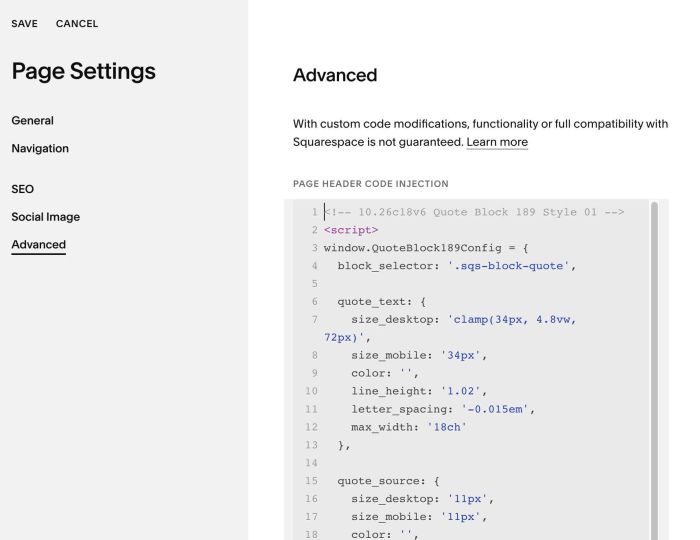
#1.2. Use code to Page Header Injection (page where you use Quote Block)
<!-- 10.26c18v6 Quote Block 189 Style 01 -->
<script>
window.QuoteBlock189Config = {
  block_selector: '.sqs-block-quote',

  quote_text: {
    size_desktop: 'clamp(34px, 4.8vw, 72px)',
    size_mobile: '34px',
    color: '',
    line_height: '1.02',
    letter_spacing: '-0.015em',
    max_width: '18ch'
  },

  quote_source: {
    size_desktop: '11px',
    size_mobile: '11px',
    color: '',
    line_height: '1.6',
    letter_spacing: '0.16em',
    text_transform: 'uppercase'
  },

  quote_icon: {
    enabled: true,
    size_desktop: '90px',
    size_mobile: '76px',
    color: '#c8401e'
  },

  spacing: {
    space_below_icon_desktop: '0px',
    space_below_icon_mobile: '0px',
    space_above_source_desktop: '26px',
    space_above_source_mobile: '22px'
  },

  mobile_breakpoint: 767
};
</script>
<script src="https://code.beaverhero.com/quote/1026c18v6quote189style01.js"></script>
#2. Customize
#2.1. To change style of Quote icon, change these lines
quote_icon: {
  enabled: true,
  size_desktop: '90px',
  size_mobile: '76px',
  color: '#c8401e'
},
#2.2. Quote text (top text)
- inherit Heading Style, but you can adjust some styles with these lines
quote_text: {
  size_desktop: 'clamp(34px, 4.8vw, 72px)',
  size_mobile: '34px',
  color: '',
  line_height: '1.02',
  letter_spacing: '-0.015em',
  max_width: '18ch'
},
#2.3. Quote source (second text)
- inherit style from Miscellaneous, but you can adjust some styles with these lines
quote_source: {
  size_desktop: '11px',
  size_mobile: '11px',
  color: '',
  line_height: '1.6',
  letter_spacing: '0.16em',
  text_transform: 'uppercase'
},