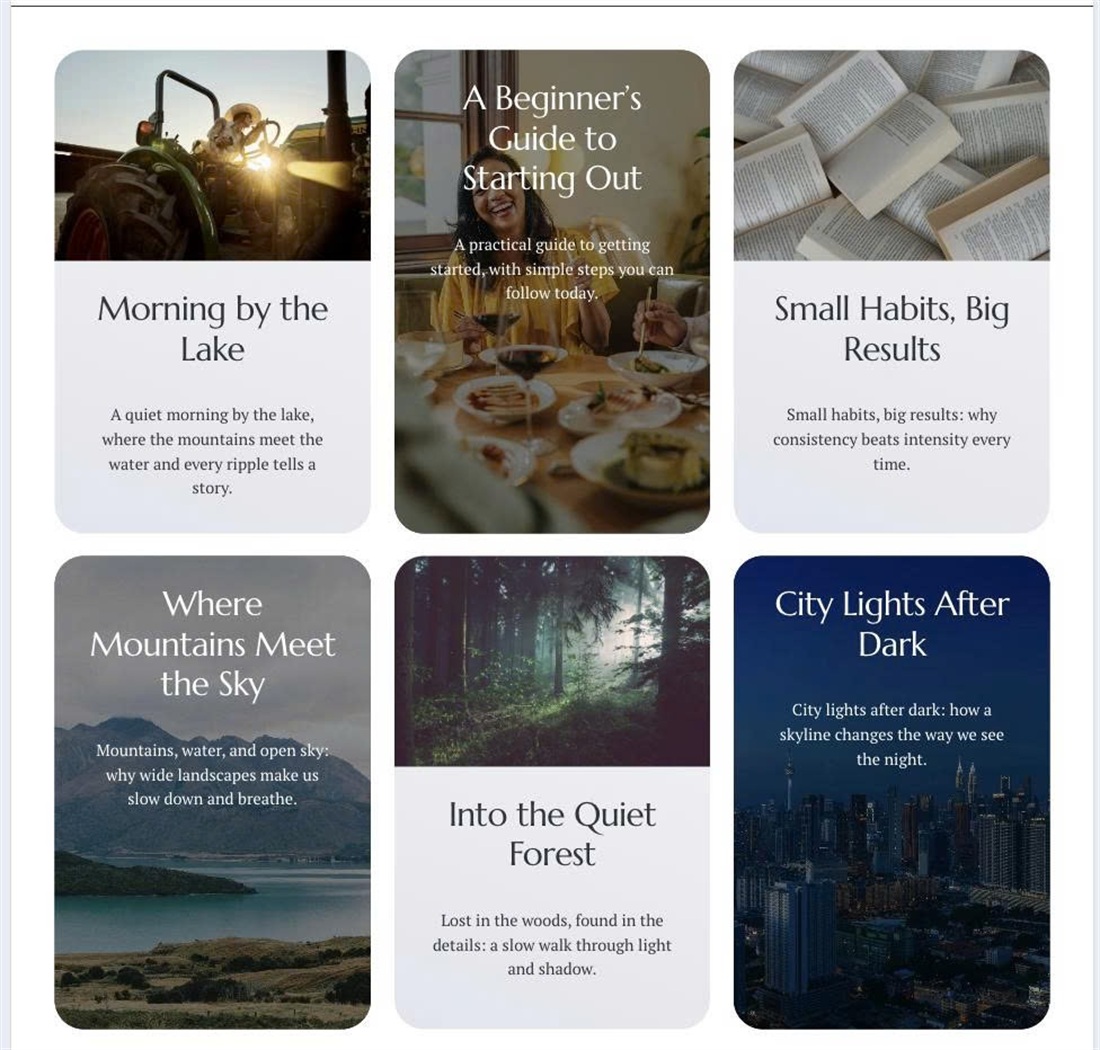
The Blog Page Grid layout shows every post the same way, with the image on top and text below. This code alternates the style: every second post becomes a full-image card with a dark overlay and white text, and the whole card is clickable.
#1. Install Code
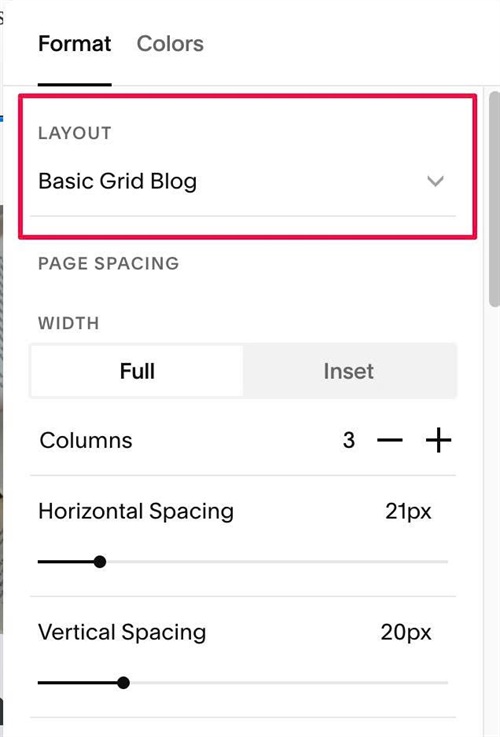
#1.1. Make sure you use Basic Grid Blog
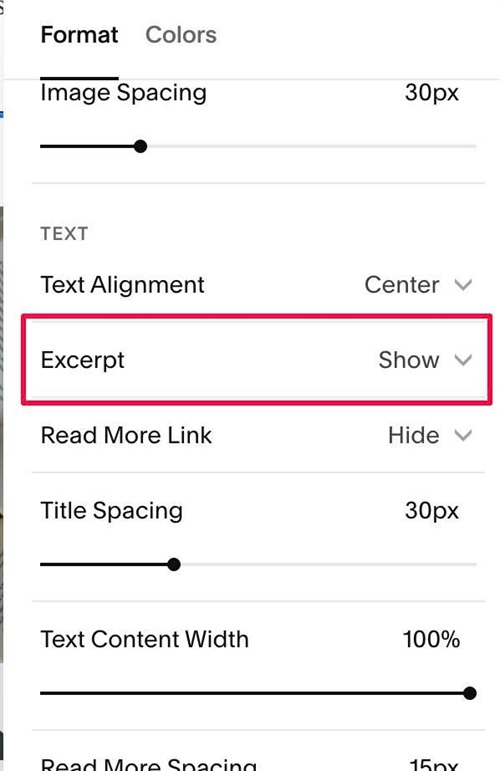
#1.2. Make sure you enabled Excerpt
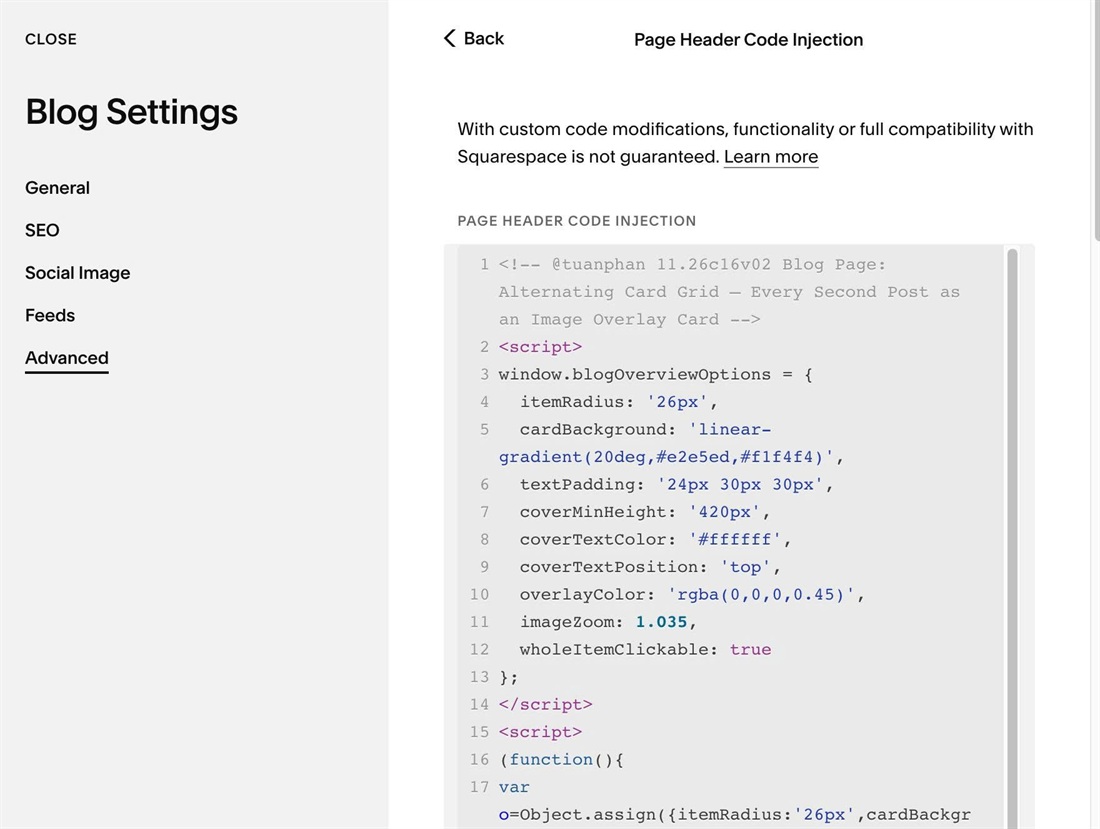
#1.3. Use this code to Blog Page Header Injection
<!-- @tuanphan 11.26c16v02 Blog Page: Alternating Card Grid – Every Second Post as an Image Overlay Card -->
<script>
window.blogOverviewOptions = {
  itemRadius: '26px',
  cardBackground: 'linear-gradient(20deg,#e2e5ed,#f1f4f4)',
  textPadding: '24px 30px 30px',
  coverMinHeight: '420px',
  coverTextColor: '#ffffff',
  coverTextPosition: 'top',
  overlayColor: 'rgba(0,0,0,0.45)',
  imageZoom: 1.035,
  wholeItemClickable: true
};
</script>
<script>
(function(){
var o=Object.assign({itemRadius:'26px',cardBackground:'linear-gradient(20deg,#e2e5ed,#f1f4f4)',textPadding:'24px 30px 30px',coverMinHeight:'420px',coverTextColor:'#ffffff',coverTextPosition:'bottom',overlayColor:'rgba(0,0,0,0.45)',imageZoom:1.035,wholeItemClickable:true},window.blogOverviewOptions||{});
function d(p,v){return v!==''&&v!=null?p+':'+v+';':''}
function run(){
if(document.getElementById('blog-overview-cards-style'))return;
var i='.blog-basic-grid .blog-item',c=i+':nth-child(even)';
var pos={top:'flex-start',center:'center',bottom:'flex-end'}[o.coverTextPosition]||'';
var css=i+'{position:relative;isolation:isolate;overflow:hidden;'+d('border-radius',o.itemRadius)+d('background',o.cardBackground)+'}'+
i+' .image-wrapper{overflow:hidden}'+
i+' .image-wrapper img{transition:transform .4s ease}'+
i+':hover .image-wrapper img{transform:scale('+o.imageZoom+')}'+
i+' .blog-article-spacer{display:none}'+
i+' .blog-basic-grid--text{'+d('padding',o.textPadding)+'}'+
c+'{background:#243340;'+d('min-height',o.coverMinHeight)+d('justify-content',pos)+'}'+
c+' .image-wrapper{position:absolute!important;inset:0!important;z-index:-2;width:100%!important;height:100%!important;margin:0!important;padding:0!important}'+
c+' .image-wrapper img{position:absolute!important;inset:0!important;width:100%!important;height:100%!important;object-fit:cover}'+
c+':before{content:"";position:absolute;inset:0;z-index:-1;pointer-events:none;'+d('background',o.overlayColor)+'}'+
(o.coverTextColor!==''?c+' .blog-basic-grid--text,'+c+' .blog-basic-grid--text *{color:'+o.coverTextColor+'!important}':'')+
(o.wholeItemClickable?i+' .blog-title a:after{content:"";position:absolute;inset:0;z-index:1}'+i+' .blog-meta-section a,'+i+' .blog-excerpt a,'+i+' .blog-more-link{position:relative;z-index:2}':'')+
'@media(prefers-reduced-motion:reduce){'+i+' .image-wrapper img{transition:none}}';
var s=document.createElement('style');s.id='blog-overview-cards-style';s.textContent=css;document.head.appendChild(s);
}
if(document.readyState!=='loading')run();else document.addEventListener('DOMContentLoaded',run);
})();
</script>
#1.4. Customize
To change background color behind text, edit this
cardBackground: 'linear-gradient(20deg,#e2e5ed,#f1f4f4)',
To change space around text, edit this
textPadding: '24px 30px 30px',
To change overlay color (over image), text color (item has background image)
coverTextColor: '#ffffff',
  coverTextPosition: 'top',
  overlayColor: 'rgba(0,0,0,0.45)',