Description
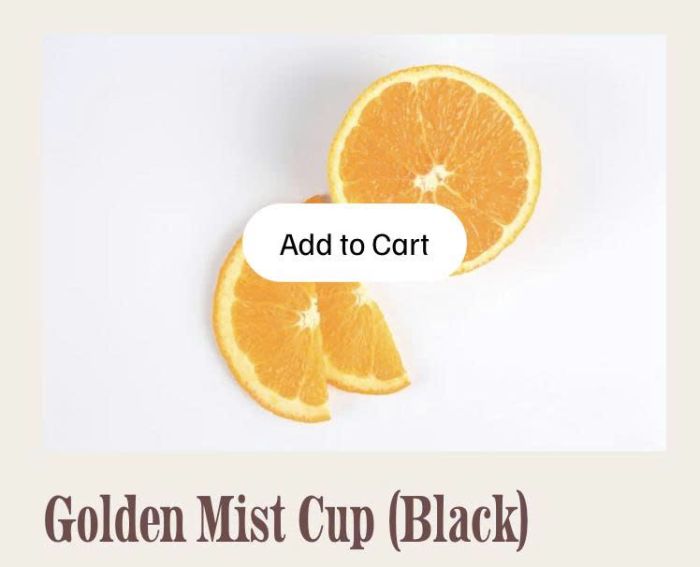
- click an image block (link to a product) will add product to cart, works with variant products and non-variant products
- view demo – password: abc
- buy me a coffee
#1. Install Code
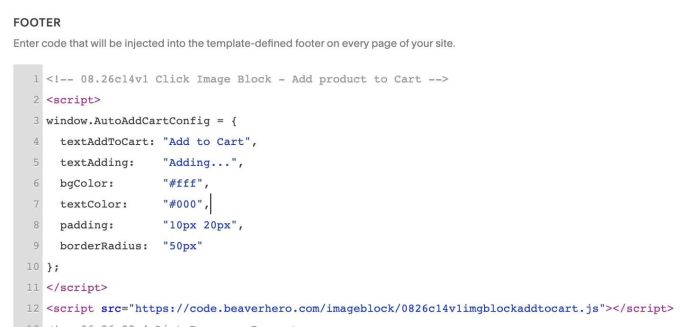
#1.1. First, use this code to Code Injection > Footer
<!-- 08.26c14v1 Click Image Block - Add product to Cart -->
<script>
window.AutoAddCartConfig = {
  textAddToCart: "Add to Cart",
  textAdding:    "Adding...",
  bgColor:       "#fff",
  textColor:     "#000",
  padding:       "10px 20px",
  borderRadius:  "50px"
};
</script>
<script src="https://code.beaverhero.com/imageblock/0826c14v1imgblockaddtocart.js"></script>
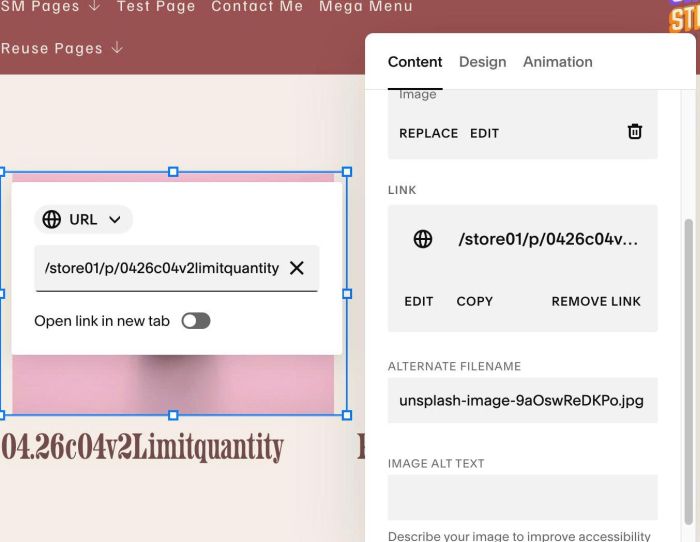
#1.2. Next, edit Image Block > Enter Product URL. Something like this
https://tuanphan-demo.squarespace.com/store01/p/golden-mist-cup-weny8-tys2x-7zps2
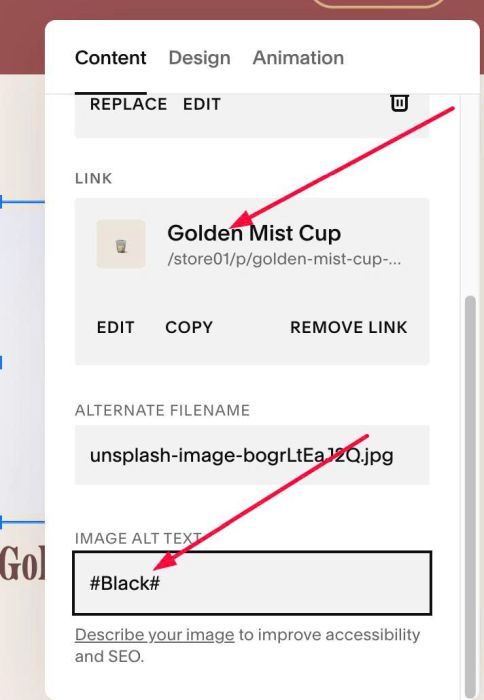
#1.3. With Variant Product, you need to enter wrap variant name in # # and add it to ALT, something like this
#Black#
#2. Customize
#2.1. To change text Add to Cart/Adding, you can change line 04, 05
textAddToCart: "Add to Cart",
textAdding:    "Adding...",
#2.2. To change add to cart style, change line 06 – 09
bgColor:       "#fff",
textColor:     "#000",
padding:       "10px 20px",
borderRadius:  "50px"
#2.3. If you need to tweak more you can email/message me or use this AI Assistant (designed for Squarespace sites)