Description
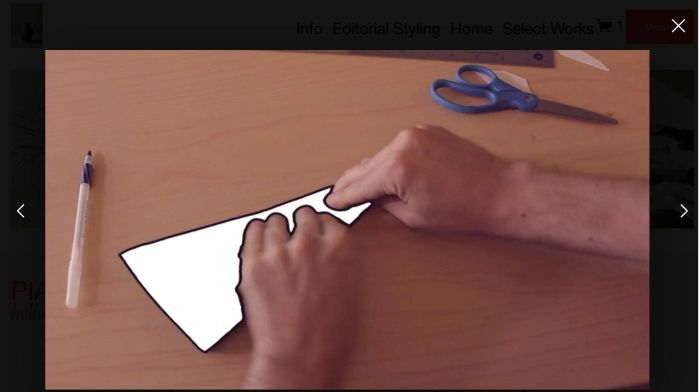
- gallery grid image, click image open lightbox popup video, users can click left/right arrow to navigate to other videos in lightbox
- view demo – password: abc
- buy me a coffee
#1. Install Code
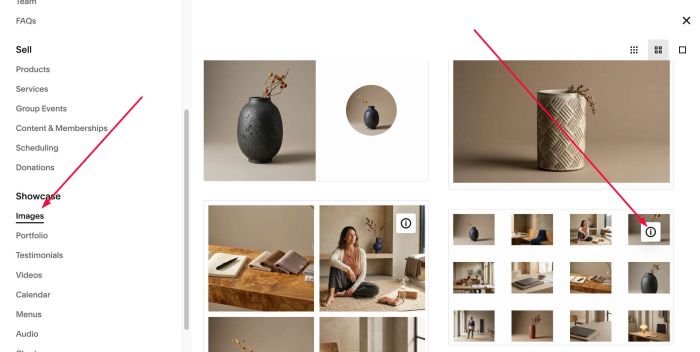
#1.1. You can add Images section > Choose section with (i) icon
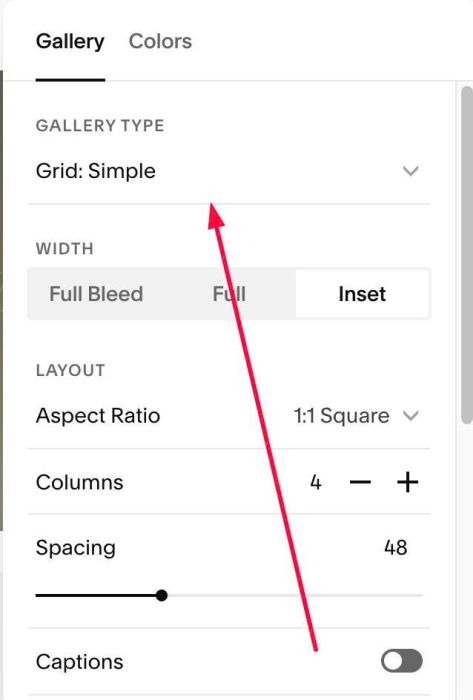
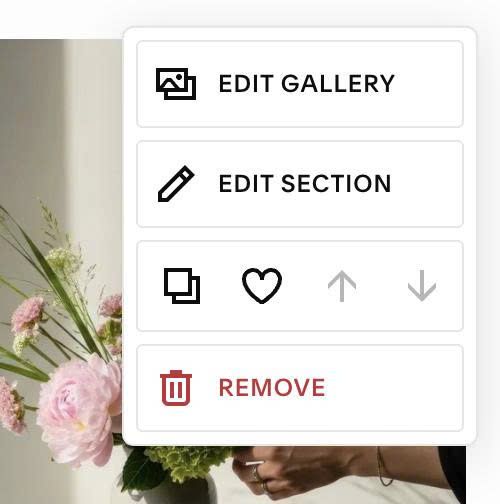
#1.2. Hover on top right of gallery > Click EDIT SECTION > Choose Grid Simple
#1.3. Hover on top right of gallery > Click EDIT GALLERY
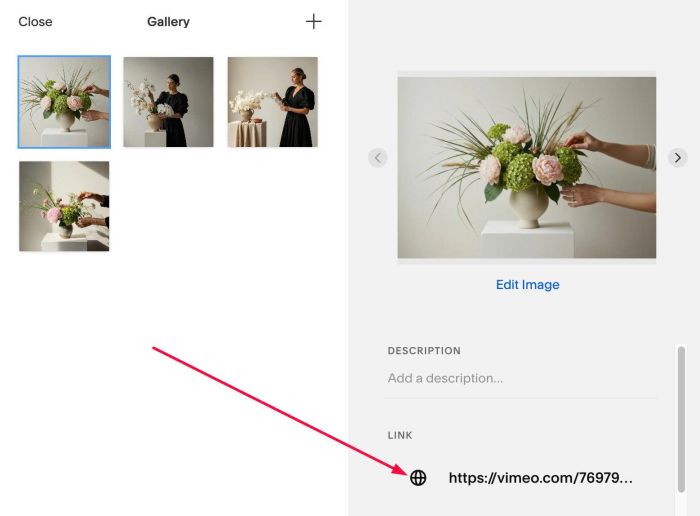
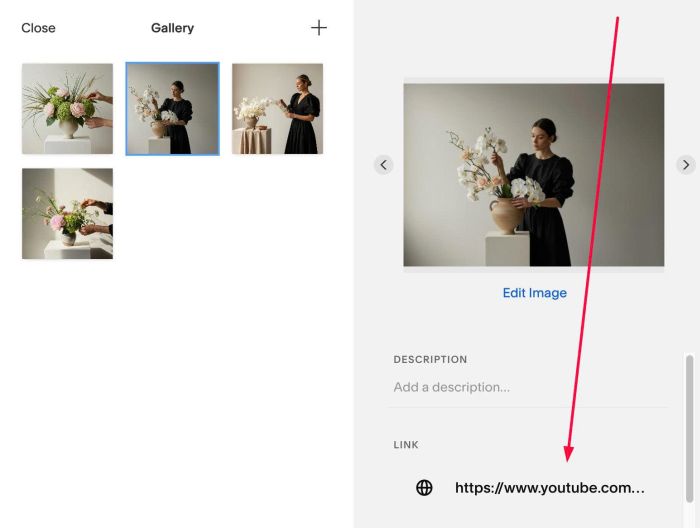
#1.4. Enter Video URL. You can use Youtube or Vimeo
or like this
#1.5. Hover on Page where you use Gallery Grid > Click Gear icon
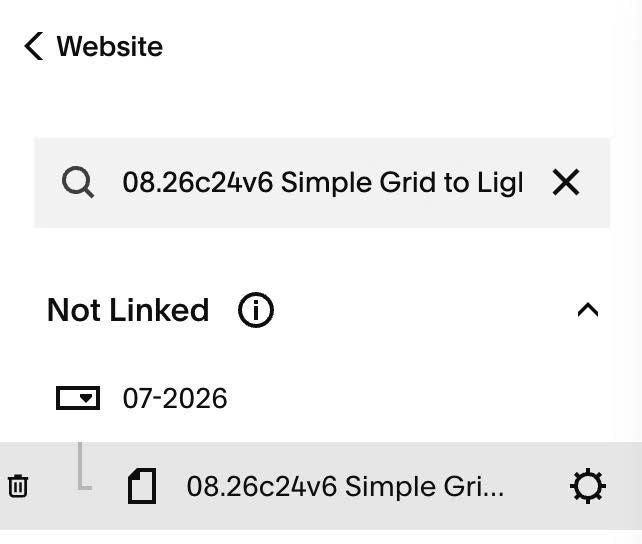
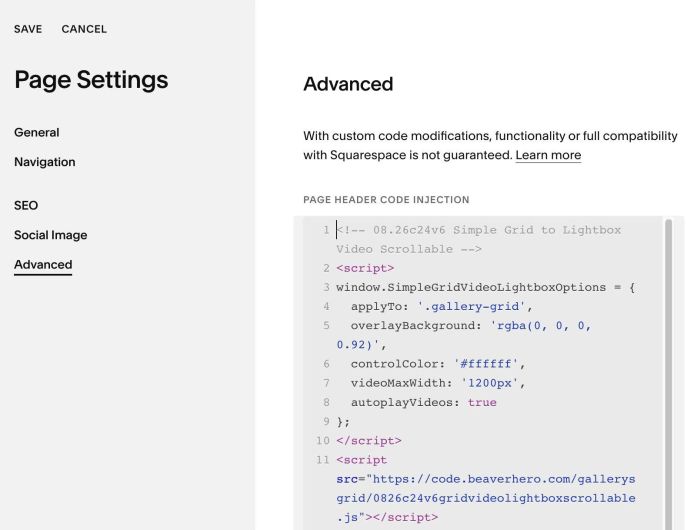
#1.6. Click Advanced > Paste this code
- If you use Personal/Basic Plan and your plan doesn’t support Injection, see #3.1
<!-- 08.26c24v6 Simple Grid to Lightbox Video Scrollable -->
<script>
window.SimpleGridVideoLightboxOptions = {
  applyTo: '.gallery-grid',
  overlayBackground: 'rgba(0, 0, 0, 0.92)',
  controlColor: '#ffffff',
  videoMaxWidth: '1200px',
  autoplayVideos: true
};
</script>
<script src="https://code.beaverhero.com/gallerysgrid/0826c24v6gridvideolightboxscrollable.js"></script>
#2. Customize
#2.1. You can change overlay color in line 05
overlayBackground: 'rgba(0, 0, 0, 0.92)',
#2.2. You can change lightbox video width in line 07
videoMaxWidth: '1200px',
#2.3. If you need to tweak more you can use this AI Assistant (designed for Squarespace sites)
#3. Other
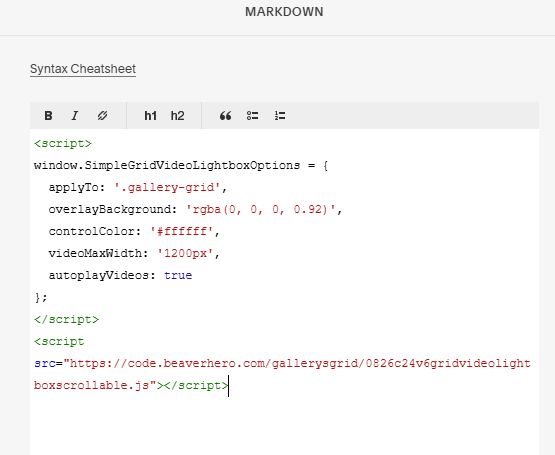
#3.1. If you use Personal/Basic Plan and your plan doesn’t support Injection, you can edit current page (page where you use Grid Simple) > Add a Block > Choose Markdown

Add this code into Markdown
<script>
window.SimpleGridVideoLightboxOptions = {
  applyTo: '.gallery-grid',
  overlayBackground: 'rgba(0, 0, 0, 0.92)',
  controlColor: '#ffffff',
  videoMaxWidth: '1200px',
  autoplayVideos: true
};
</script>
<script src="https://code.beaverhero.com/gallerysgrid/0826c24v6gridvideolightboxscrollable.js"></script>