Description
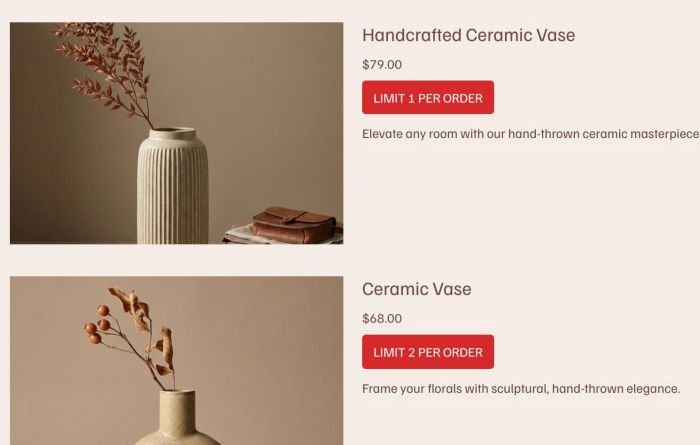
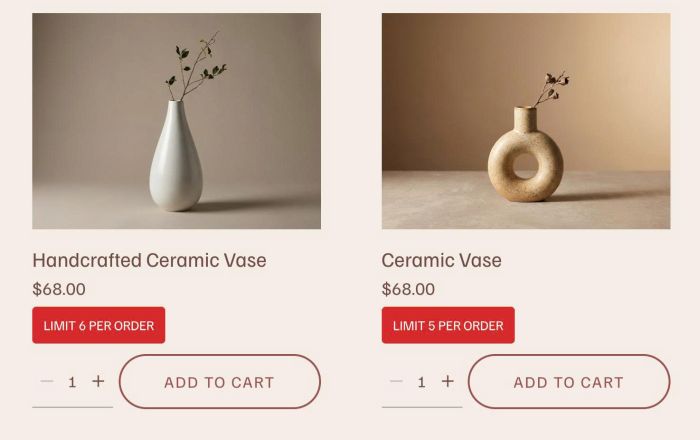
- show item quantity limits on product (shop page, product detail, summary block product, product block, cart page, related products)
- view demo – password: abc
- buy me a coffee
(store page)

(summary block)
(product block)
#1. Install Code
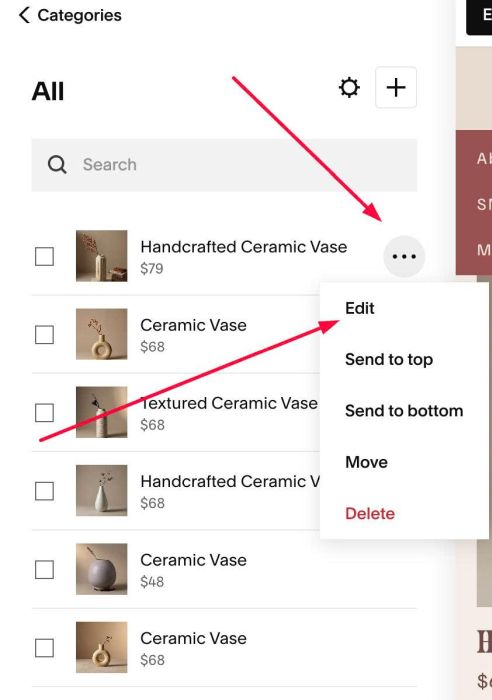
#1.1. First, edit each Product
#1.2. Scroll down to SEO and URL > Click Edit
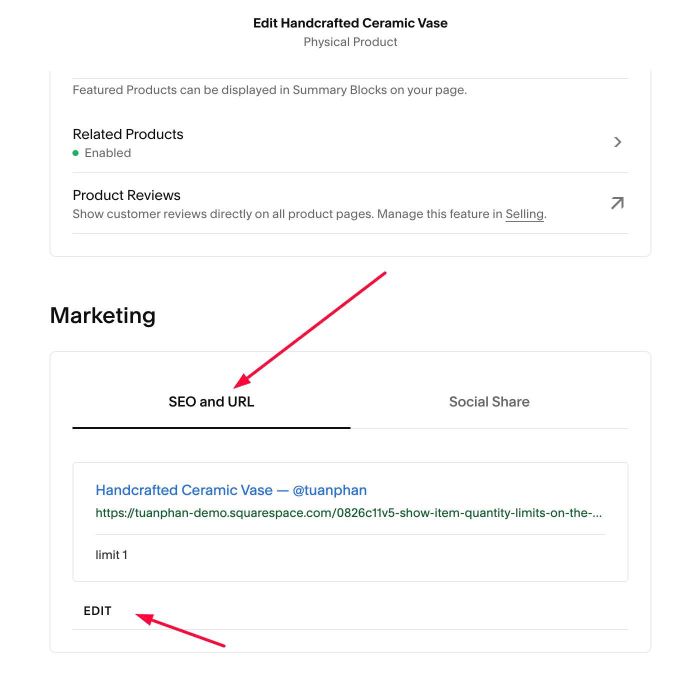
#1.3. Enter text to SEO Description, something like this: limit 1
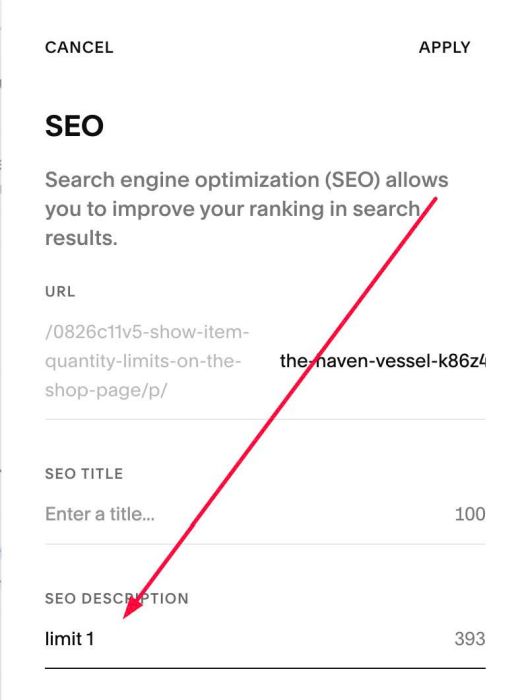
or
limit 3
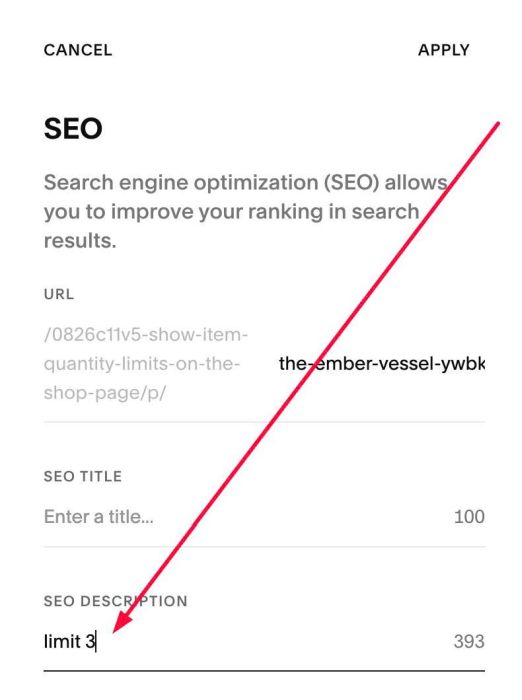
#1.4. Use this code to Code Injection > Footer
<!-- 08.26c11v5 Show Item Quantity Limits on the Shop Page -->
<script>
window.ItemQuantityLimitOptions = {
  seoPattern: '\\blimit\\s*(\\d+)\\b',
  labelTemplate: 'Limit {limit} per order',
  labelTextColor: '#ffffff',
  labelBackgroundColor: '#d62828',
  labelBorder: 'none',
  labelBorderRadius: '4px',
  labelTextSizeDesktop: '14px',
  labelTextSizeMobile: '12px',
  labelPaddingX: '12px',
  labelPaddingY: '7px',
  labelSpaceAbove: '8px',
  labelTextTransform: 'uppercase'
};
</script>
<script src="https://code.beaverhero.com/product/0826c11v5productitemquantitylimit.js"></script>
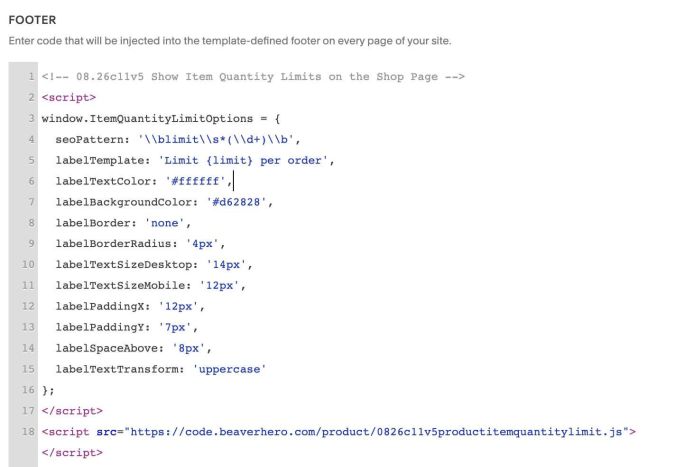
#1.5. You can adjust text in line 05
labelTemplate: 'Limit {limit} per order',
#1.6. You can change style in line 06 – line 15
labelTextColor: '#ffffff',
labelBackgroundColor: '#d62828',
labelBorder: 'none',
labelBorderRadius: '4px',
labelTextSizeDesktop: '14px',
labelTextSizeMobile: '12px',
labelPaddingX: '12px',
labelPaddingY: '7px',
labelSpaceAbove: '8px',
labelTextTransform: 'uppercase'
#1.7. If you need to tweak more you can use this AI Assistant (designed for Squarespace sites)