Description
- right arrow next to button text, hover button will slide arrow to right and another arrow appears
- view demo – password: abc
- buy me a coffee
#1. Install Code
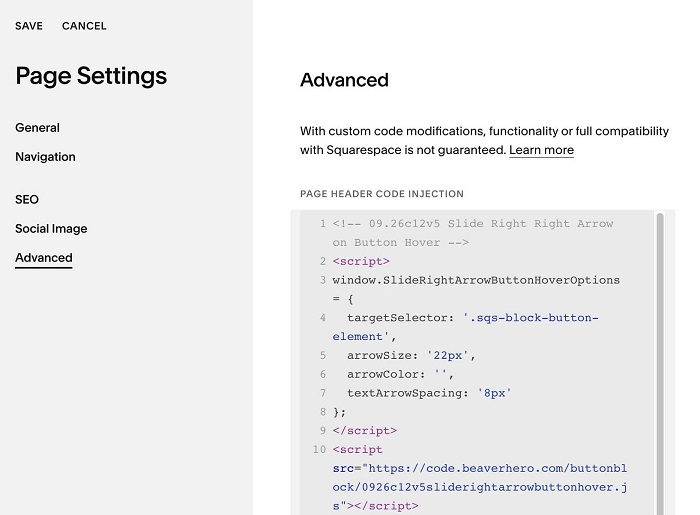
#1.1. Hover on Page where you use Button Block > Click Gear icon > Click Advanced > Paste this code
<!-- 09.26c12v5 Slide Right Right Arrow on Button Hover -->
<script>
window.SlideRightArrowButtonHoverOptions = {
  targetSelector: '.sqs-block-button-element',
  arrowSize: '22px',
  arrowColor: '',
  textArrowSpacing: '8px'
};
</script>
<script src="https://code.beaverhero.com/buttonblock/0926c12v5sliderightarrowbuttonhover.js"></script>
#2. Customize
#2.1. To change arrow style, change these
arrowSize: '22px',
 arrowColor: '',
 textArrowSpacing: '8px'