Description
- 2 sections (hide 1 on desktop, hide 1 on mobile) but same anchor link, code will tweak anchor link works on both desktop, mobile
- view demo – password: abc
- buy me a coffee
#1. Install Code
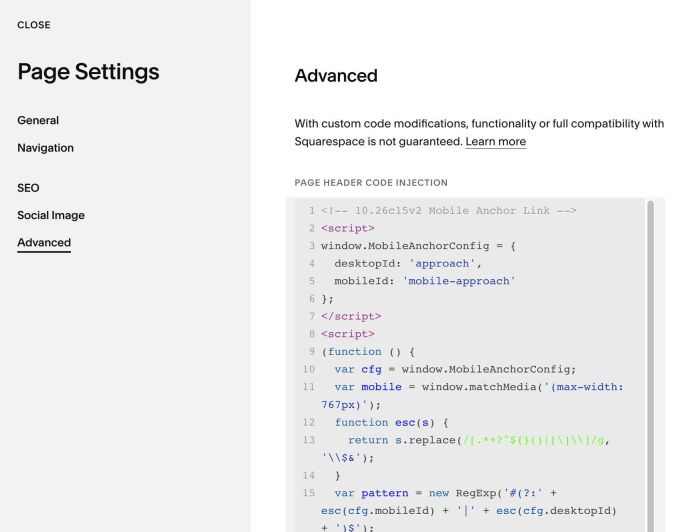
#1.1. Use code to Page Header Injection (Page where you use Anchor Link, if anchor link goes to same page). Or Code Injection > Footer
<!-- 10.26c15v2 Mobile Anchor Link -->
<script>
window.MobileAnchorConfig = {
  desktopId: 'approach',
  mobileId: 'mobile-approach'
};
</script>
<script>
(function () {
  var cfg = window.MobileAnchorConfig;
  var mobile = window.matchMedia('(max-width: 767px)');
  function esc(s) {
    return s.replace(/[.*+?^${}()|[\]\\]/g, '\\$&');
  }
  var pattern = new RegExp('#(?:' + esc(cfg.mobileId) + '|' + esc(cfg.desktopId) + ')$');
  function updateLinks() {
    var target = '#' + (mobile.matches ? cfg.mobileId : cfg.desktopId);
    document.querySelectorAll('a[href]').forEach(function (link) {
      var href = link.getAttribute('href');
      if (!pattern.test(href)) return;
      link.setAttribute('href', href.replace(pattern, target));
    });
  }
  if (document.readyState === 'loading') {
    document.addEventListener('DOMContentLoaded', updateLinks);
  } else {
    updateLinks();
  }
  if (mobile.addEventListener) mobile.addEventListener('change', updateLinks);
  else mobile.addListener(updateLinks);
  window.addEventListener('pageshow', updateLinks);
  window.addEventListener('mercury:load', updateLinks);
})();
</script>
#1.2. Change anchor text you added to Anchor Link option
desktopId: 'approach',
  mobileId: 'mobile-approach'