Description
- adding caption under image block, adding background around image/caption
- view demo – password: abc
- buy me a coffee
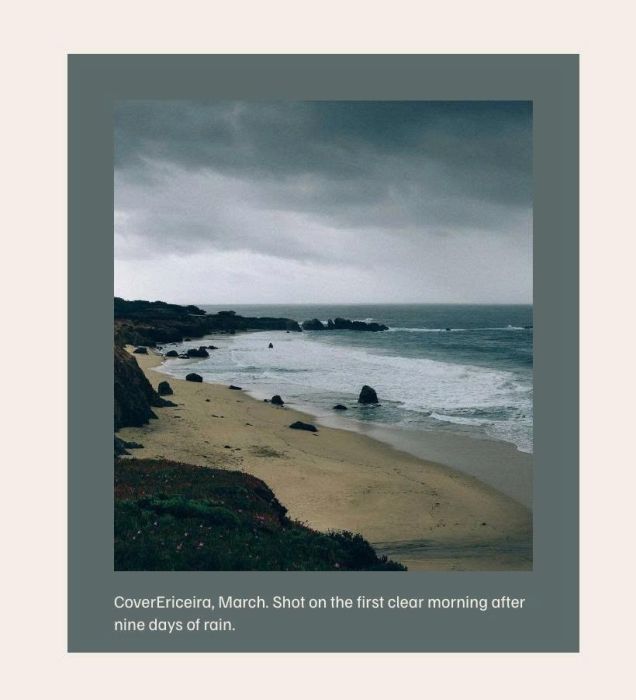
#1. Install Code
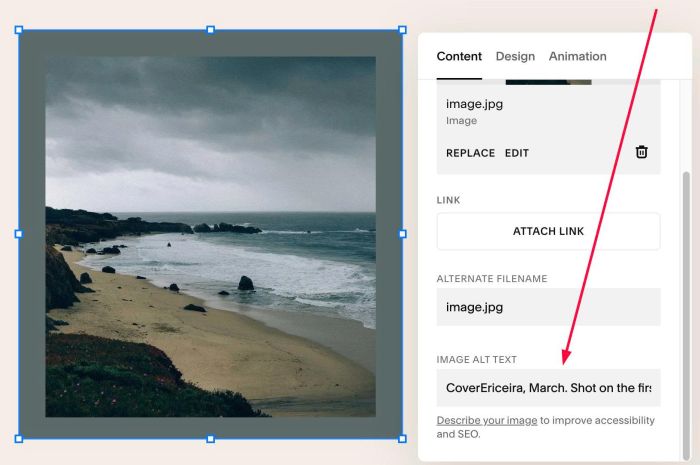
#1.1. Make sure you added Text to ALT
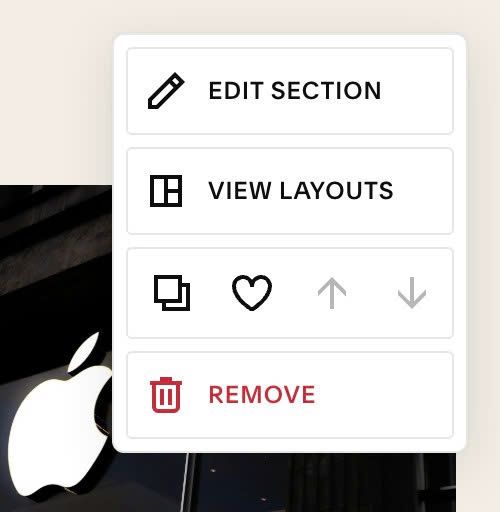
#1.2. Hover on top right of Section > Click EDIT SECTION
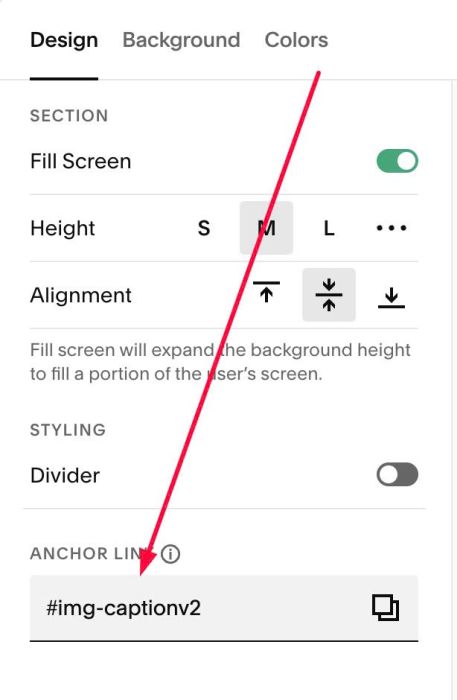
#1.3. At Design > Anchor Link, enter word: img-captionv2
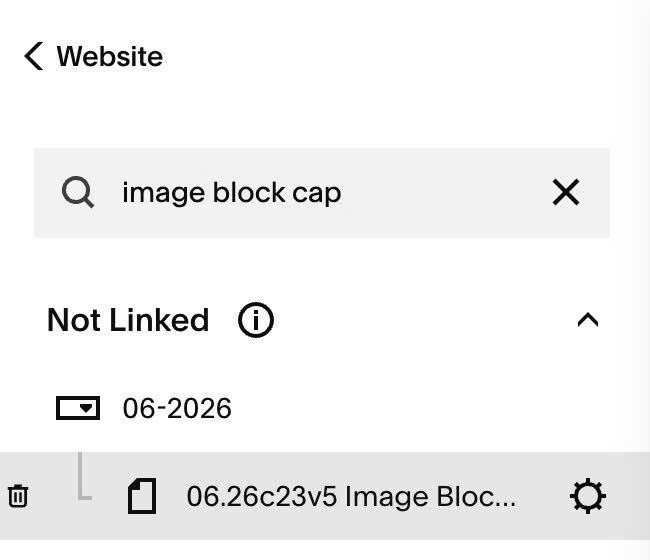
#1.4. Hover on Page where you use Image Blocks > Click Gear icon
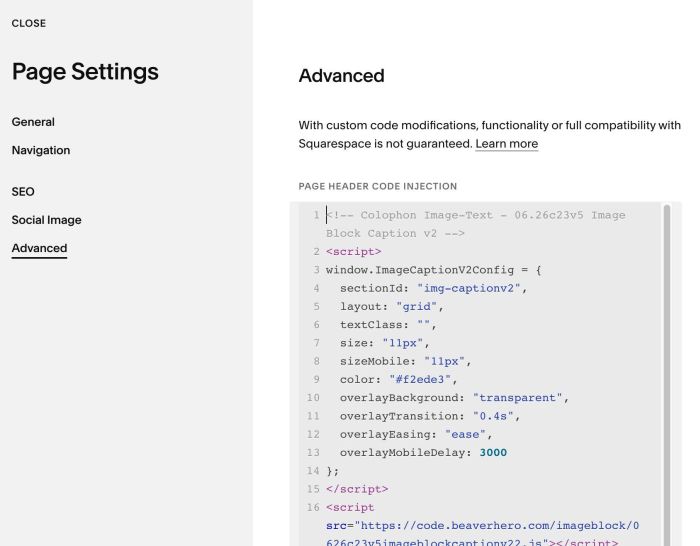
#1.5. Click Advanced > Paste this code to right box
<!-- 10.26c19v3 Image Block with Caption/Background Around -->
<script>
window.ImageCaptionV2Config = {
  sectionId: "img-captionv2",
  layout: "grid",
  textClass: "",
  size: "11px",
  sizeMobile: "11px",
  color: "#f2ede3",
  overlayBackground: "transparent",
  overlayTransition: "0.4s",
  overlayEasing: "ease",
  overlayMobileDelay: 3000
};
</script>
<script src="https://code.beaverhero.com/imageblock/0626c23v5imageblockcaptionv22.js"></script>
<style>
  section#img-captionv2 {
  & {
   --cover-image-background: #5d6a6a;
  --cover-image-padding: 30px;
  --cover-caption-gap: 12px;
  }
 .image-block {
  box-sizing: border-box !important;
  width: 100%;
  height: 100%;
  min-width: 0;
  min-height: 0;
  padding:
    var(--cover-image-padding)
    var(--cover-image-padding)
    var(--cover-caption-gap) !important;
  background-color: var(--cover-image-background);
}
.image-block > .sqs-block-content {
  display: grid !important;
  grid-template-columns: minmax(0, 1fr);
  grid-template-rows: minmax(0, 1fr) auto;
  gap: var(--cover-caption-gap);
  width: 100%;
  height: 100%;
  min-width: 0;
  min-height: 0;
}
.image-block
> .sqs-block-content
> .fluid-image-component-root {
  grid-column: 1;
  grid-row: 1;
  width: 100%;
  height: 100%;
  min-width: 0;
  min-height: 0;
}
.image-block
> .sqs-block-content
> p[data-ic2-cap] {
  grid-column: 1;
  grid-row: 2;
  position: static !important;
  width: auto !important;
  height: auto !important;
  min-width: 0;
  max-height: none !important;
  margin: 0 !important;
  white-space: normal;
  overflow-wrap: anywhere;
  overflow: visible !important;
  }}
</style>
#2. Customize
#2.1. To change text color/text size, change this line
size: "11px",
sizeMobile: "11px",
color: "#f2ede3",
#2.2. To change background style (line 23, 24, 25)
 --cover-image-background: #5d6a6a;
--cover-image-padding: 30px;
--cover-caption-gap: 12px;