Description
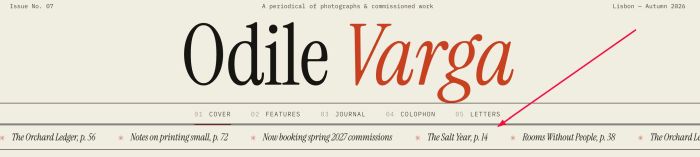
- adding scrolling text from not linked page under header (all pages)
- view demo – password: abc
- buy me a coffee
#1. Install Code
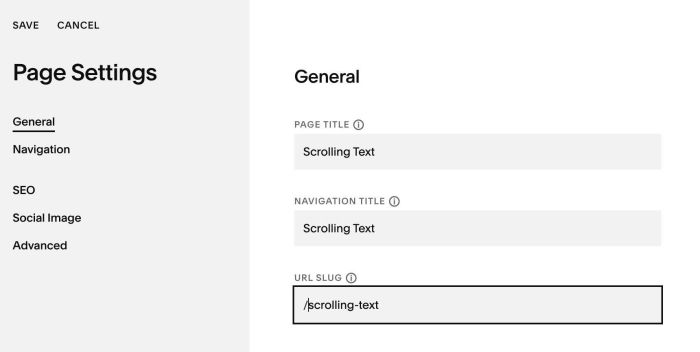
#1.1. First, create a Page in Not Linked with Name/URL
- URL: /scrolling-text
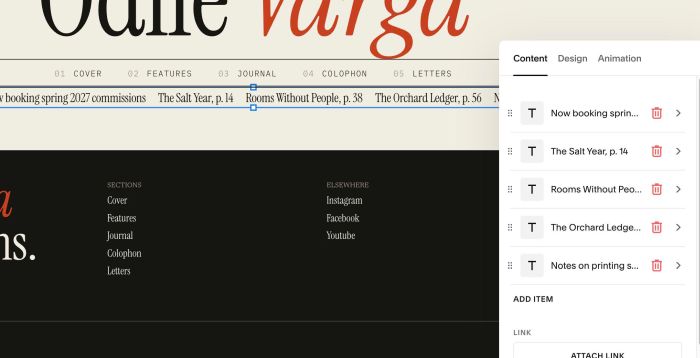
#1.2. Add your desired scrolling text with Scrolling Block
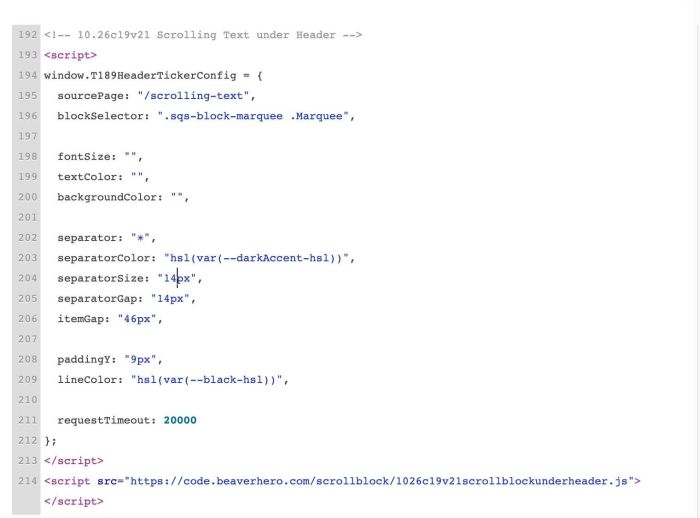
#1.3. Use this code to Code Injection > Footer
<!-- 10.26c19v21 Scrolling Text under Header -->
<script>
window.T189HeaderTickerConfig = {
  sourcePage: "/scrolling-text",
  blockSelector: ".sqs-block-marquee .Marquee",

  fontSize: "",
  textColor: "",
  backgroundColor: "",

  separator: "✳",
  separatorColor: "hsl(var(--darkAccent-hsl))",
  separatorSize: "14px",
  separatorGap: "14px",
  itemGap: "46px",

  paddingY: "9px",
  lineColor: "hsl(var(--black-hsl))",

  requestTimeout: 20000
};
</script>
<script src="https://code.beaverhero.com/scrollblock/1026c19v21scrollblockunderheader.js"></script>
#2. Customize
#2.1. You can change size, color of scrolling text here
fontSize: "15px",
textColor: "",
backgroundColor: "",
#2.2. To change symbol style, change these
separator: "✳",
separatorColor: "hsl(var(--darkAccent-hsl))",
separatorSize: "14px",
separatorGap: "14px",
itemGap: "46px",
#2.3. To change line color (line under scrolling text), change this
lineColor: "hsl(var(--black-hsl))",