Description
- gallery section grid with specific image in different ratio, align center vertical images
- view demo (section 5) – password: abc
- buy me a coffee

#1. Install Code
#1.1. Make sure you use Gallery Grid Simple
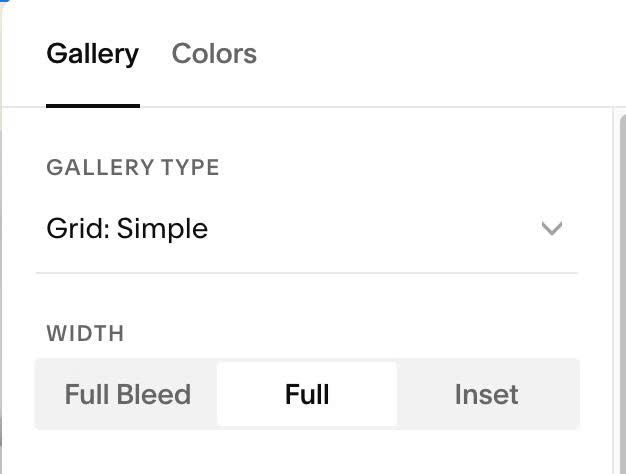
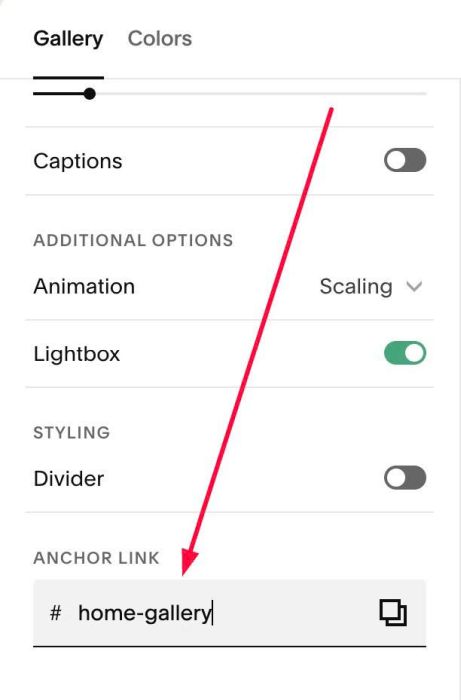
#1.2. Hover on top right of Gallery > Click EDIT SECTION > at Gallery > Anchor Link > Enter word: home-gallery
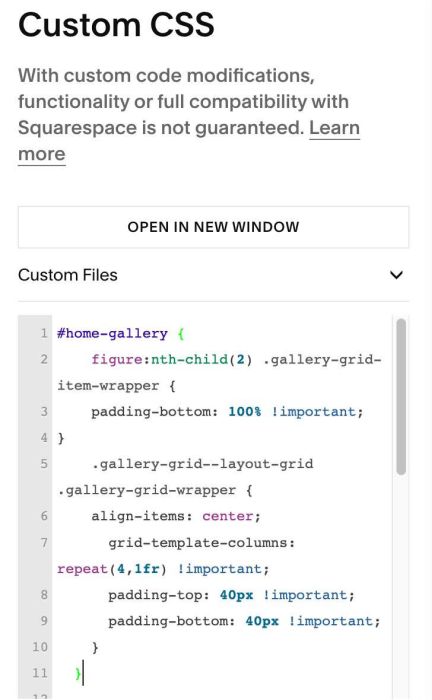
#1.3. Next, use code to Custom CSS
#home-gallery {
    figure:nth-child(2) .gallery-grid-item-wrapper {
    padding-bottom: 100% !important;
}
    .gallery-grid--layout-grid .gallery-grid-wrapper {
    align-items: center;
      grid-template-columns: repeat(4,1fr) !important;
      padding-top: 40px !important;
      padding-bottom: 40px !important;
    }
  }
#1.4. Explain
padding-bottom: 100% !important;
- change ratio to 1:1
figure:nth-child(2)
- apply to second image