Description
- adding gallery block grid with 2 inline images, different ratio, align center vertical
- view demo (section 04) – password: abc
- buy me a coffee

#1. Install Code
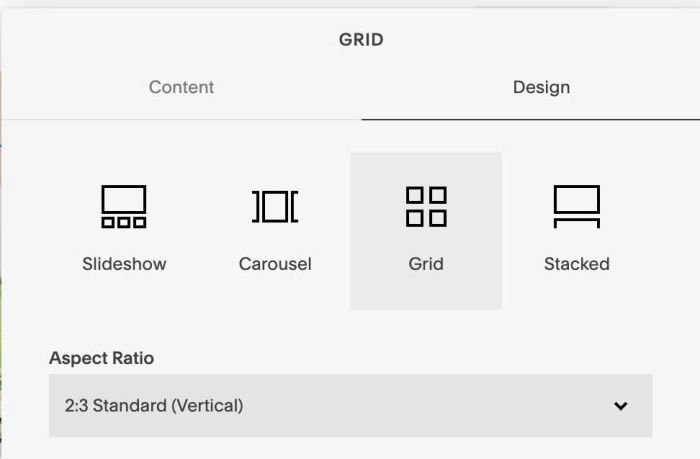
#1.1. Make sure you use Gallery Block Grid
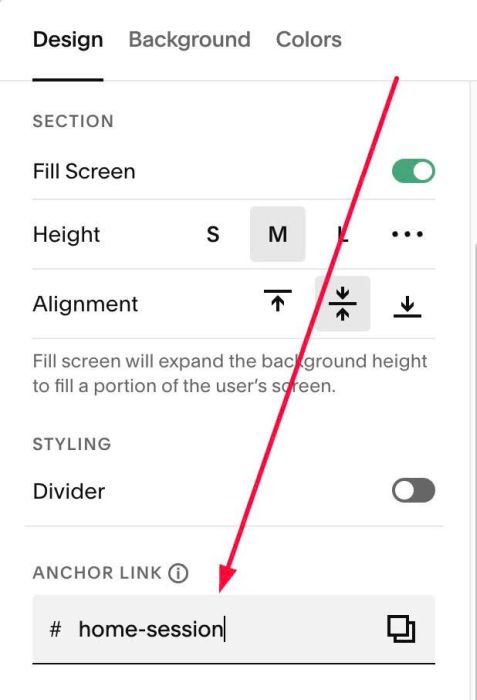
#1.2. Hover on top right of section > Click EDIT SECTION > at Design > Anchor Link > enter word: home-session
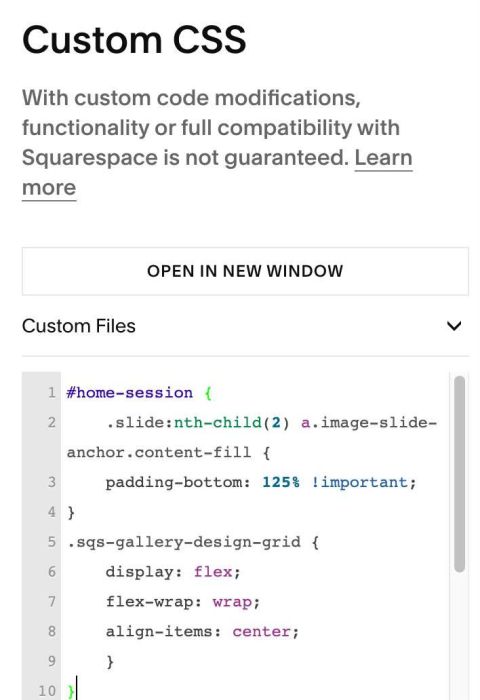
#1.3. Next, use code to Custom CSS
#home-session {
    .slide:nth-child(2) a.image-slide-anchor.content-fill {
    padding-bottom: 125% !important;
}
.sqs-gallery-design-grid {
    display: flex;
    flex-wrap: wrap;
    align-items: center;
    }
}
#1.4. Explain
- .slide:nth-child(2) = apply second image
- padding-bottom: 125% = set ratio to 4:5