Description
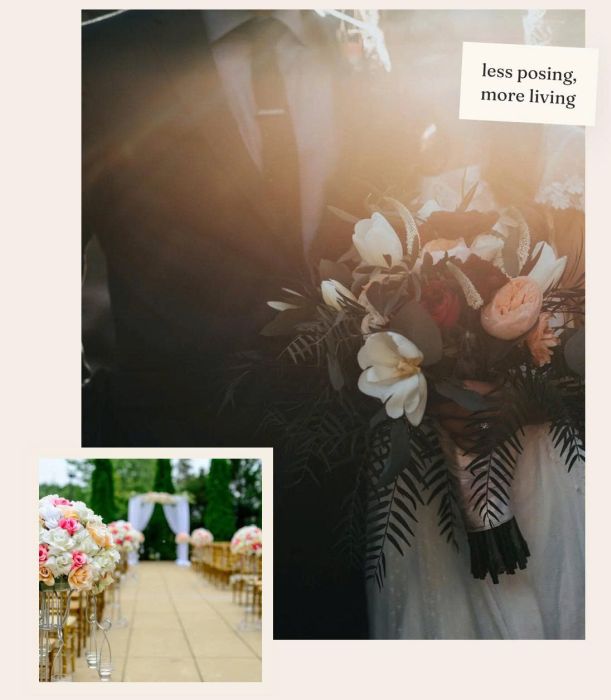
- gallery block grid with 2 images: big, small, overlap together, label text over big image, border around small image
- view demo (first section) – password: abc
- buy me a coffee
#1. Install Code
#1.1. Make sure you have Gallery Block Grid
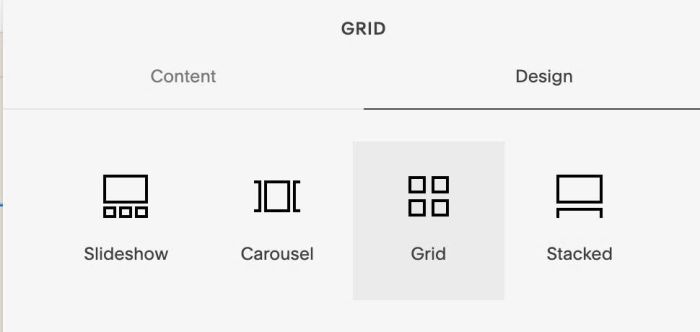
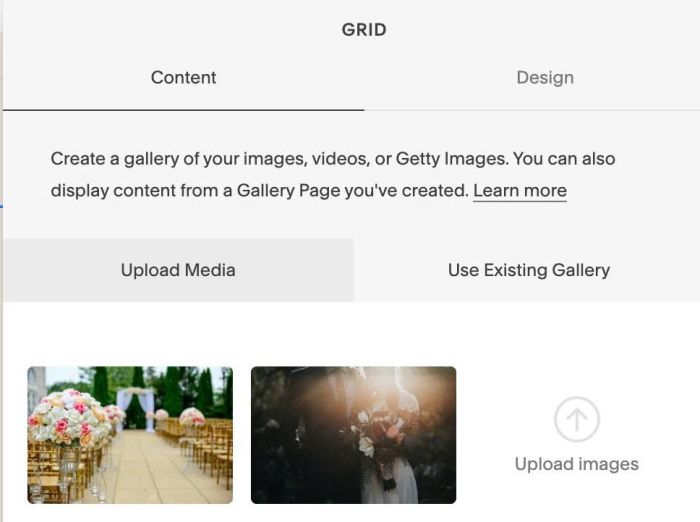
#1.2. Add 2 Images to Gallery
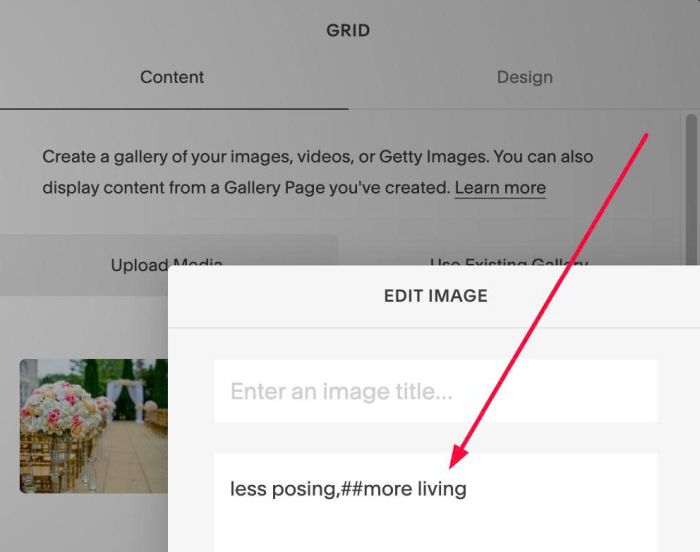
#1.3. Hover on second image > Click Gear icon > Enter this text into Description
less posing,##more living
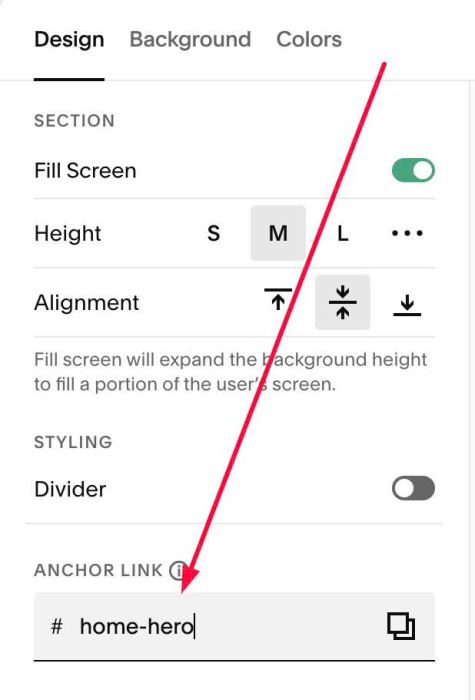
#1.4. Hover on top right section > Click EDIT SECTION > at Design > Anchor Link > enter word: home-hero
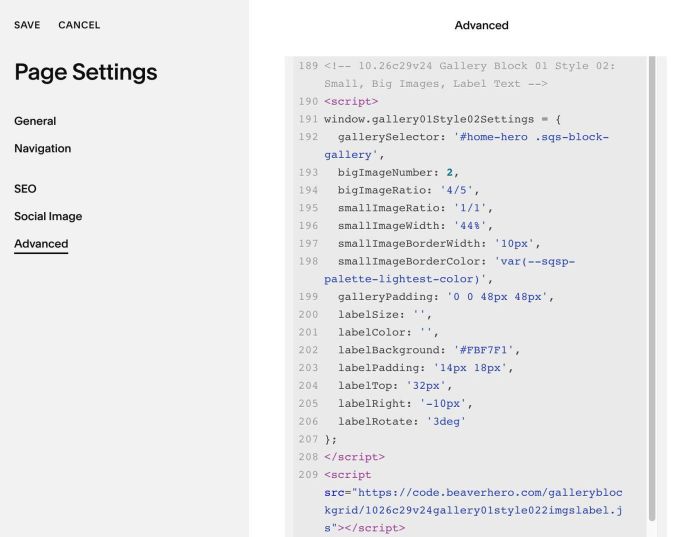
#1.5. Use this code to Page Header Injection
<!-- 10.26c29v24 Gallery Block 01 Style 02: Small, Big Images, Label Text -->
<script>
window.gallery01Style02Settings = {
  gallerySelector: '#home-hero .sqs-block-gallery',
  bigImageNumber: 2,
  fillBlockHeight: true,
  bigImageRatio: '4/5',
  smallImageRatio: '1/1',
  smallImageWidth: '44%',
  smallImageBorderWidth: '10px',
  smallImageBorderColor: 'var(--sqsp-palette-lightest-color)',
  galleryPadding: '0 0 48px 48px',
  labelSize: '',
  labelColor: '',
  labelBackground: '#FBF7F1',
  labelPadding: '14px 18px',
  labelTop: '32px',
  labelRight: '-10px',
  labelRotate: '3deg'
};
</script>
<script src="https://code.beaverhero.com/galleryblockgrid/1026c29v24gallery01style022imgslabelv2.js"></script>
#2. Customize
#2.1. To change Ratio of Big – Small Images, change these
bigImageRatio: '4/5',
 smallImageRatio: '1/1',
#2.2. To change small image style, change these
smallImageWidth: '44%',
  smallImageBorderWidth: '10px',
  smallImageBorderColor: 'var(--sqsp-palette-lightest-color)',
#2.3. To change label style, change these
labelSize: '',
  labelColor: '',
  labelBackground: '#FBF7F1',
  labelPadding: '14px 18px',
  labelTop: '32px',
  labelRight: '-10px',
  labelRotate: '3deg'