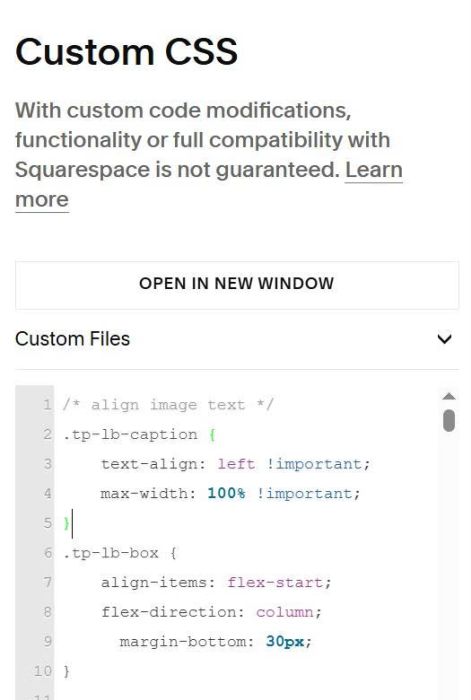
Description:
- make image caption appears on right of image in Lightbox popup
- view demo – Password: abc
- buy me a coffee
#1. Install Code
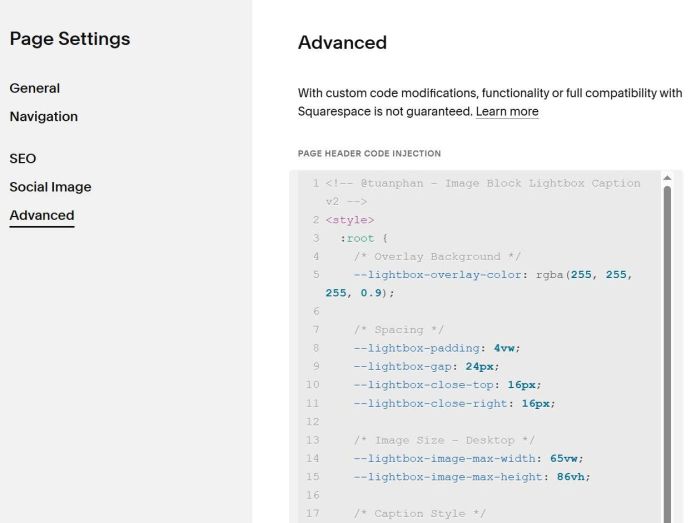
Use code to Code Injection > Footer (or Individual Page Header Injection)
- If you use Personal/Basic Plan and your plan doesn’t support Injection, you can also add a Markdown Block under Image Block > then paste same code.
<!-- @tuanphan - Image Block Lightbox Caption v2 -->
<style>
  :root {
    --lightbox-overlay-color: rgba(255, 255, 255, 0.9);
    --lightbox-padding: 4vw;
    --lightbox-gap: 24px;
    --lightbox-close-top: 16px;
    --lightbox-close-right: 16px;
    --lightbox-image-max-width: 65vw;
    --lightbox-image-max-height: 86vh;
    --lightbox-caption-font-size: 13px;
    --lightbox-caption-color: #000;
    --lightbox-caption-line-height: 1.5;
    --lightbox-caption-max-width: 27vw;
    --lightbox-close-size: 36px;
    --lightbox-close-font-size: 28px;
    --lightbox-mobile-image-width: 88vw;
    --lightbox-mobile-image-height: 60vh;
    --lightbox-mobile-caption-width: 88vw;
  }
</style>
<script src="https://code.beaverhero.com/test/imageblock/501v3imgblocklightboxcaptionv2.js"></script>
#2. Usage
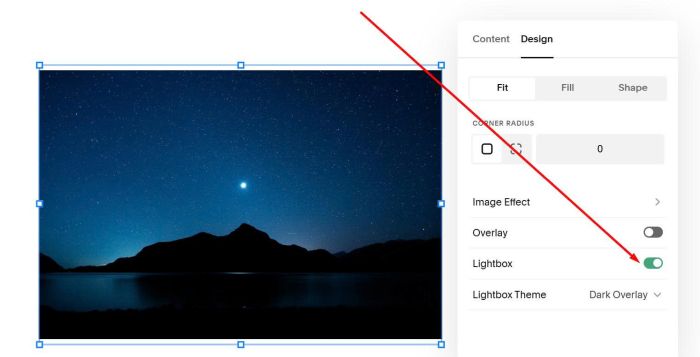
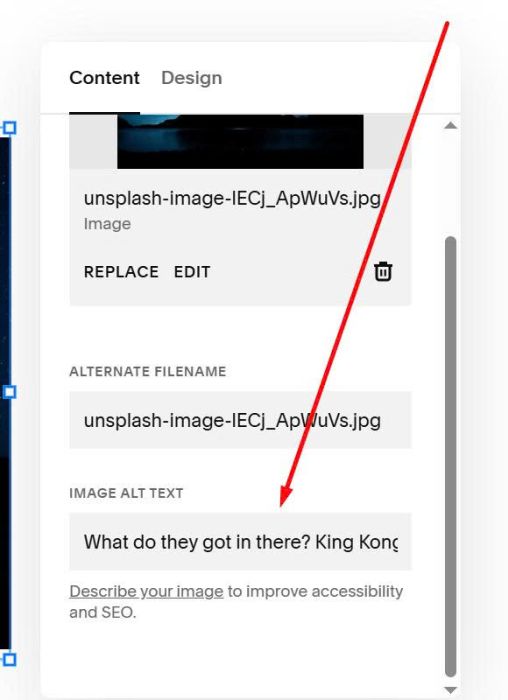
Edit Image > Enable Lightbox
Add Caption text via ALT field
#3. Customize
All style options here
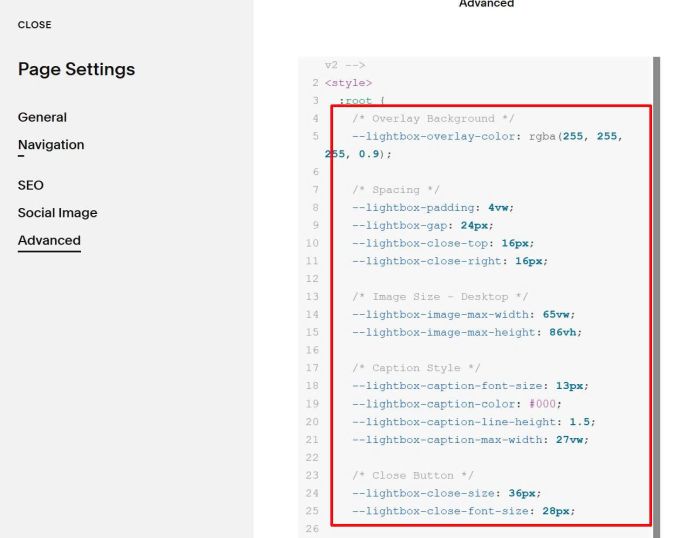
#3.1. To change overlay color behind Image Lightbox
--lightbox-overlay-color: rgba(255, 255, 255, 0.9);
#3.2. To change close X icon size
--lightbox-close-font-size: 28px;
#3.3. To change caption text style
--lightbox-caption-font-size: 13px;
--lightbox-caption-color: #000;
--lightbox-caption-line-height: 1.5;
--lightbox-caption-max-width: 27vw;
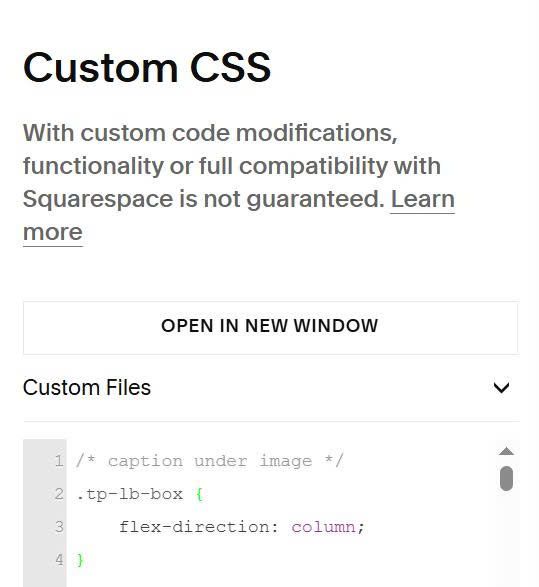
#3.4. To make caption under image

use this code to Custom CSS
/* caption under image */
.tp-lb-box {
    flex-direction: column;
}
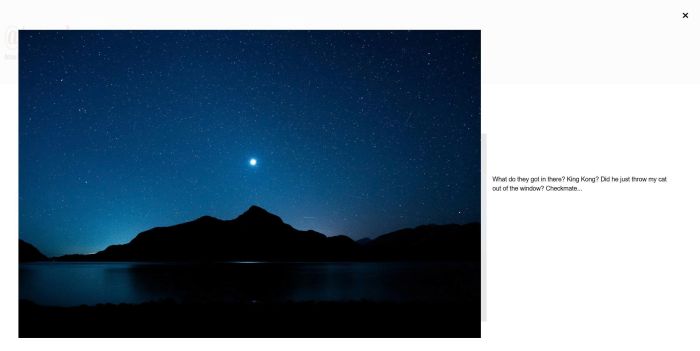
#3.5. To align text-image like this.
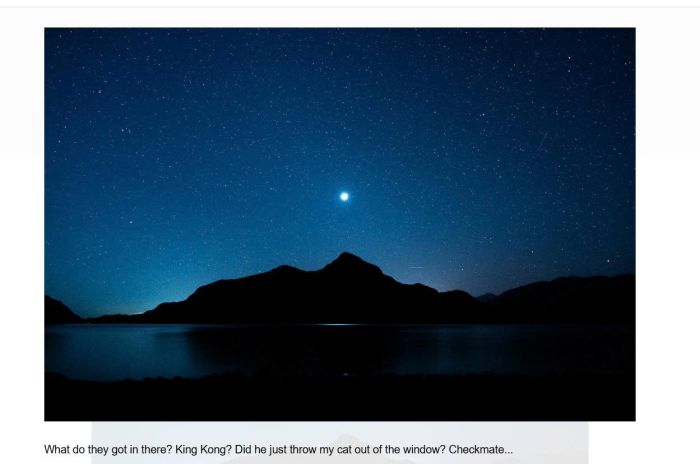
You can use this code to Custom CSS
/* align image text */
.tp-lb-caption {
    text-align: left !important;
    max-width: 100% !important;
}
.tp-lb-box {
    align-items: flex-start;
    flex-direction: column;
      margin-bottom: 30px;
}