- Support: [email protected]
- Free Install (1 site)
- View Demo – Password: abc
Description:
- remove 60 items limit in Portfolio Page
- update: 08-05-2026
- This plugin has new version (free) here with more advanced features.
Solution: create 2 Portfolio Pages, then use code to merge second page into first page, with a View More button in bottom of first page
- Works with Portfolio Grid Simple or Grid Overlay only.

#1. Install Code
First, suppose you have 2 Portfolio Pages with URL
- First Portfolio page: /portfolio120items
- Second Portfolio Page: /portfolio120itemsv2
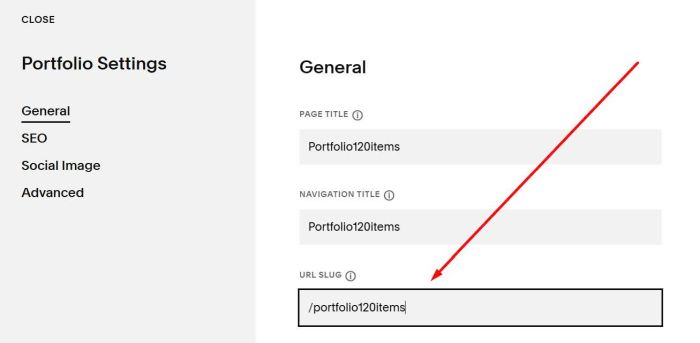
#1.1. Business Plan/higher
Hover on First Portfolio Page > Click Gear icon
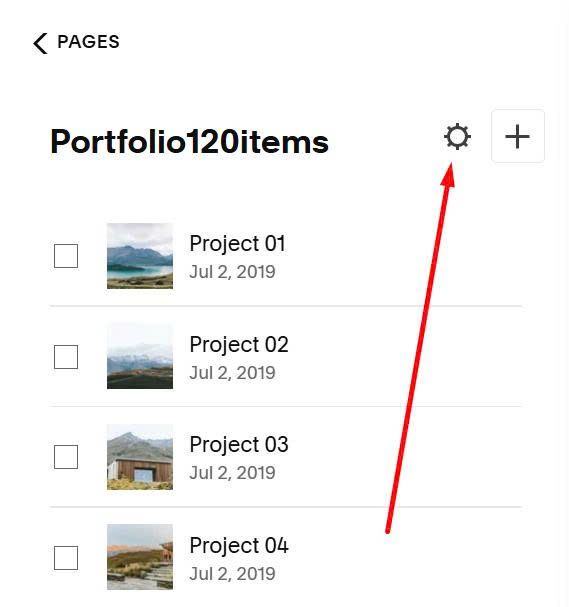
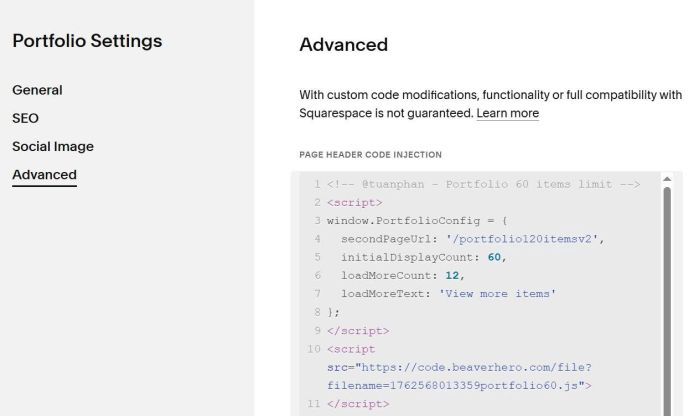
Click Advanced > Paste this code
<!-- @tuanphan - Portfolio 60 items limit -->
<script>
window.PortfolioConfig = {
  secondPageUrl: '/portfolio120itemsv2',
  initialDisplayCount: 60,
  loadMoreCount: 12,
  loadMoreText: 'View more items'
};
</script>
<script src="https://code.beaverhero.com/portfolio/portfolio60itemsv1.js"></script>
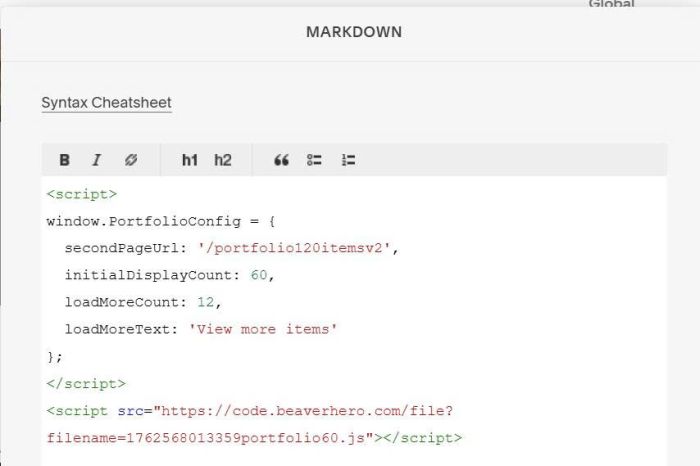
#1.2. Personal/Basic Plan
First, edit Site Footer

Add a Block

Choose Markdown

Paste this code into Markdown
<script>
window.PortfolioConfig = {
  secondPageUrl: '/portfolio120itemsv2',
  initialDisplayCount: 60,
  loadMoreCount: 12,
  loadMoreText: 'View more items'
};
</script>
<script src="https://code.beaverhero.com/portfolio/portfolio60itemsv1.js"></script>
#2. Usage
First, you need to update Second Portfolio Page URL in Line 04
secondPageUrl: '/portfolio120itemsv2',
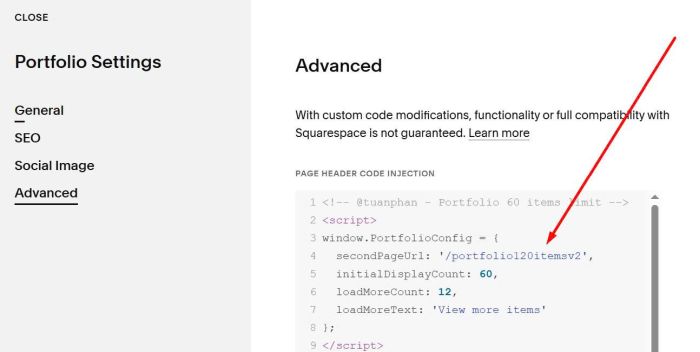
Make sure you use Portfolio Grid Simple or Grid Overlay on both Portfolio Pages
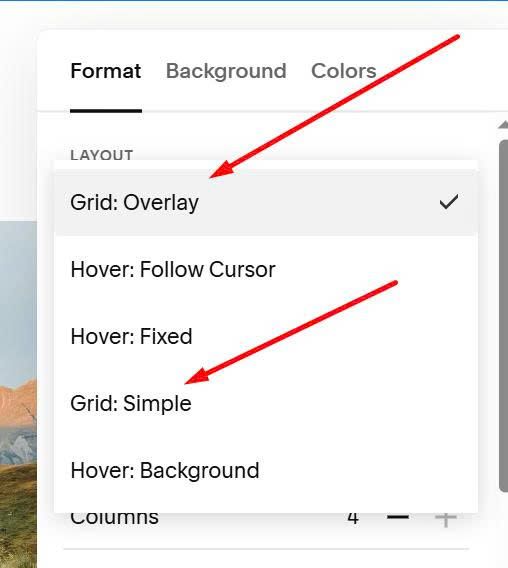
#3. Customize
#3.1. To change View More items button text

You can change this line 07
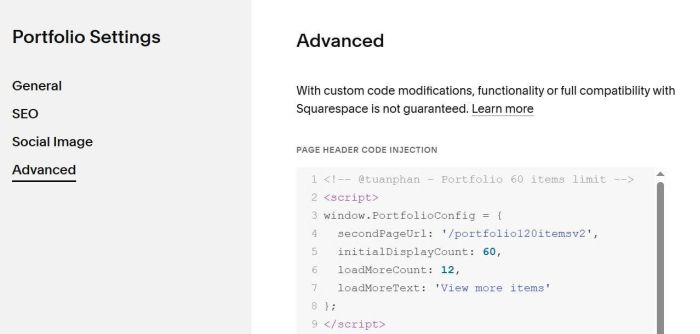
#3.2. To adjust number of items initial – load more items, you can change line 05 + line 06
#3.3. To reduce space between Button – Portfolio List
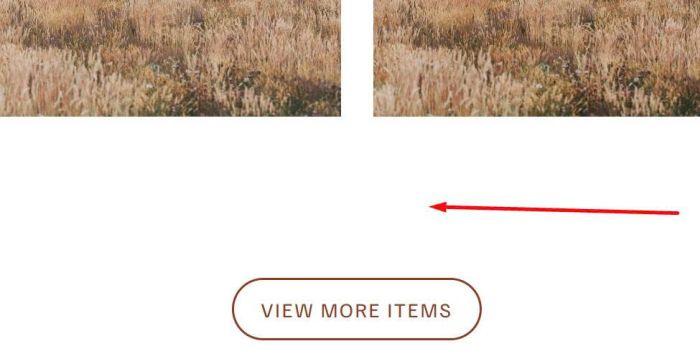
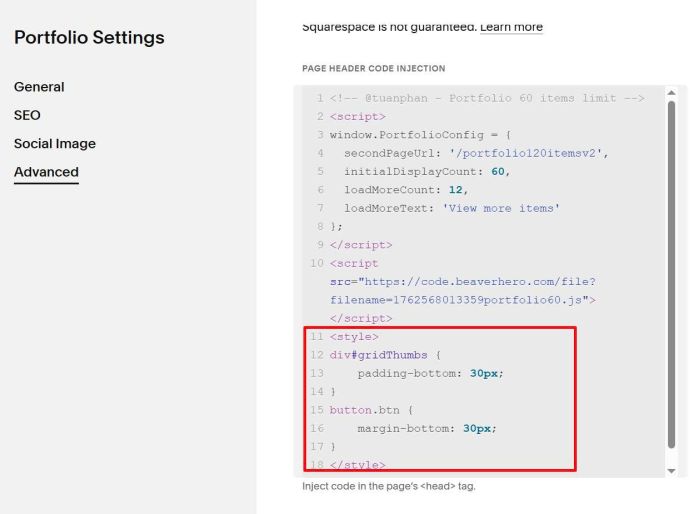
You can use this code under plugin code
<style>
div#gridThumbs {
    padding-bottom: 30px;
}
button.btn {
    margin-bottom: 30px;
}
</style>
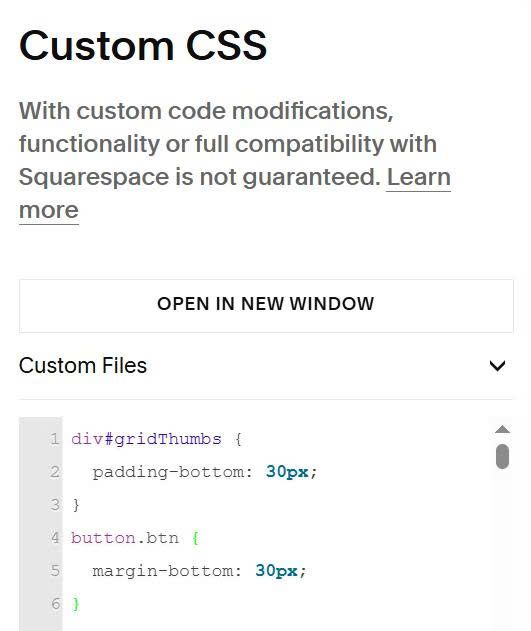
If you use Personal Plan, you can use this to Custom CSS box
div#gridThumbs {
  padding-bottom: 30px;
}
button.btn {
  margin-bottom: 30px;
}
#3.4. For Developers
Some hooks
onItemsLoaded(items)
onItemShow(item, index)
onLoadMore(currentCount, totalCount)
onAllItemsShown(items)
an example
<script>
window.PortfolioConfig.hooks = {
    onItemsLoaded: function (items) {
        var ALLOWED_FILTERS = [
            'friday', 'saturday', 'sunday', 'music', 'comedy', 'kids', 'shows', 'fringe performances'
        ];
        function normalise(s) {
            return String(s || '').toLowerCase().trim();
        }
        function segsFromHref(href) {
            if (!href) return [];
            try {
                var parts = new URL(href, location.origin).pathname
                    .toLowerCase().replace(/\/+$/, '').split('/').filter(Boolean)
                    .map(function (p) { return normalise(p.replace(/-/g, ' ')); });
                return parts.filter(function (p) { return ALLOWED_FILTERS.indexOf(p) !== -1; });
            } catch (e) { return []; }
        }
        var activeSpan = document.querySelector('.portfolio-filter span.active');
        var activeFilter = activeSpan ? normalise(activeSpan.dataset.filter || 'all') : 'all';
        items.forEach(function (el) {
            if (el.hasAttribute('data-segs')) return;
            var href = el.getAttribute('href') || el.dataset.href || '';
            var segs = segsFromHref(href);
            el.setAttribute('data-segs', segs.join(','));
            if (activeFilter && activeFilter !== 'all') {
                if (segs.indexOf(activeFilter) === -1) {
                    el.classList.add('hidden');
                }
            }
        });
    }
};
</script>