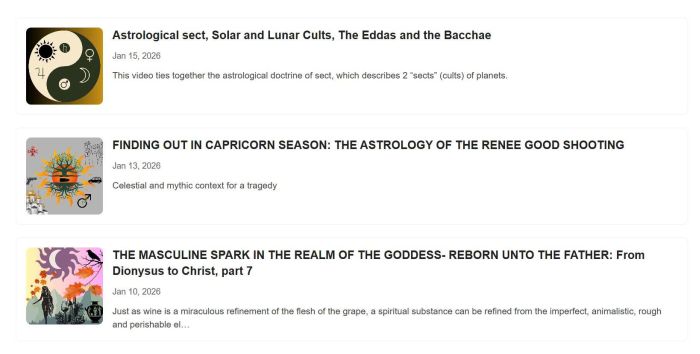
Description
- adding substack posts to your site (list layout)
- view demo – password: abc
- buy me a coffee if it is helpful for you
#1. Install Code
#1.1. First, find your Substack url
In my example, we will use
daimonseedastrologer.substack.com
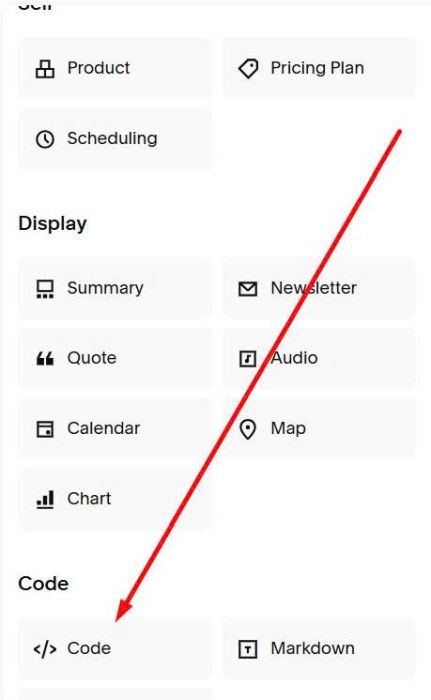
#1.2. Edit page where you want to add Substack > Add a Code Block
Next, paste this code into Code Block
<div class="substack-feed-embed"></div>
<script>
  window.SubstackFeedWidget = {
    substackUrl: "daimonseedastrologer.substack.com",
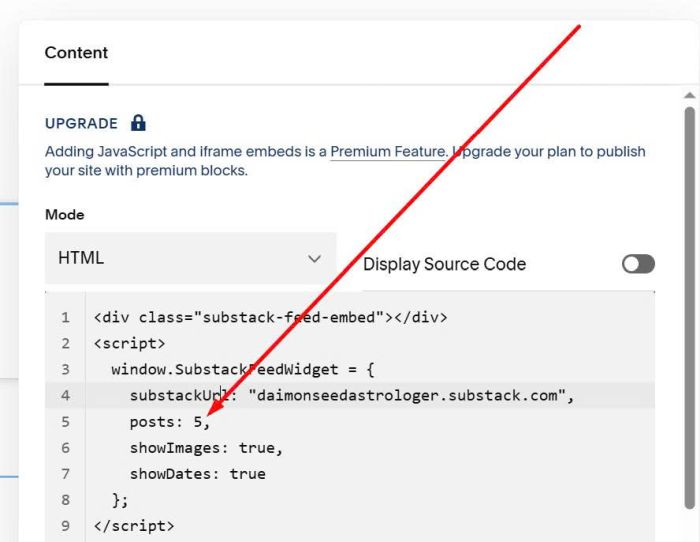
    posts: 5,
    showImages: true,
    showDates: true
  };
</script>
<script src="https://code.beaverhero.com/feed/substacklist.js"></script>
<link rel="stylesheet" href="https://code.beaverhero.com/feed/substacklist.css"/>
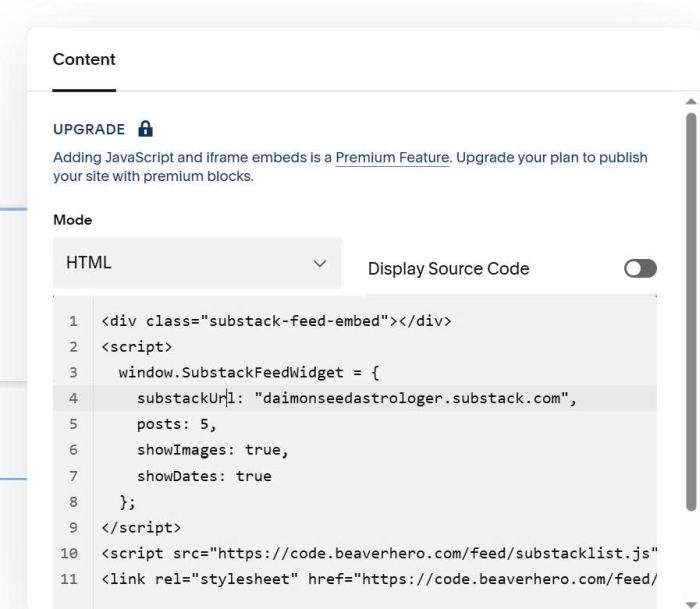
Remember to update Substack URL
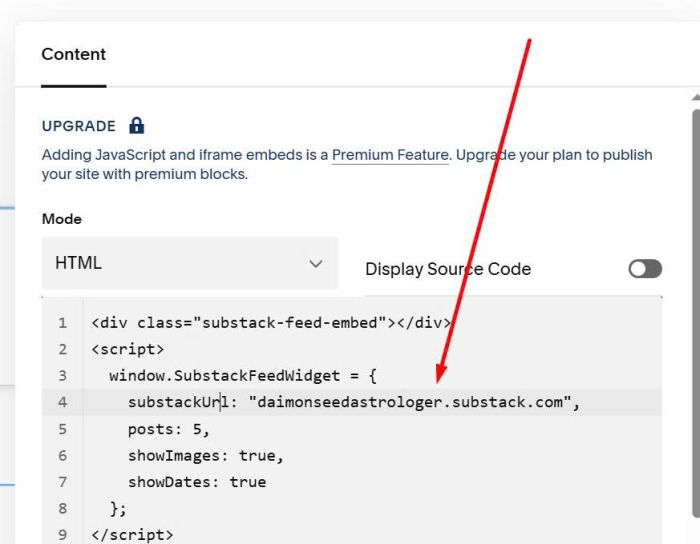
#2. Customize
#2.1. To change number of posts, you can adjust this line
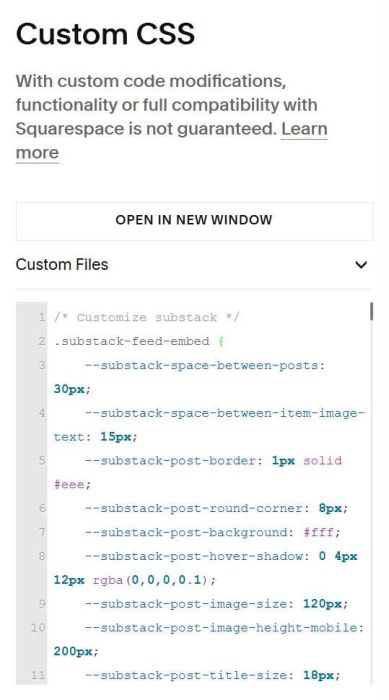
#2.2. To change substack post style, you can use this code to Custom CSS
/* Customize substack */
.substack-feed-embed {
    --substack-space-between-posts: 30px;
    --substack-space-between-item-image-text: 15px;
    --substack-post-border: 1px solid #eee;
    --substack-post-round-corner: 8px;
    --substack-post-background: #fff;
    --substack-post-hover-shadow: 0 4px 12px rgba(0,0,0,0.1);
    --substack-post-image-size: 120px;
    --substack-post-image-height-mobile: 200px;
    --substack-post-title-size: 18px;
    --substack-post-title-color: #222;
    --substack-post-data-size: 13px;
    --substack-post-date-color: #666;
    --substack-post-description-size: 14px;
    --substack-post-description-color: #444;
}