Description
- view demo – password: abc
- my friend code this feature, you can send her some coffees
#1. Install Code
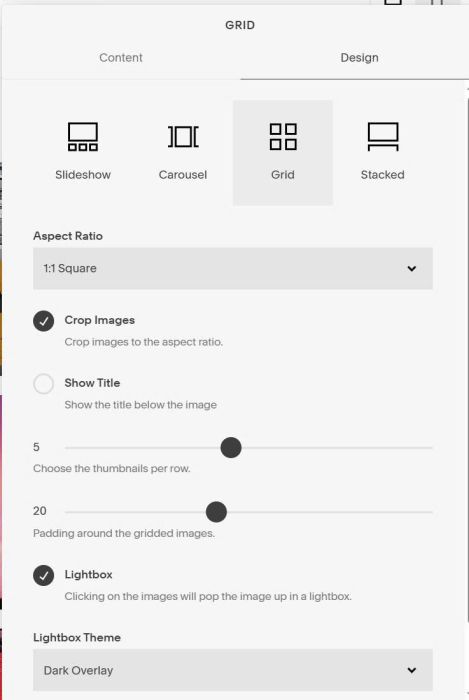
#1.1. First, add a Gallery Block Grid
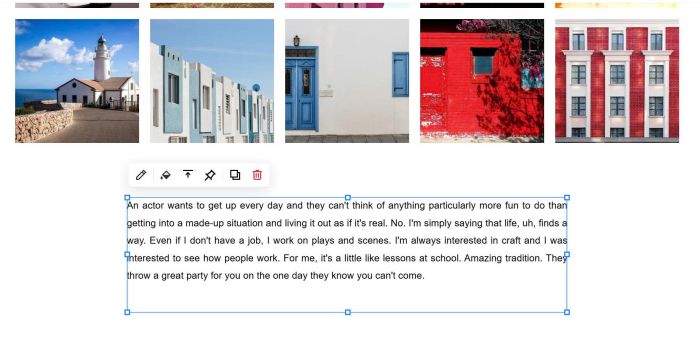
#1.2. Next, add a Text Block under Gallery Block Grid
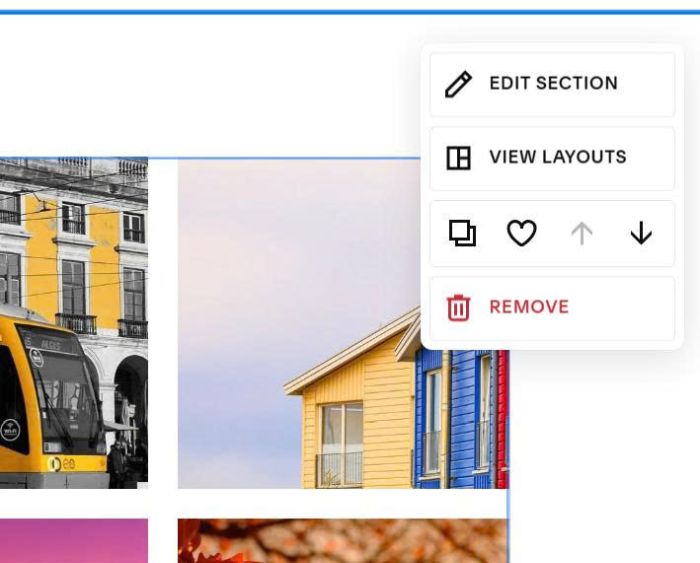
#1.3. Hover on top right of section > Click Edit Section
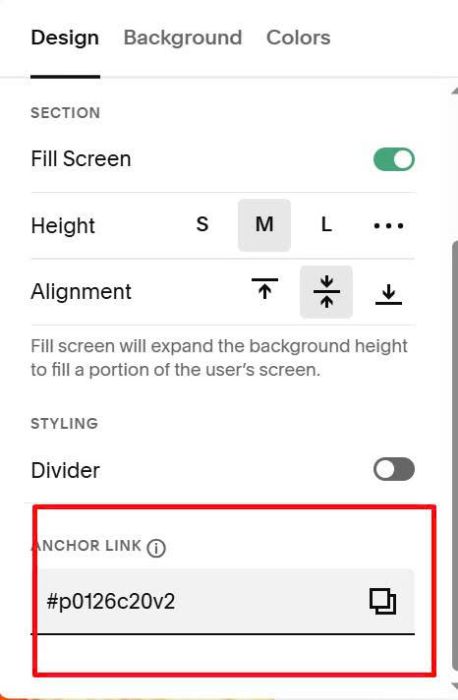
at Anchor Link, enter word: p0126c20v2
p0126c20v2
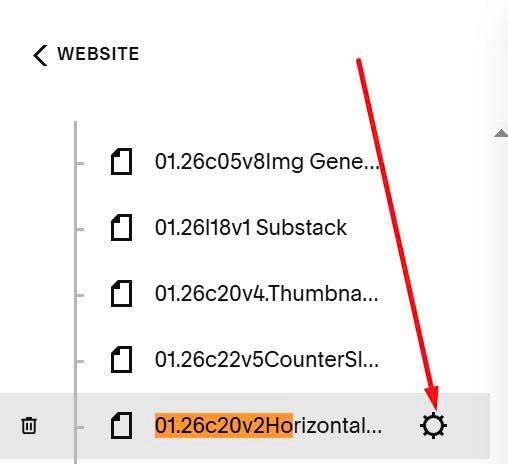
#1.4. Hover on page where you use Gallery Block > Click Gear icon
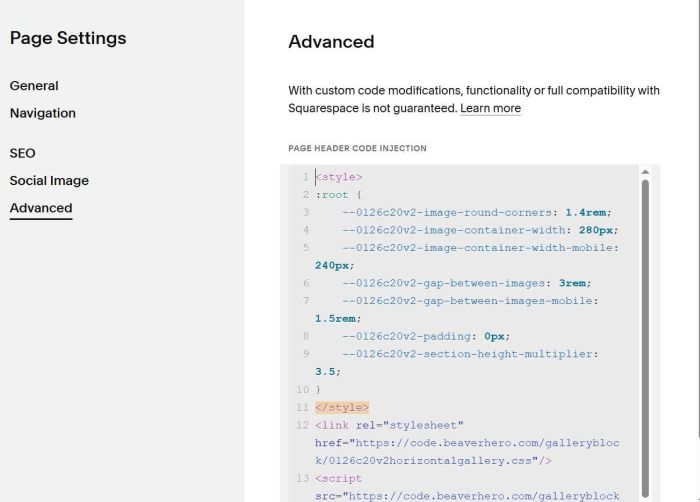
Paste this code
<style>
:root {
    --0126c20v2-image-round-corners: 1.4rem;
    --0126c20v2-image-container-width: 280px;
    --0126c20v2-image-container-width-mobile: 240px;
    --0126c20v2-gap-between-images: 3rem;
    --0126c20v2-gap-between-images-mobile: 1.5rem;
    --0126c20v2-padding: 0px;
    --0126c20v2-section-height-multiplier: 3.5;
}
</style>
<link rel="stylesheet" href="https://code.beaverhero.com/galleryblock/0126c20v2horizontalgallery.css"/>
<script src="https://code.beaverhero.com/galleryblock/0126c20v2horizontalgallery.js"></script>
#2. Customize
All style option in Line 03 to Line 10
:root {
    --0126c20v2-image-round-corners: 1.4rem;
    --0126c20v2-image-container-width: 280px;
    --0126c20v2-image-container-width-mobile: 240px;
    --0126c20v2-gap-between-images: 3rem;
    --0126c20v2-gap-between-images-mobile: 1.5rem;
    --0126c20v2-padding: 0px;
    --0126c20v2-section-height-multiplier: 3.5;
}
#2.1. To remove shadow around image, use this to Custom CSS box
div.tp-item img {
    box-shadow: none !important;
}
#2.2. To remove scroll bar in bottom of screen, use this to Custom CSS
div.tp-hscroll-wrapper {
    width: 99vw !important;
}