Description
- adding counter number under Summary Block Carousel
- view demo – password: abc
- my friend did this, send her a coffee

#1. Install Code
If you use Personal/Basic Plan and it doesn’t support Injection, you can see step #2.2.
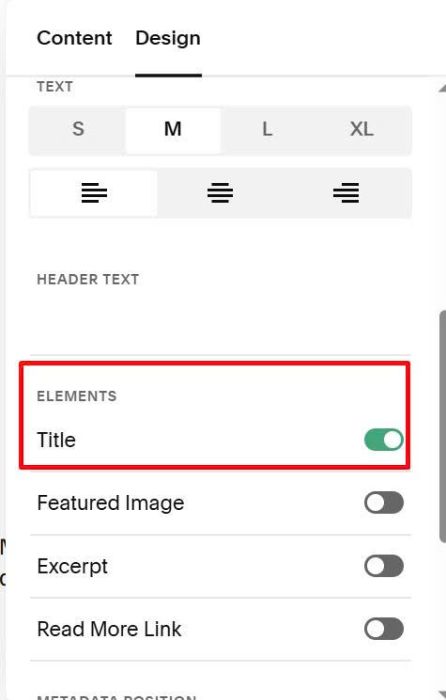
#1.1. First, make sure you added Summary Block Carousel & enable Summary Title
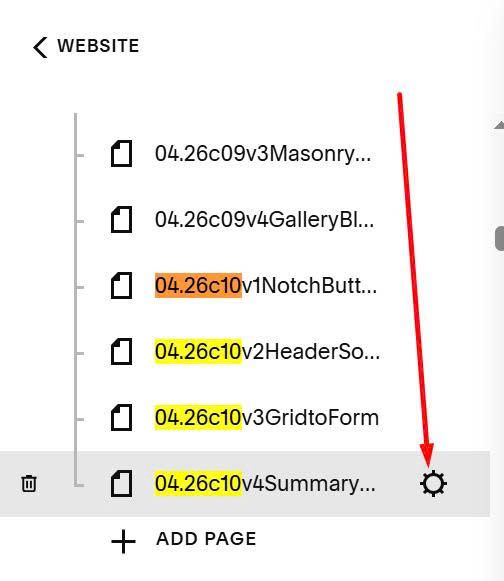
#1.2. Hover on Page where you use Summary Carousel > Click Gear icon
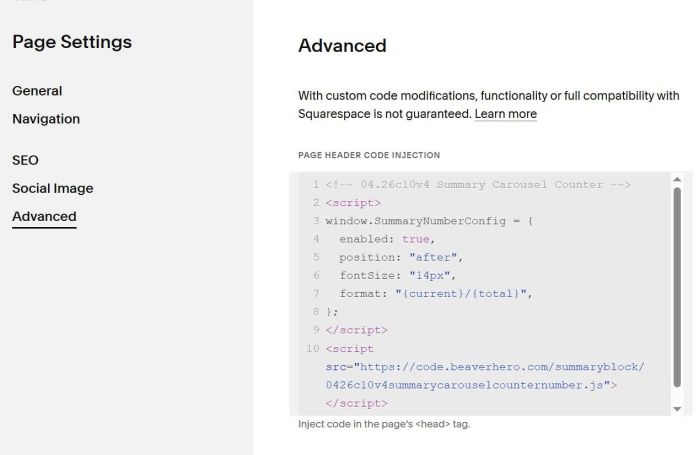
Click Advanced > Paste this code
<!-- 04.26c10v4 Summary Carousel Counter -->
<script>
window.SummaryNumberConfig = {
  enabled: true,
  position: "after",
  fontSize: "14px",
  format: "{current}/{total}",
};
</script>
<script src="https://code.beaverhero.com/summaryblock/0426c10v4summarycarouselcounternumber.js"></script>
#2. Customize
#2.1. All style options here
<script>
window.SummaryNumberConfig = {
  enabled: true,
  position: "after",
  fontSize: "14px",
  format: "{current}/{total}",
};
</script>
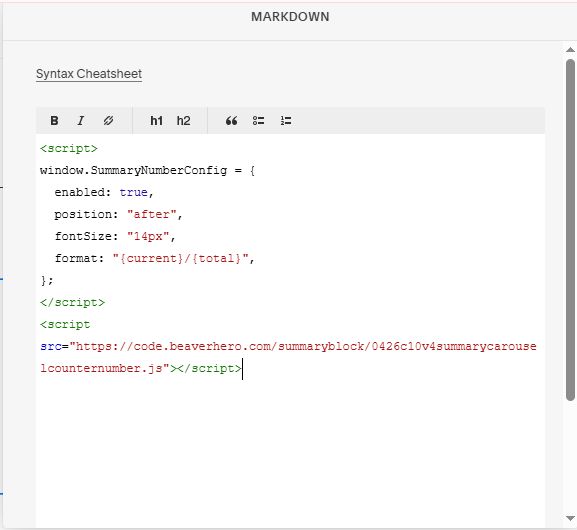
#2.2. If you use Personal Plan/Basic Plan and your plan doesn’t support Code Injection, you can add a Markdown Block under Summary Block.
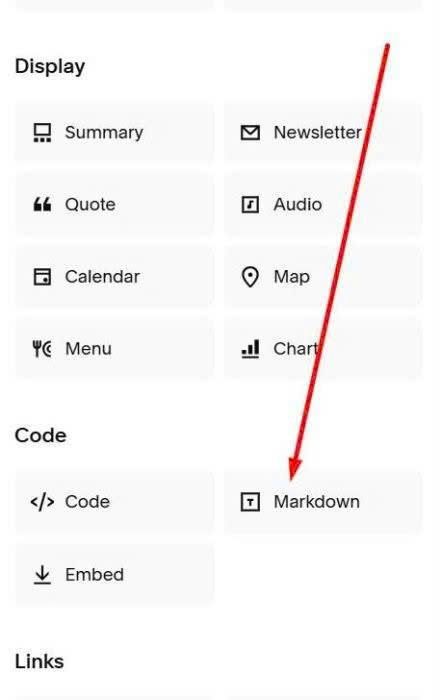
Then paste this code into Markdown Block
<script>
window.SummaryNumberConfig = {
  enabled: true,
  position: "after",
  fontSize: "14px",
  format: "{current}/{total}",
};
</script>
<script src="https://code.beaverhero.com/summaryblock/0426c10v4summarycarouselcounternumber.js"></script>