Description
- turn gallery grid to carousel
- sync carousel with blog page
- view demo – password: abc
- my friend did this, send her a coffee

#1. Install Code
If you use Personal/Basic plan and your plan doesn’t support Injection, you can see #2.2.
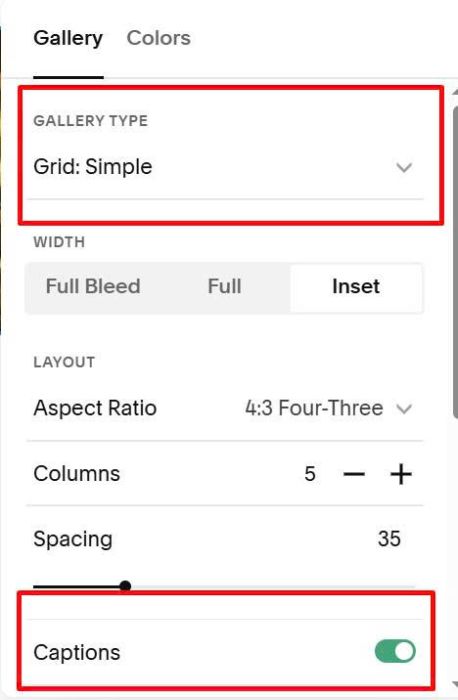
#1.1. First, make sure you use Gallery Grid: Simple & enable Captions
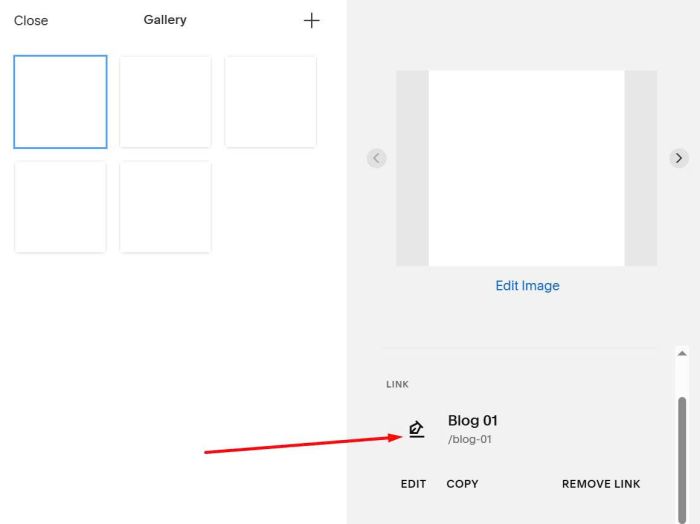
#1.2. Next, edit FIRST IMAGE and enter BLOG PAGE URL
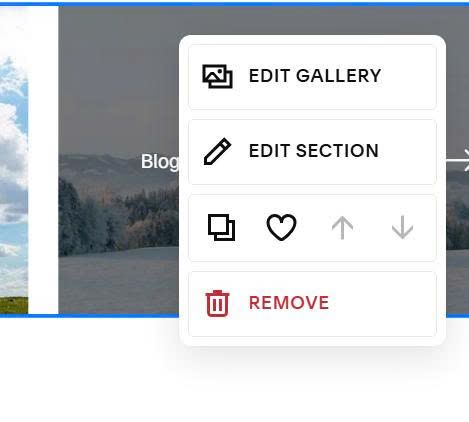
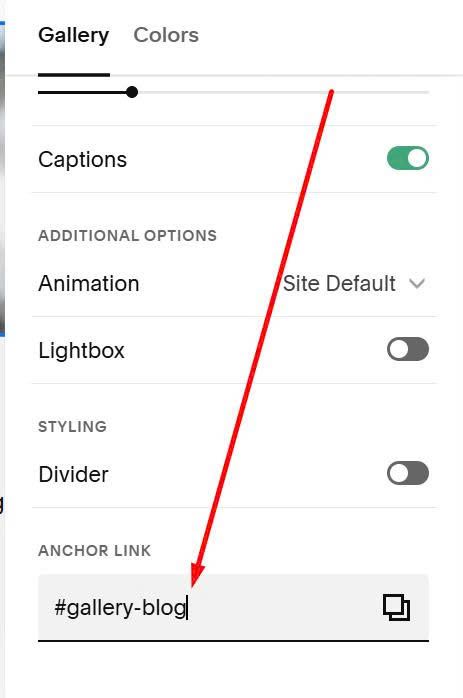
#1.3. Hover on top right of Gallery > Click Edit Section
at Anchor Link, enter word: gallery-blog
gallery-blog
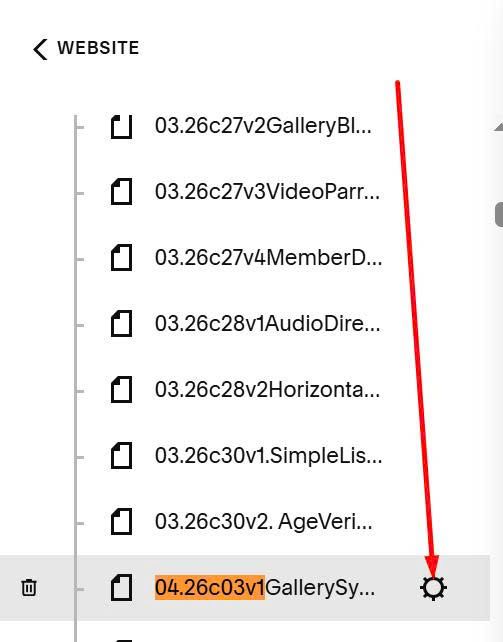
#1.4. Hover on page where you use Gallery Grid > Click Gear icon
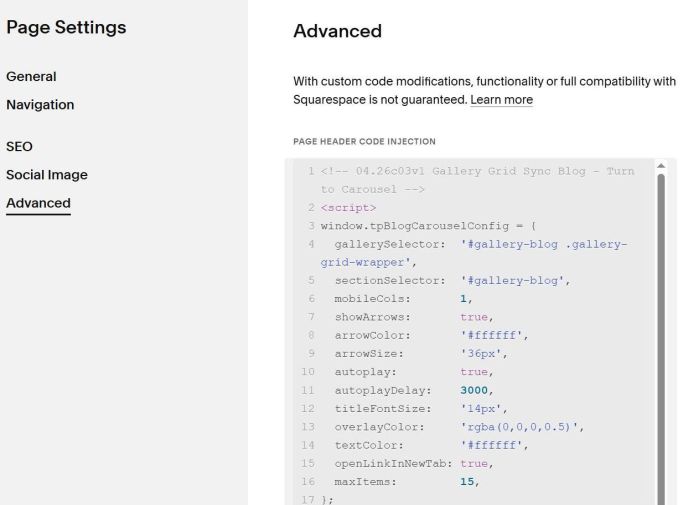
Click Advanced > Paste this code
<!-- 04.26c03v1 Gallery Grid Sync Blog - Turn to Carousel -->
<script>
window.tpBlogCarouselConfig = {
  gallerySelector:  '#gallery-blog .gallery-grid-wrapper',
  sectionSelector:  '#gallery-blog',
  mobileCols:       1,
  showArrows:       true,
  arrowColor:       '#ffffff',
  arrowSize:        '36px',
  autoplay:         true,
  autoplayDelay:    3000,
  titleFontSize:    '14px',
  overlayColor:     'rgba(0,0,0,0.5)',
  textColor:        '#ffffff',
  openLinkInNewTab: true,
  maxItems:         15,
};
</script>
<script src="https://code.beaverhero.com/gallerysgrid/0426c03v1gridcarouselblog.js"></script>
#2. Customize
#2.1. All style options here
<script>
window.tpBlogCarouselConfig = {
  gallerySelector:  '#gallery-blog .gallery-grid-wrapper',
  sectionSelector:  '#gallery-blog',
  mobileCols:       1,
  showArrows:       true,
  arrowColor:       '#ffffff',
  arrowSize:        '36px',
  autoplay:         true,
  autoplayDelay:    3000,
  titleFontSize:    '14px',
  overlayColor:     'rgba(0,0,0,0.5)',
  textColor:        '#ffffff',
  openLinkInNewTab: true,
  maxItems:         15,
};
</script>
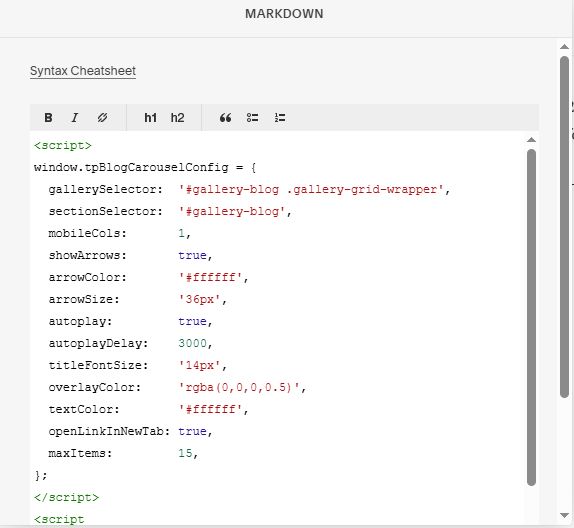
#2.2. If you use Personal/Basic plan and your plan doesn’t support Injection, you can add a Markdown Block to current page.
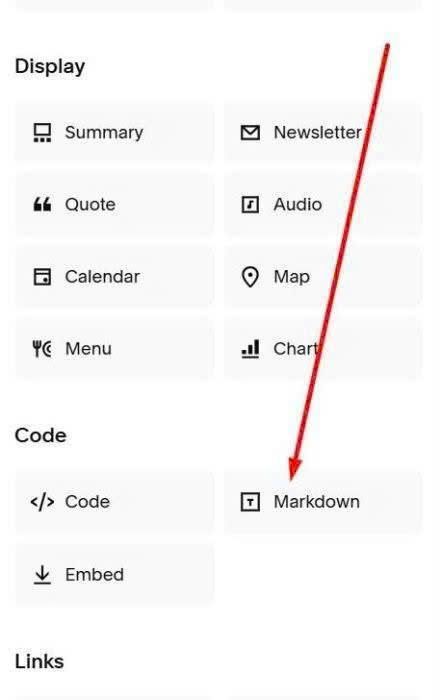
Then paste this code into Markdown Block.
<script>
window.tpBlogCarouselConfig = {
  gallerySelector:  '#gallery-blog .gallery-grid-wrapper',
  sectionSelector:  '#gallery-blog',
  mobileCols:       1,
  showArrows:       true,
  arrowColor:       '#ffffff',
  arrowSize:        '36px',
  autoplay:         true,
  autoplayDelay:    3000,
  titleFontSize:    '14px',
  overlayColor:     'rgba(0,0,0,0.5)',
  textColor:        '#ffffff',
  openLinkInNewTab: true,
  maxItems:         15,
};
</script>
<script src="https://code.beaverhero.com/gallerysgrid/0426c03v1gridcarouselblog.js"></script>