Description
- show different text in field in Form, based on Page URL
- view demo 1 – password: abc
- view demo 2 – password: abc
- buy me a coffee
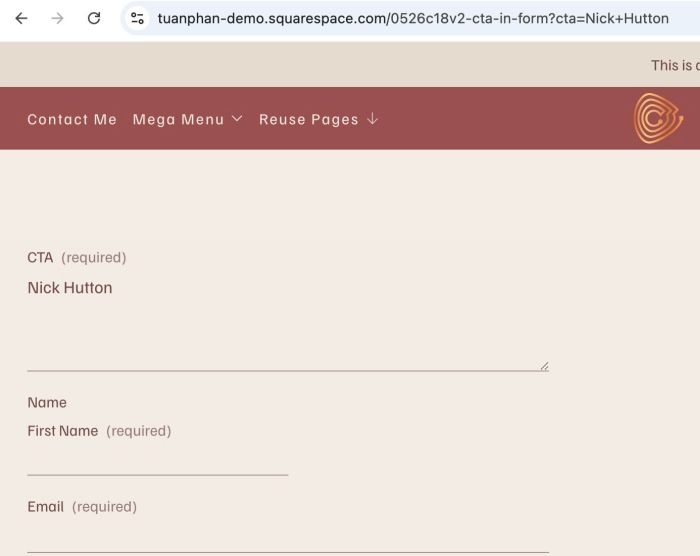
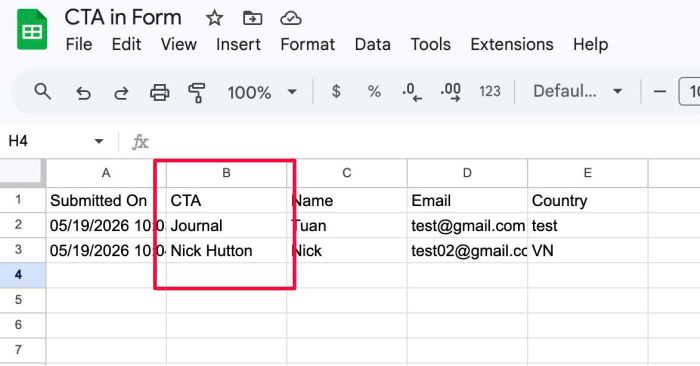
(when access url with ?cta=Nick+Hutton, prefill text in CTA field. Note: in real case, this field will be hidden)
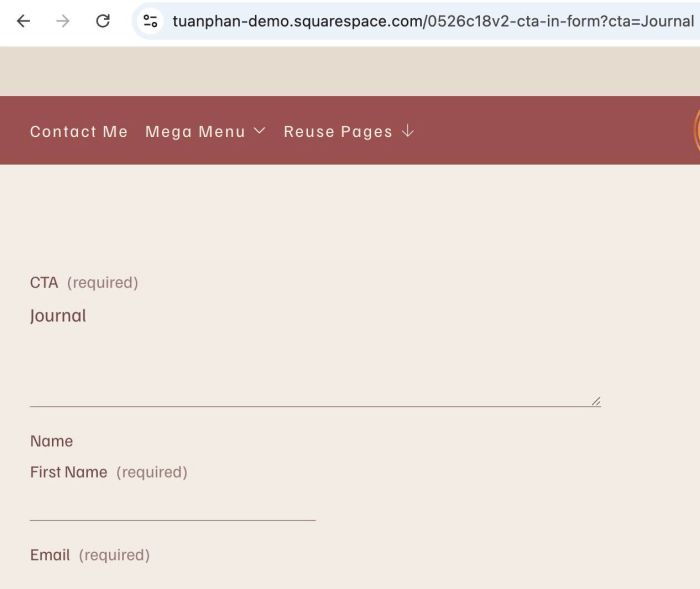
(when users access url with ?cta=Journay, prefill text Journal to CTA field)
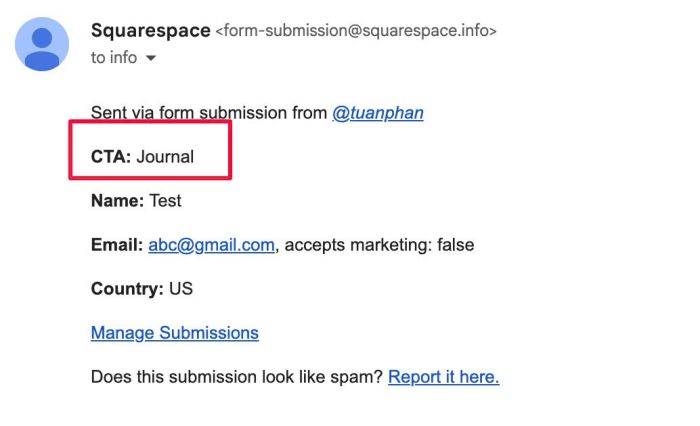
(different info will be sent to your email)
(and Google Sheets)
#1. Install Code
Explain case a bit
Problem: click on each button > open form in new page > You need to know which button the users clicked.
Approach: Attach a special link to each button. When users click the button, that text will be entered into a field on the form. When users submit the form, the information from this field will be sent to their email (or Google Sheets) (see the 4 screenshots above).
#1.1. First you need to add a Text Area field to top of Form Block
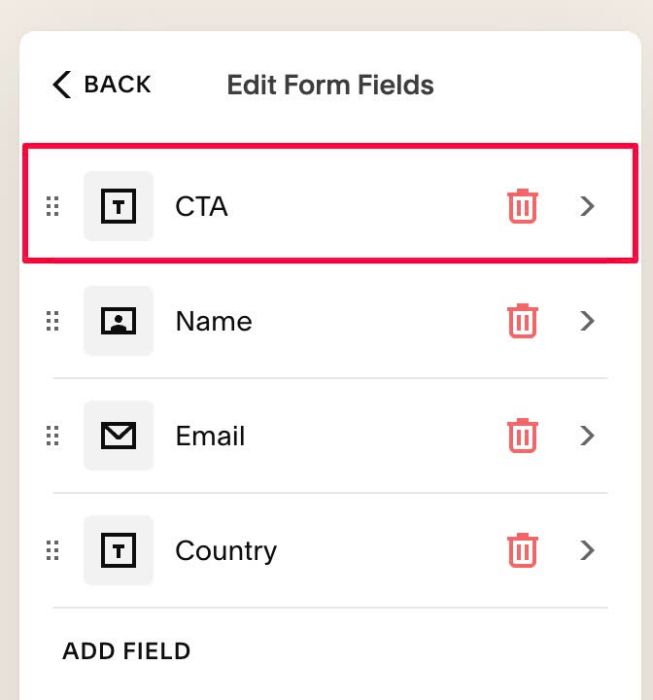
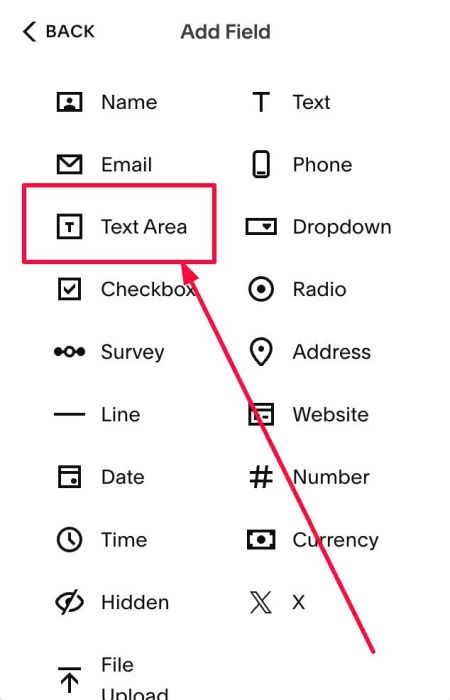
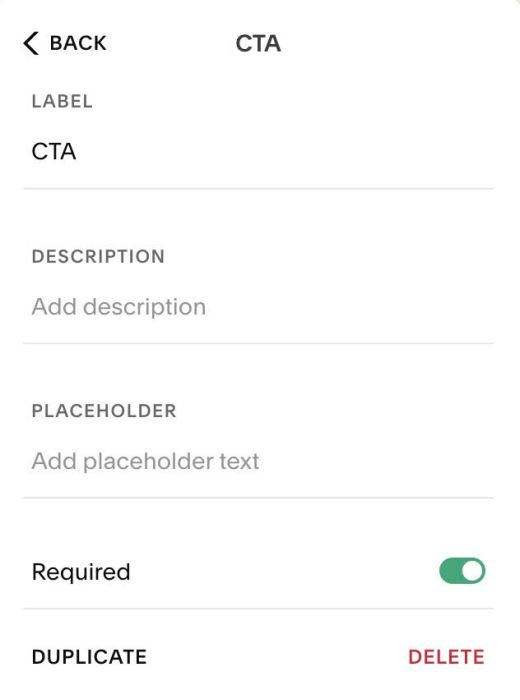
You can add label CTA
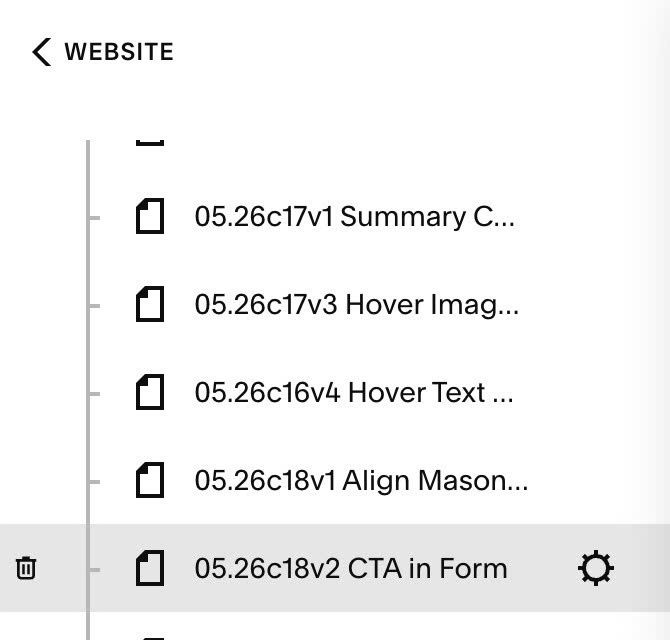
#1.2. Hover on Page where you use Form Block > Click Gear icon
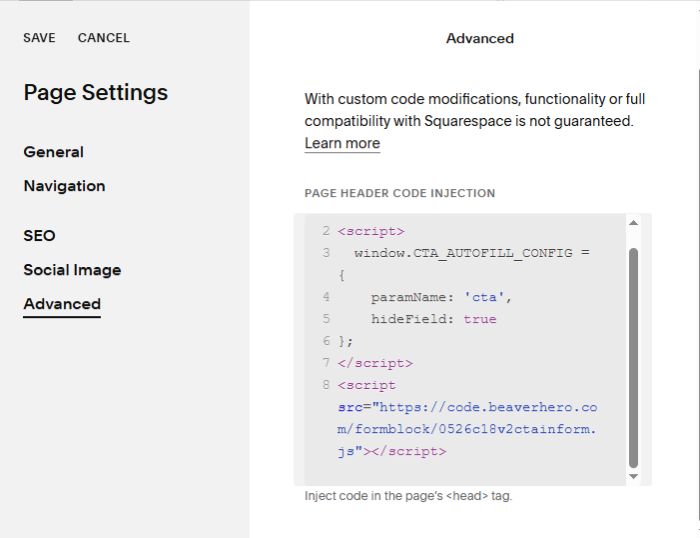
Click Advanced > Paste this code.
- If you use Personal/Basic Plan and your plan doesn’t support Injection, you can see #3.1.
<!-- 05.26c18v2 CTA in Form -->
<script>
  window.CTA_AUTOFILL_CONFIG = {
    paramName: 'cta',
    hideField: true
};
</script>
<script src="https://code.beaverhero.com/formblock/0526c18v2ctainform.js"></script>
#1.3. Result
When you access url like this:
https://tuanphan-demo.squarespace.com/0526c18v2-cta-in-form?cta=Journal
it will add text: Journal to CTA Text Area field
Note: if you Form Block is on Page url like this (on your site): /enterthepeacecommunity
you can use format like this
https://peace-begins-within.com/enterthepeacecommunity?cta=Journal
To change text “cta” from url

you can change Line 04
paramName: 'cta',
#2. Customize
#2.1. To make CTA field visible, you can change this line 05
hideField: true
to this
hideField: false
#3. Other
#3.1. If you use Personal/Basic Plan and your plan doesn’t support Injection, you can add a Block under Form Block

Next, choose Markdown.

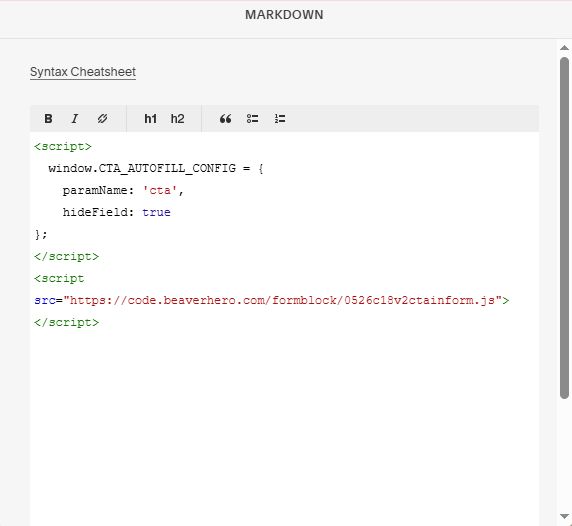
Next, add this code into Markdown
<script>
  window.CTA_AUTOFILL_CONFIG = {
    paramName: 'cta',
    hideField: true
};
</script>
<script src="https://code.beaverhero.com/formblock/0526c18v2ctainform.js"></script>