Description
- loading screen with text or logo
- view demo (with text) – pass: abc
- view demo 2 (with logo) – pass: abc
- buy me a coffee
#1. Install Code
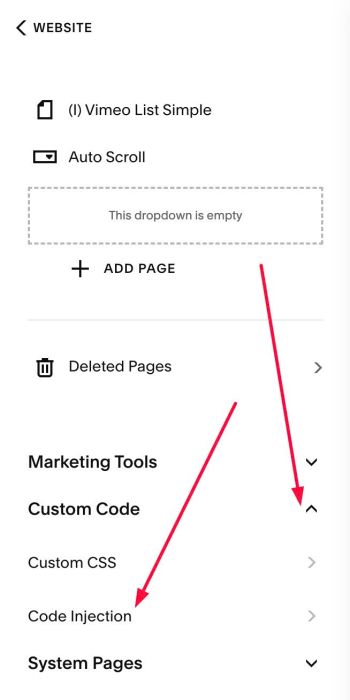
#1.1. Click Website > Pages

#1.2. Scroll down to Custom Code > Code Injection
- If you use Personal/Basic Plan and your plan doesn’t support Injection, see #3.1.
- If you want to make effect run on One Page only, see #3.2
#1.3. Add this code into Code Injection > Footer
- If you use Personal/Basic Plan and your plan doesn’t support Injection, see #3.1.
- If you want to make effect run on One Page only, see #3.2
<!-- 06.26c01v7 Text Loading Screen -->
<script>
var splashOptions = {
  loaderType: 'text',
  loaderTitle: '@tuanphan',
  loaderImage: 'https://images.squarespace-cdn.com/content/v1/68985bba91a8d8273678b74b/1756781989765-M8DG7RMYNS5MWC7CVLKM/unsplash-image-igKjieyjcko.jpg?format=1500w',
  loaderAdditionalDelay: 1000,
  loaderFadeTime: 1000,
  showLoaderOnlyOnce: false,
  overlayColor: '#fff',
  titleColor: '#000',
  titleSize: '95px',
  titleMobileSize: '48px',
  imageHeight: '55px',
  imageMobileHeight: '35px',
  exitAnimation: 'fade' /* fade, slideLeft, slideRight, slideUp, slideDown */
}
</script>
<script src="https://code.beaverhero.com/other/0626c01v7loadingscreen.js"></script>
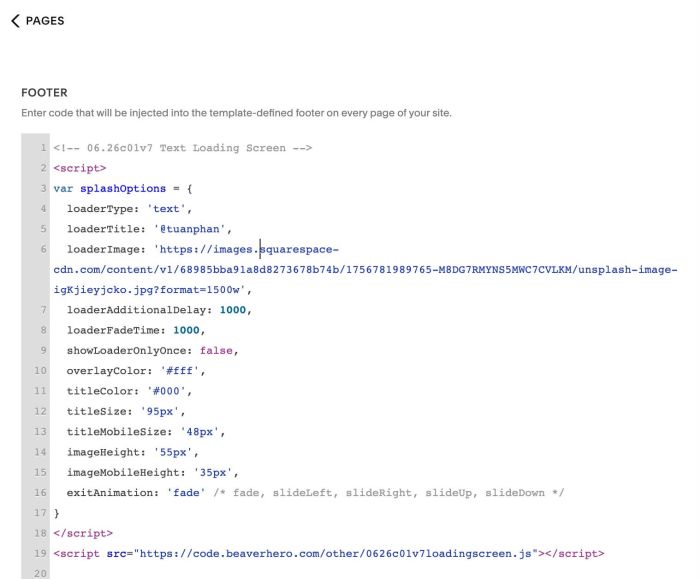
#1.4. You can update Text in Line 05
loaderTitle: '@tuanphan',
#2. Customize
#2.1. To change Text color, text size, you can change Line 11, Line 12, Line 13
titleColor: '#000',
 titleSize: '95px',
 titleMobileSize: '48px',
#2.2. To change Overlay Color, you can change Line 10
overlayColor: '#fff',
you can use color name: white or hex color: #fff
#2.3. To change Text to Logo, you need to change 2 lines: Line 04 & Line 06
First, change Line 04
loaderType: 'text',
to
loaderType: 'image',
Next, change Example Logo URL in Line 06 to your desired logo url
loaderImage: 'https://images.squarespace-cdn.com/content/v1/68985bba91a8d8273678b74b/1756781989765-M8DG7RMYNS5MWC7CVLKM/unsplash-image-igKjieyjcko.jpg?format=1500w',
#2.4. If you want the Loading Screen to only display once and not reappear. You can change Line 09
showLoaderOnlyOnce: false,
to
showLoaderOnlyOnce: true,
#3. Other
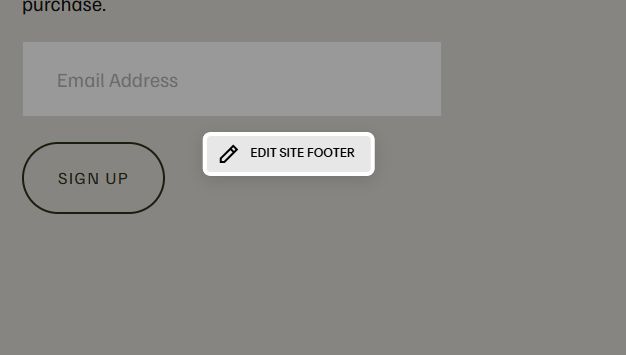
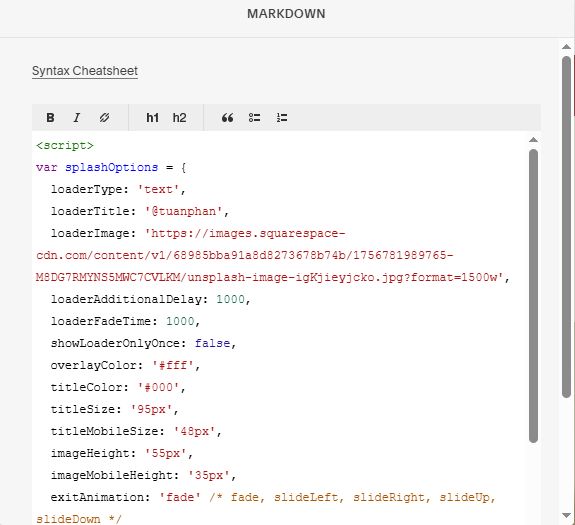
#3.1. If you use Personal/Basic Plan and your plan doesn’t support Injection, you can edit Site Footer
Add a Block
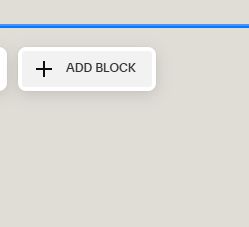
Choose Markdown

Paste this code into Markdown
<script>
var splashOptions = {
  loaderType: 'text',
  loaderTitle: '@tuanphan',
  loaderImage: 'https://images.squarespace-cdn.com/content/v1/68985bba91a8d8273678b74b/1756781989765-M8DG7RMYNS5MWC7CVLKM/unsplash-image-igKjieyjcko.jpg?format=1500w',
  loaderAdditionalDelay: 1000,
  loaderFadeTime: 1000,
  showLoaderOnlyOnce: false,
  overlayColor: '#fff',
  titleColor: '#000',
  titleSize: '95px',
  titleMobileSize: '48px',
  imageHeight: '55px',
  imageMobileHeight: '35px',
  exitAnimation: 'fade' /* fade, slideLeft, slideRight, slideUp, slideDown */
}
</script>
<script src="https://code.beaverhero.com/other/0626c01v7loadingscreen.js"></script>
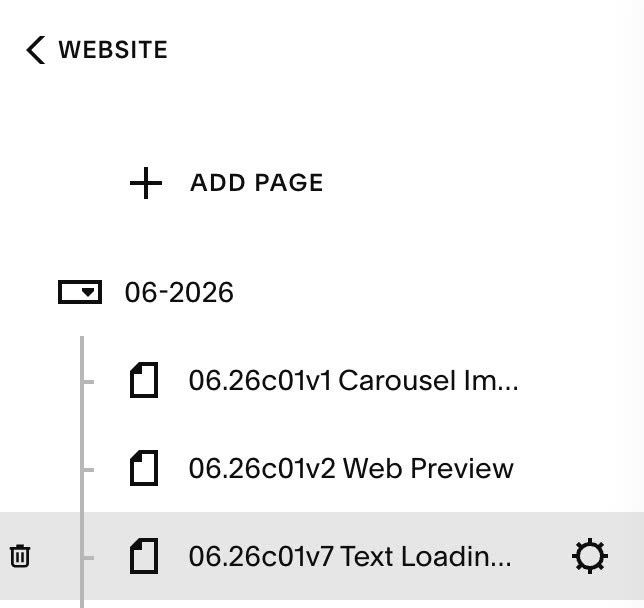
#3.2. To make Loading Screen effect on One Page only, you can hover on Page Name > Click Gear icon
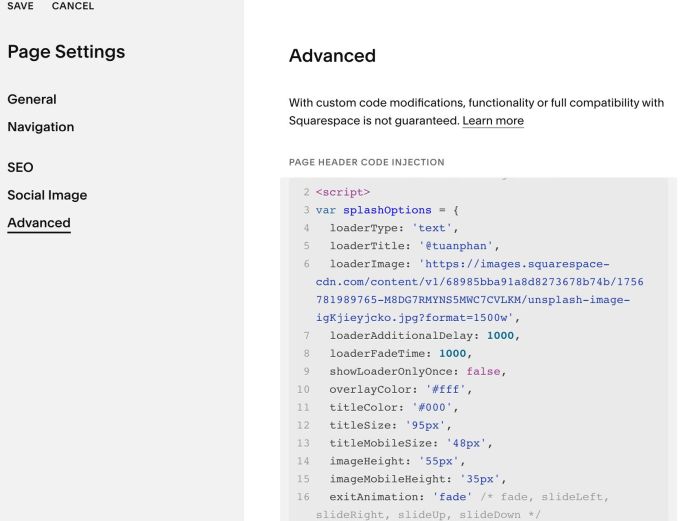
Next, click Advanced > Paste the code
<!-- 06.26c01v7 Text Loading Screen -->
<script>
var splashOptions = {
  loaderType: 'text',
  loaderTitle: '@tuanphan',
  loaderImage: 'https://images.squarespace-cdn.com/content/v1/68985bba91a8d8273678b74b/1756781989765-M8DG7RMYNS5MWC7CVLKM/unsplash-image-igKjieyjcko.jpg?format=1500w',
  loaderAdditionalDelay: 1000,
  loaderFadeTime: 1000,
  showLoaderOnlyOnce: false,
  overlayColor: '#fff',
  titleColor: '#000',
  titleSize: '95px',
  titleMobileSize: '48px',
  imageHeight: '55px',
  imageMobileHeight: '35px',
  exitAnimation: 'fade' /* fade, slideLeft, slideRight, slideUp, slideDown */
}
</script>
<script src="https://code.beaverhero.com/other/0626c01v7loadingscreen.js"></script>
If you use Personal/Basic Plan and your plan doesn’t support Injection, you can edit Current Page > Add a Markdown Block > Then use this code into Markdown
<script>
var splashOptions = {
  loaderType: 'text',
  loaderTitle: '@tuanphan',
  loaderImage: 'https://images.squarespace-cdn.com/content/v1/68985bba91a8d8273678b74b/1756781989765-M8DG7RMYNS5MWC7CVLKM/unsplash-image-igKjieyjcko.jpg?format=1500w',
  loaderAdditionalDelay: 1000,
  loaderFadeTime: 1000,
  showLoaderOnlyOnce: false,
  overlayColor: '#fff',
  titleColor: '#000',
  titleSize: '95px',
  titleMobileSize: '48px',
  imageHeight: '55px',
  imageMobileHeight: '35px',
  exitAnimation: 'fade' /* fade, slideLeft, slideRight, slideUp, slideDown */
}
</script>
<script src="https://code.beaverhero.com/other/0626c01v7loadingscreen.js"></script>