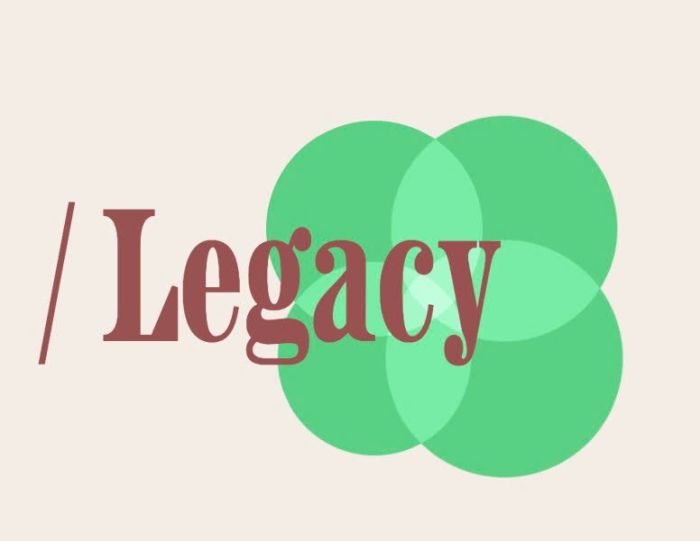
Description
- reveal text effect v2
- view demo – password: abc (scroll to second section)
- buy me a coffee
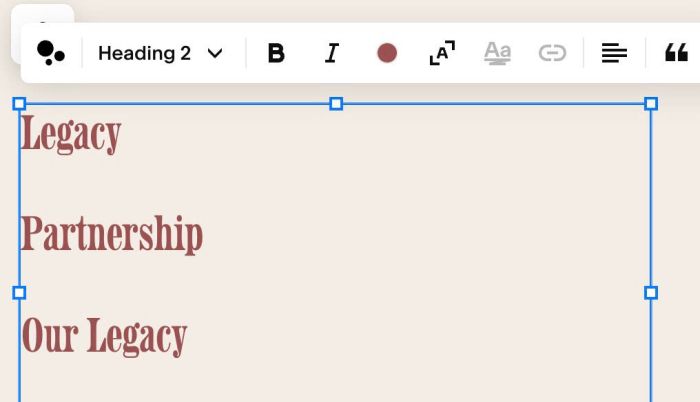
#1. Install Code
#1.1. First you need to add a Text Block with some Heading 2 Texts, like this
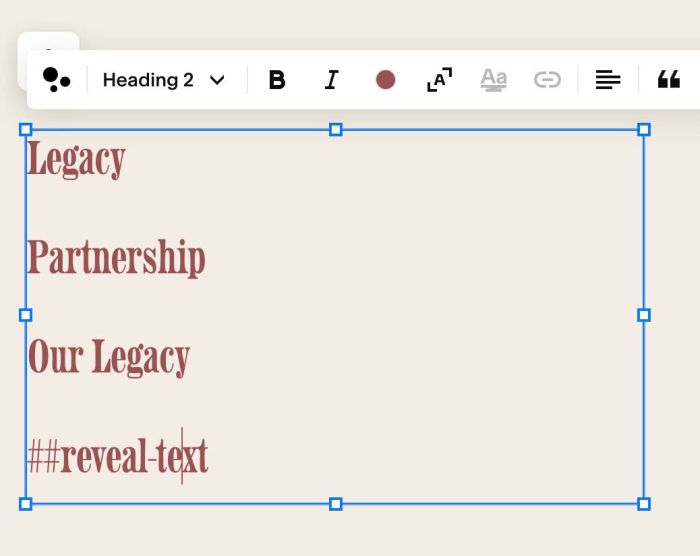
#1.2. Next, add text: ##reveal-text in bottom of Text Block
#1.3. Next, hover on Page where you added Text Block > Click Gear icon
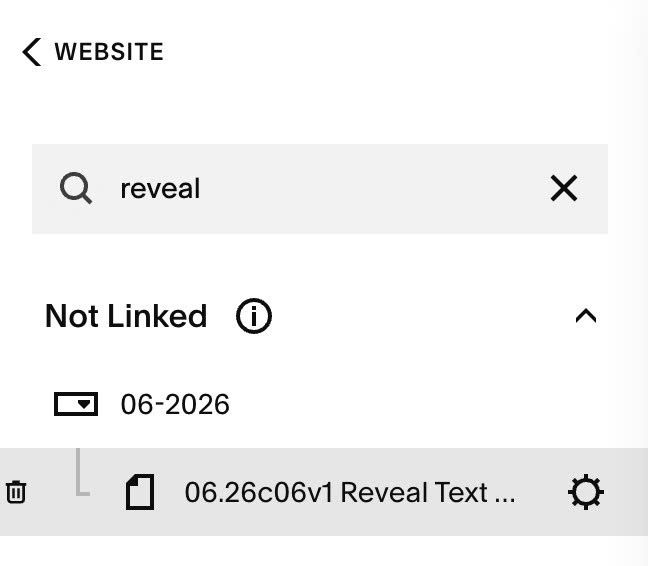
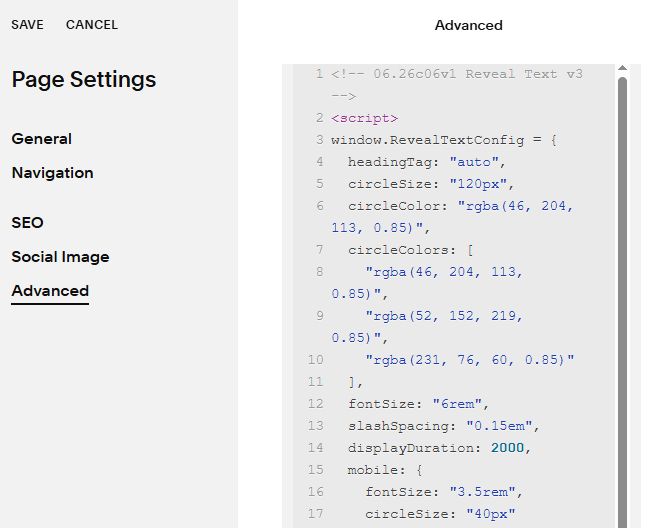
Click Advanced > Paste this code
- If you use Personal/Basic Plan and your plan doesn’t support Injection, see #3.1.
<!-- 06.26c06v1 Reveal Text v3 -->
<script>
window.RevealTextConfig = {
  headingTag: "auto",
  circleSize: "120px",
  circleColor: "rgba(46, 204, 113, 0.85)",
  circleColors: [
    "rgba(46, 204, 113, 0.85)",
    "rgba(52, 152, 219, 0.85)",
    "rgba(231, 76, 60, 0.85)"
  ],
  fontSize: "6rem",
  slashSpacing: "0.15em",
  displayDuration: 2000,
  mobile: {
    fontSize: "3.5rem",
    circleSize: "40px"
  }
};
</script>

<script>
(function () {
  const cfg = window.RevealTextConfig;
  const isMobile = window.innerWidth <= 768;
  const fs = (isMobile && cfg.mobile && cfg.mobile.fontSize) ? cfg.mobile.fontSize : cfg.fontSize;
  const cs = (isMobile && cfg.mobile && cfg.mobile.circleSize) ? cfg.mobile.circleSize : cfg.circleSize;

  function hideRawText() {
    document.querySelectorAll('.sqs-html-content').forEach(container => {
      if (!container.dataset.revealHidden && container.textContent.includes('##reveal-text')) {
        container.style.opacity = '0';
        container.dataset.revealHidden = 'true';
      }
    });
  }

  const mutObs = new MutationObserver(hideRawText);
  mutObs.observe(document.documentElement, { childList: true, subtree: true });
  hideRawText();

  function initRevealEffect() {
    mutObs.disconnect();

    if (!document.getElementById('sqs-reveal-effect-styles')) {
      const style = document.createElement('style');
      style.id = 'sqs-reveal-effect-styles';
      style.innerHTML = `
        .reveal-hero-section { width: 100%; padding: 10px 0; overflow: visible; }
        .reveal-wrapper { position: relative; z-index: 2; display: inline-flex; align-items: center; }
        .reveal-wrapper .bg-circles {
          position: absolute;
          top: calc(${cfg.circleSize} * -0.25);
          right: calc(${cfg.circleSize} * -0.5);
          width: calc(${cfg.circleSize} * 1.6);
          height: calc(${cfg.circleSize} * 1.6);
          z-index: -1;
          pointer-events: none;
        }
        .reveal-wrapper .circle {
          position: absolute;
          border-radius: 50%;
          mix-blend-mode: screen;
          width: ${cfg.circleSize};
          height: ${cfg.circleSize};
          transform: scale(0);
        }
        .reveal-wrapper .circle-1 { top: 0; left: 0; }
        .reveal-wrapper .circle-2 { top: 0; right: 0; }
        .reveal-wrapper .circle-3 { bottom: 0; right: 0; }
        .reveal-wrapper .circle-4 { bottom: 0; left: 0; }
        .reveal-wrapper .slash {
          font-weight: 300;
          margin-right: ${cfg.slashSpacing};
          opacity: 0;
          transform: translateX(20px);
          transition: opacity 0.5s ease, transform 0.5s ease;
        }
        .reveal-wrapper .slash.visible { opacity: 1; transform: translateX(0); }
        .reveal-wrapper .text-mask { display: inline-flex; justify-content: flex-end; overflow: hidden; width: 0px; }
        .reveal-wrapper .text { white-space: nowrap; }
        @media screen and (max-width: 768px) {
          .reveal-wrapper .bg-circles {
            top: calc(${(cfg.mobile && cfg.mobile.circleSize) ? cfg.mobile.circleSize : cfg.circleSize} * -0.25);
            right: calc(${(cfg.mobile && cfg.mobile.circleSize) ? cfg.mobile.circleSize : cfg.circleSize} * -0.5);
            width: calc(${(cfg.mobile && cfg.mobile.circleSize) ? cfg.mobile.circleSize : cfg.circleSize} * 1.6);
            height: calc(${(cfg.mobile && cfg.mobile.circleSize) ? cfg.mobile.circleSize : cfg.circleSize} * 1.6);
          }
          .reveal-wrapper .circle {
            width: ${(cfg.mobile && cfg.mobile.circleSize) ? cfg.mobile.circleSize : cfg.circleSize};
            height: ${(cfg.mobile && cfg.mobile.circleSize) ? cfg.mobile.circleSize : cfg.circleSize};
          }
        }
      `;
      document.head.appendChild(style);
    }

    document.querySelectorAll('.sqs-html-content').forEach(container => {
      if (!container.textContent.includes('##reveal-text')) return;
      if (container.dataset.revealInit) return;
      container.dataset.revealInit = 'true';

      const children = Array.from(container.children);
      const texts = [];
      let headingTag = 'h2';
      let targetColor = 'inherit';
      let targetAlignment = 'center';

      children.forEach(child => {
        const text = child.textContent.trim();
        if (text === '##reveal-text') {
          headingTag = cfg.headingTag === 'auto' ? child.tagName.toLowerCase() : cfg.headingTag;
        } else if (text !== '') {
          if (texts.length === 0) {
            const rawAlign = window.getComputedStyle(child).textAlign;
            if (rawAlign === 'left' || rawAlign === 'start') targetAlignment = 'flex-start';
            else if (rawAlign === 'right' || rawAlign === 'end') targetAlignment = 'flex-end';
            else targetAlignment = 'center';
            let deepest = child;
            while (deepest.children.length > 0) deepest = deepest.children[0];
            targetColor = window.getComputedStyle(deepest).color;
          }
          texts.push(text);
        }
      });

      if (texts.length === 0) texts.push('Legacy');

      container.innerHTML = `
        <div class="reveal-hero-section">
          <${headingTag} style="margin:0;padding:0;border:none;background:transparent;display:inline-flex;flex-direction:row;align-items:center;justify-content:${targetAlignment};width:100%;color:${targetColor};">
            <div class="reveal-wrapper">
              <div class="bg-circles">
                <div class="circle circle-1"></div>
                <div class="circle circle-2"></div>
                <div class="circle circle-3"></div>
                <div class="circle circle-4"></div>
              </div>
              <span class="slash" style="font-size:${fs};line-height:1.1;">/</span>
              <span class="text-mask">
                <span class="text" style="font-size:${fs};line-height:1.1;"></span>
              </span>
            </div>
          </${headingTag}>
        </div>
      `;

      const wrapper = container.querySelector('.reveal-hero-section');
      const slash = wrapper.querySelector('.slash');
      const textMask = wrapper.querySelector('.text-mask');
      const textContent = wrapper.querySelector('.text');
      const circles = wrapper.querySelectorAll('.circle');
      const [c1, c2, c3, c4] = circles;
      let currentIndex = 0;
      let started = false;

      function playAnimation() {
        textContent.innerText = texts[currentIndex];

        const color = (cfg.circleColors && cfg.circleColors[currentIndex])
          ? cfg.circleColors[currentIndex]
          : cfg.circleColor;
        circles.forEach(c => { c.style.backgroundColor = color; });

        slash.classList.remove('visible');
        textMask.style.transition = 'none';
        textMask.style.width = '0px';
        circles.forEach(c => { c.style.transition = 'none'; c.style.transform = 'scale(0)'; });
        void textMask.offsetWidth;
        circles.forEach(c => { c.style.transition = 'transform 0.8s cubic-bezier(0.34, 1.56, 0.64, 1)'; });

        setTimeout(() => {
          slash.classList.add('visible');
          setTimeout(() => {
            textMask.style.transition = 'width 1.2s cubic-bezier(0.77, 0, 0.175, 1)';
            textMask.style.width = textContent.scrollWidth + 'px';
          }, 300);
        }, 100);

        const circleStart = 1700;
        const gap = 200;
        setTimeout(() => c1.style.transform = 'scale(1)', circleStart);
        setTimeout(() => c2.style.transform = 'scale(1)', circleStart + gap);
        setTimeout(() => c3.style.transform = 'scale(1)', circleStart + gap * 2);
        setTimeout(() => c4.style.transform = 'scale(1)', circleStart + gap * 3);

        const hideStart = circleStart + gap * 3 + cfg.displayDuration;
        setTimeout(() => c4.style.transform = 'scale(0)', hideStart);
        setTimeout(() => c3.style.transform = 'scale(0)', hideStart + gap);
        setTimeout(() => c2.style.transform = 'scale(0)', hideStart + gap * 2);
        setTimeout(() => c1.style.transform = 'scale(0)', hideStart + gap * 3);

        setTimeout(() => {
          textMask.style.width = '0px';
          setTimeout(() => {
            slash.classList.remove('visible');
            currentIndex = (currentIndex + 1) % texts.length;
            setTimeout(playAnimation, 500);
          }, 800);
        }, hideStart + gap * 4 + 200);
      }

      const io = new IntersectionObserver((entries) => {
        entries.forEach(entry => {
          if (entry.isIntersecting && !started) {
            started = true;
            container.style.transition = 'opacity 0.3s ease';
            container.style.opacity = '1';
            setTimeout(playAnimation, 100);
            io.disconnect();
          }
        });
      }, { threshold: 0.3 });

      io.observe(container);
    });
  }

  function run() {
    initRevealEffect();
  }

  document.addEventListener('DOMContentLoaded', run);
  document.addEventListener('mercury:load', run);
  if (document.readyState === 'complete' || document.readyState === 'interactive') run();
})();
</script>
#2. Customize
#2.1. To change Circle Size/Circle Color, you can change Line 05 to Line 11
circleSize: "120px",
circleColor: "rgba(46, 204, 113, 0.85)",
circleColors: [
  "rgba(46, 204, 113, 0.85)",
  "rgba(52, 152, 219, 0.85)",
  "rgba(231, 76, 60, 0.85)"
],
- Line 06 = First Circle
- Line 08 = Second Circle
- Line 09 = Third Circle
- Line 10 = Fourth Circle
You can add more lines if you have more line texts
#2.2. To change Text Size, you can change Line 12
fontSize: "6rem",
#2.3. To change text, circle size on Mobile, change Line 16, Line 17
mobile: {
  fontSize: "3.5rem",
  circleSize: "40px"
}
#3. Other
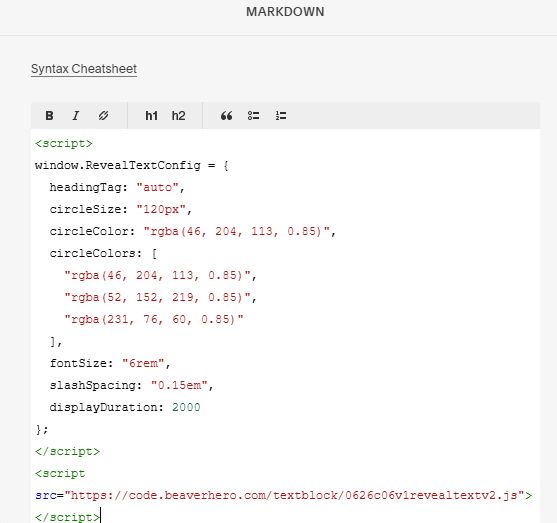
#3.1. If you use Personal/Basic Plan and your plan doesn’t support Injection, you can add a Block to Current Page.
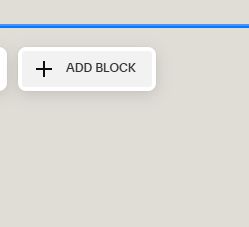
Choose a Markdown

Paste this code into Markdown
<script>
window.RevealTextConfig = {
  headingTag: "auto",
  circleSize: "120px",
  circleColor: "rgba(46, 204, 113, 0.85)",
  circleColors: [
    "rgba(46, 204, 113, 0.85)",
    "rgba(52, 152, 219, 0.85)",
    "rgba(231, 76, 60, 0.85)"
  ],
  fontSize: "6rem",
  slashSpacing: "0.15em",
  displayDuration: 2000
};
</script>
<script src="https://code.beaverhero.com/textblock/0626c06v1revealtextv2.js"></script>