Description
- change product item in Store Page to custom url
- view demo – password: abc
- (click product name 06.26c29v5 to see effect)
- buy me a coffee
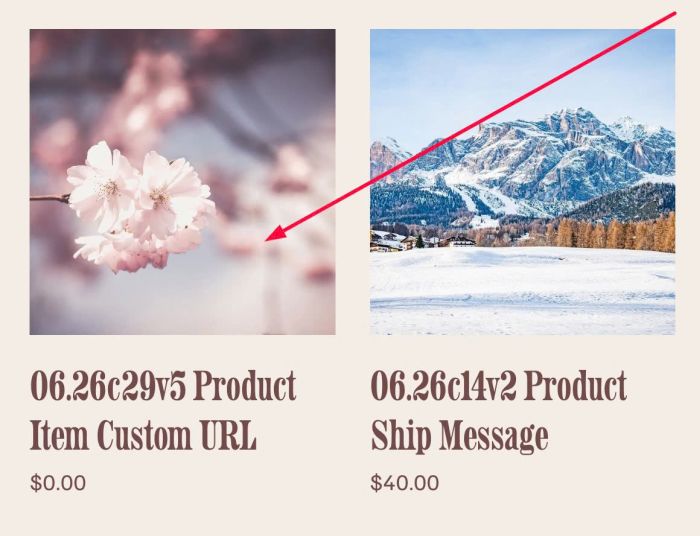
#1. Install Code
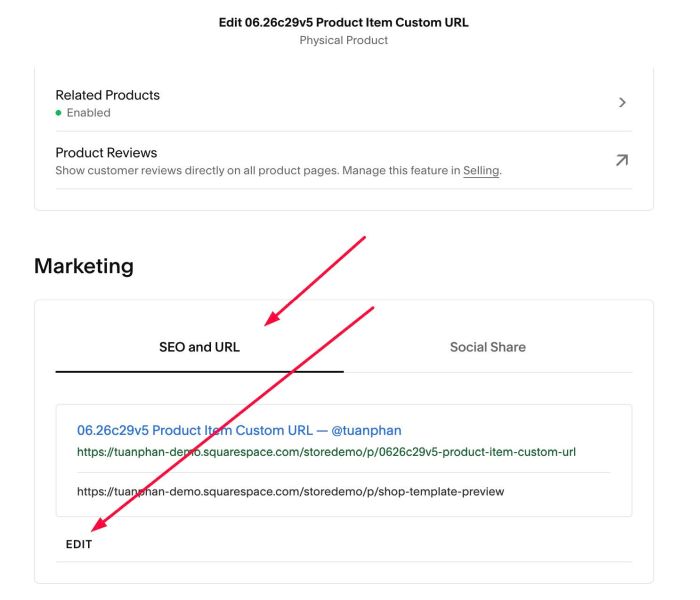
#1.1. First, edit a Product > Scroll to Marketing > SEO and URL > Edit
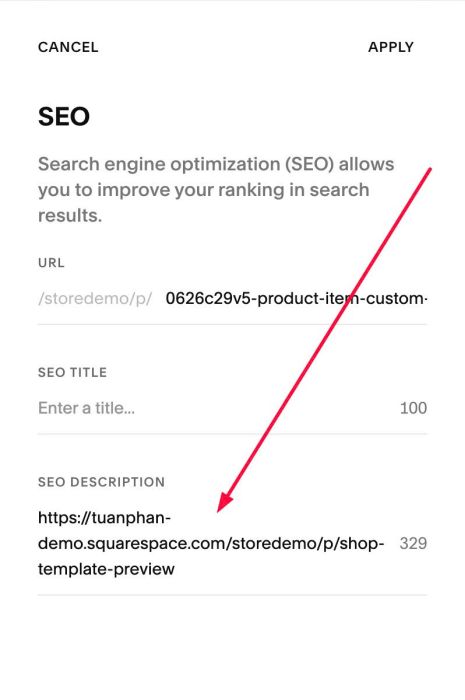
#1.2. Add Custom URL to SEO Description
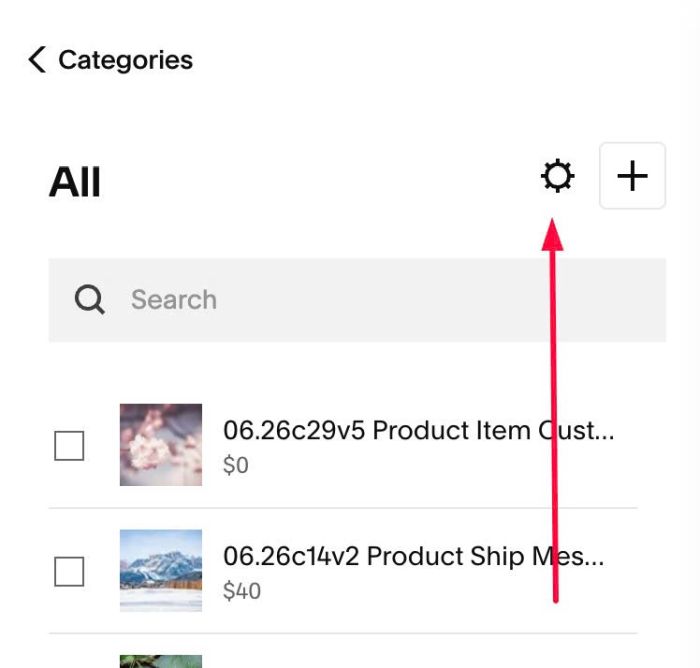
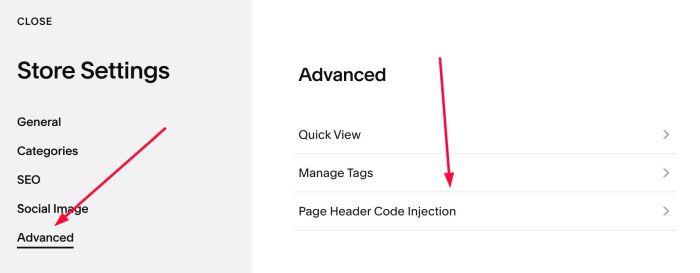
#1.3. Click Gear icon on Store Page
#1.4. Click Advanced > Page Header Code Injection
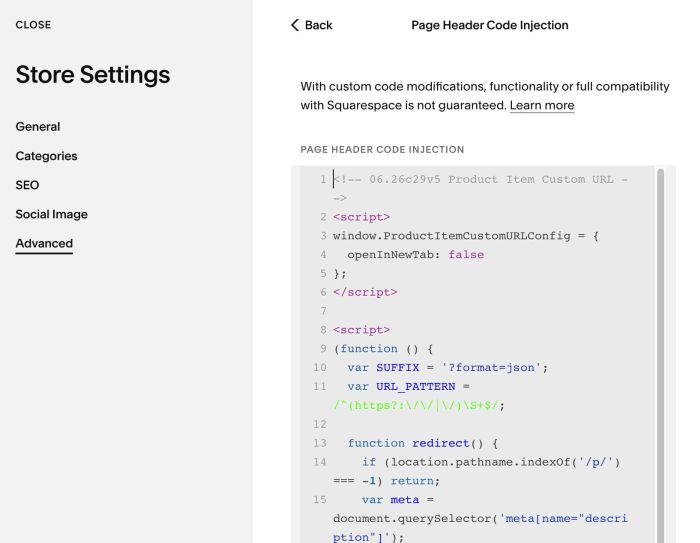
#1.5. Paste this code to Code Injection
<!-- 06.26c29v5 Product Item Custom URL -->
<script>
window.ProductItemCustomURLConfig = {
  openInNewTab: false
};
</script>
<script>
(function () {
  var SUFFIX = '?format=json';
  var URL_PATTERN = /^(https?:\/\/|\/)\S+$/;

  function redirect() {
    if (location.pathname.indexOf('/p/') === -1) return;
    var meta = document.querySelector('meta[name="description"]');
    if (!meta) return;
    var url = (meta.getAttribute('content') || '').trim();
    if (!URL_PATTERN.test(url)) return;
    var target = new URL(url, location.origin);
    if (target.href === location.href) return;
    window.location.replace(url);
  }

  function applyLink(anchor, url) {
    var cfg = window.ProductItemCustomURLConfig || {};
    anchor.setAttribute('href', url);
    if (cfg.openInNewTab) {
      anchor.setAttribute('target', '_blank');
      anchor.setAttribute('rel', 'noopener noreferrer');
    } else {
      anchor.removeAttribute('target');
      anchor.removeAttribute('rel');
    }
  }

  function processItem(item) {
    if (item.dataset.cuDone) return;
    item.dataset.cuDone = '1';

    var anchor = item.querySelector('.product-list-item-link');
    if (!anchor) return;

    var base = anchor.getAttribute('href');
    if (!base) return;

    fetch(base + SUFFIX, { credentials: 'same-origin' })
      .then(function (res) { return res.json(); })
      .then(function (data) {
        var url = data && data.item && data.item.seoData && data.item.seoData.seoDescription;
        if (!url) return;
        url = url.trim();
        if (!URL_PATTERN.test(url)) return;
        applyLink(anchor, url);
      })
      .catch(function () {});
  }

  function runGrid() {
    document.querySelectorAll('.product-list-item').forEach(processItem);
  }

  function startGrid() {
    runGrid();
    var grid = document.querySelector('.products') || document.body;
    var observer = new MutationObserver(runGrid);
    observer.observe(grid, { childList: true, subtree: true });
  }

  redirect();

  if (document.readyState === 'loading') {
    document.addEventListener('DOMContentLoaded', startGrid);
  } else {
    startGrid();
  }

  window.addEventListener('mercury:load', function () {
    redirect();
    runGrid();
  });
})();
</script>
#2. Customize
#2.1. To set it open in New Tab, you can change Line 04
openInNewTab: false
to this
openInNewTab: true