Description
- hover on top left of site will make all pages in navigation overlap as layered card
- view demo – password: abc
- buy me a coffee

#1. Install Code
Note: code won’t apply on Link item or Dropdown
Use this code to Code Injection > Footer
- If you use Personal/Basic Plan and your plan doesn’t support Injection, see #3.1
<!-- 07.26c05v7 Layered card navigation -->
<script>
window.StackedPagesConfig = {
  navSelector: ".header-display-desktop .header-nav-list .header-nav-item--collection > a",
  triggerSelector: "",
  trigger: {
    width: 110,
    height: 110
  },
  sheet: {
    widthVW: 100,
    heightVH: 100,
    offsetX: 72,
    offsetY: 64,
    baseRotate: -4,
    rotateStep: 1.5,
    background: "#ECEAE3",
    radius: 4,
    iframeWidth: 1400
  },
  overlay: {
    background: "rgba(12,12,12,0.92)",
    zIndex: 99999
  },
  animation: {
    duration: 1500,
    stagger: 80,
    easing: "cubic-bezier(0.22,1,0.36,1)"
  },
  preloadDelay: 500,
  minWidth: 992
};
</script>
<script src="https://code.beaverhero.com/header/0726c05v7layeredcardnav.js"></script>

#2. Customize
#2.1. To change overlay color, change Line 12
background: "rgba(12,12,12,0.92)",
#2.2. All options you can find on Line 06 to Line 31
#3. Other
#3.1. If you use Personal/Basic Plan and your plan doesn’t support Injection, you can edit Site Footer
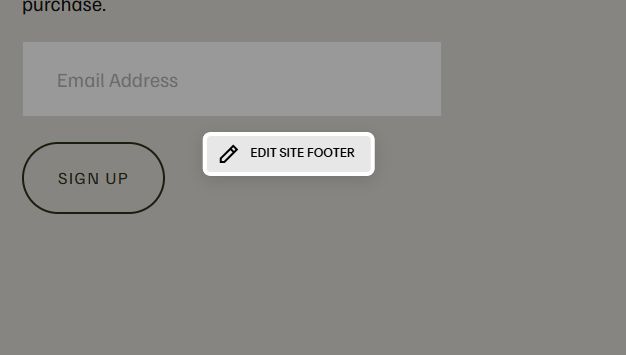
Add a Markdown Block

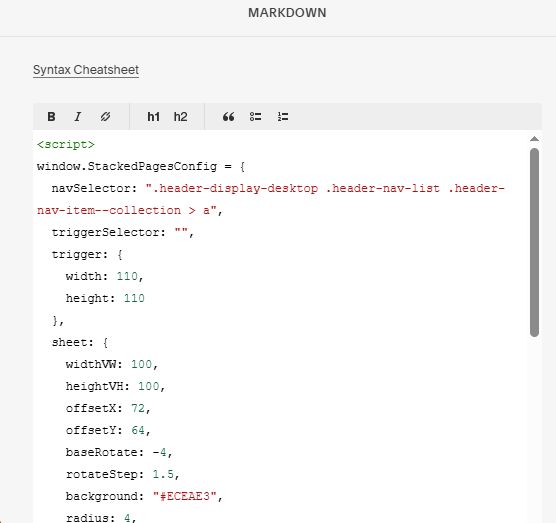
Add this code into Markdown Block
<script>
window.StackedPagesConfig = {
  navSelector: ".header-display-desktop .header-nav-list .header-nav-item--collection > a",
  triggerSelector: "",
  trigger: {
    width: 110,
    height: 110
  },
  sheet: {
    widthVW: 100,
    heightVH: 100,
    offsetX: 72,
    offsetY: 64,
    baseRotate: -4,
    rotateStep: 1.5,
    background: "#ECEAE3",
    radius: 4,
    iframeWidth: 1400
  },
  overlay: {
    background: "rgba(12,12,12,0.92)",
    zIndex: 99999
  },
  animation: {
    duration: 1500,
    stagger: 80,
    easing: "cubic-bezier(0.22,1,0.36,1)"
  },
  preloadDelay: 500,
  minWidth: 992
};
</script>
<script src="https://code.beaverhero.com/header/0726c05v7layeredcardnav.js"></script>