Description
- adding Gallery Block with same height different ratio (different width) in a row, you can also change gallery block to masonry layout
- view demo (same height) – password: abc
- view demo (masonry) – password: abc
- buy me a coffee
(same height, different ratio)

(masonry)

#1. Install Code
#1.1. Make sure you use Gallery Block Grid

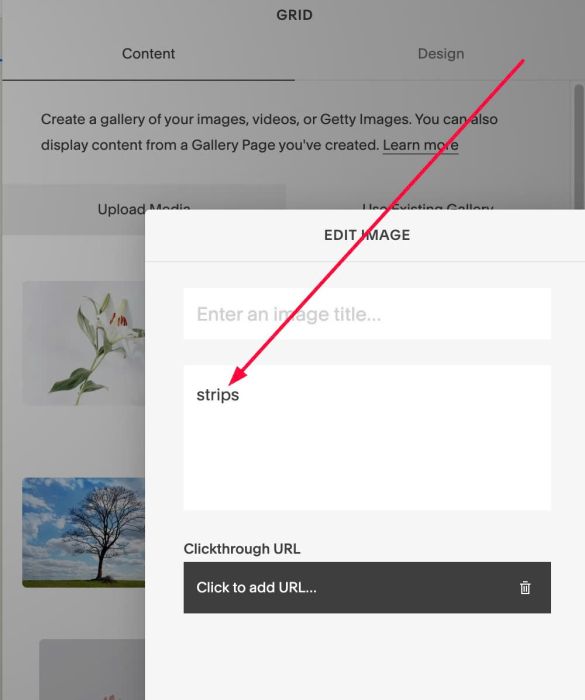
#1.2. Edit First Image > at Description, enter word: strips
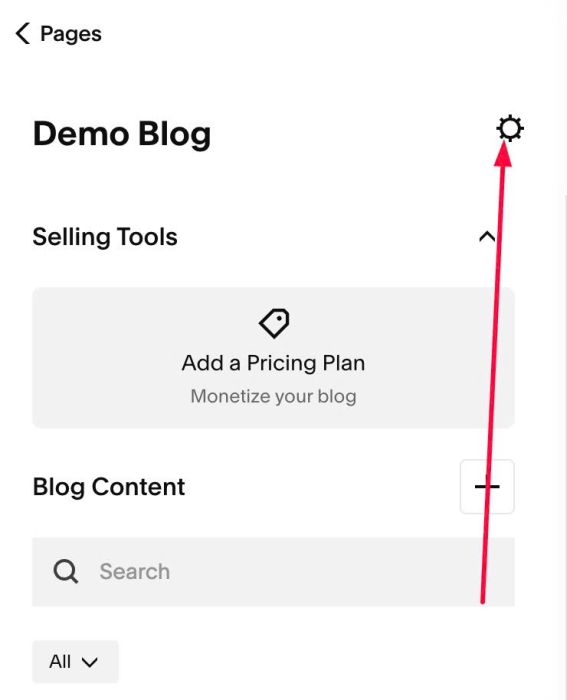
#1.3. Click Gear icon on Blog Page
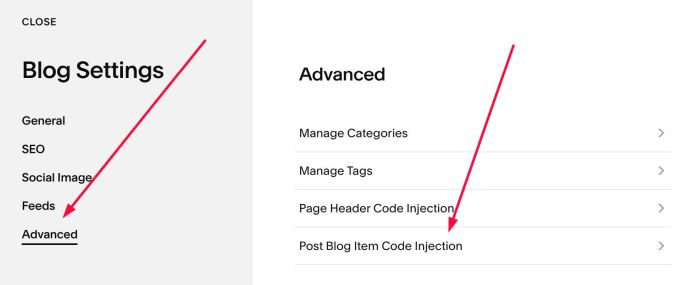
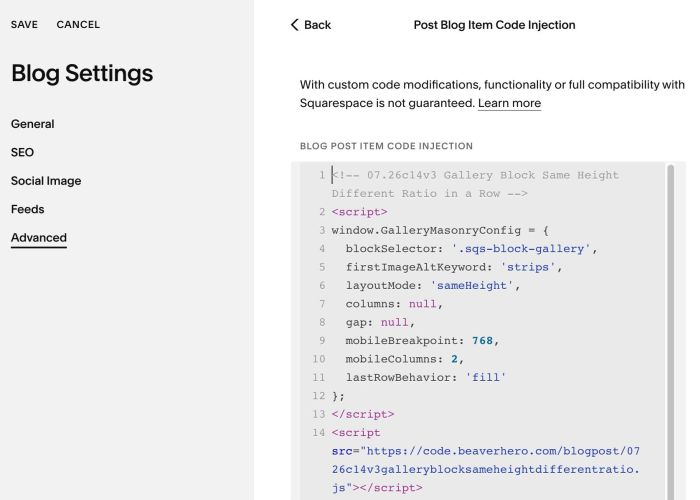
#1.4. Click Advanced > Post Blog Item Code Injection
#1.5. Paste this code
- If your site is Personal/Basic Plan and it doesn’t support Injection, see #3.1
<!-- 07.26c14v3 Gallery Block Same Height Different Ratio in a Row -->
<script>
window.GalleryMasonryConfig = {
  blockSelector: '.sqs-block-gallery',
  firstImageAltKeyword: 'strips',
  layoutMode: 'sameHeight',
  columns: null,
  gap: null,
  mobileBreakpoint: 768,
  mobileColumns: 2,
  lastRowBehavior: 'fill'
};
</script>
<script src="https://code.beaverhero.com/blogpost/0726c14v3galleryblocksameheightdifferentratio.js"></script>
#2. Customize
#2.1. To change it to Masonry layout, you can change line
layoutMode: 'sameHeight',
to
layoutMode: 'masonry',
#2.2. To apply to specific blog post, you can add a CODE BLOCK under Gallery Block then use this code
<!-- 07.26c14v3 Gallery Block Same Height Different Ratio in a Row -->
<script>
window.GalleryMasonryConfig = {
  blockSelector: '.sqs-block-gallery',
  firstImageAltKeyword: 'strips',
  layoutMode: 'sameHeight',
  columns: null,
  gap: null,
  mobileBreakpoint: 768,
  mobileColumns: 2,
  lastRowBehavior: 'fill'
};
</script>
<script src="https://code.beaverhero.com/blogpost/0726c14v3galleryblocksameheightdifferentratio.js"></script>

#3. Other
#3.1. If you use Personal/Basic Plan and your plan doesn’t support Injection, you can edit Site Footer
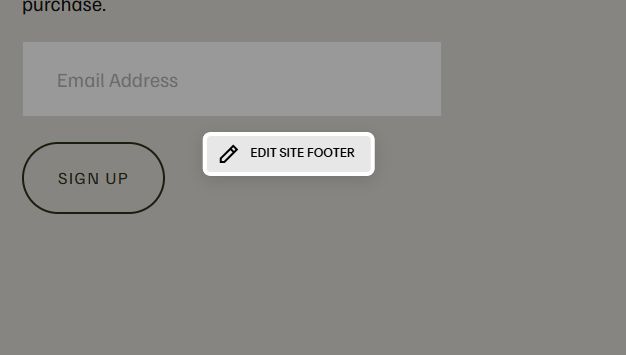
Add a Markdown Block

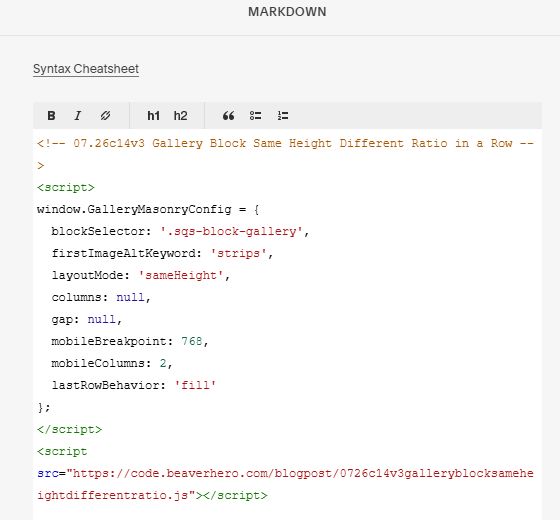
Add this code into Markdown
<!-- 07.26c14v3 Gallery Block Same Height Different Ratio in a Row -->
<script>
window.GalleryMasonryConfig = {
  blockSelector: '.sqs-block-gallery',
  firstImageAltKeyword: 'strips',
  layoutMode: 'sameHeight',
  columns: null,
  gap: null,
  mobileBreakpoint: 768,
  mobileColumns: 2,
  lastRowBehavior: 'fill'
};
</script>
<script src="https://code.beaverhero.com/blogpost/0726c14v3galleryblocksameheightdifferentratio.js"></script>