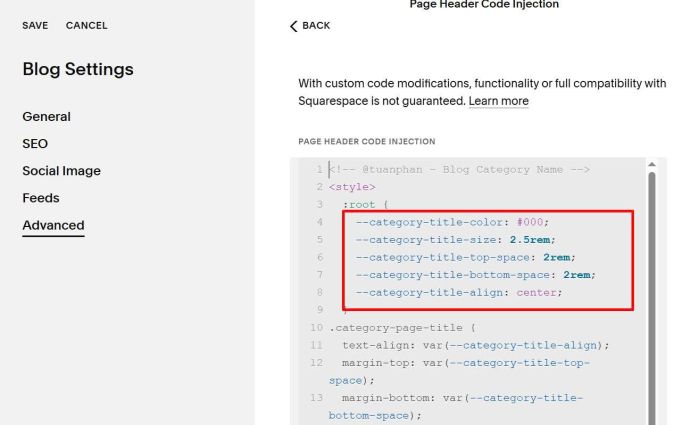
To add Category Name on top of Blog Category Page, like this.
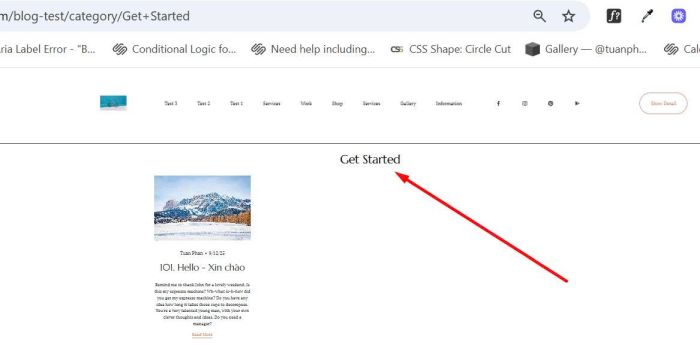
#1. First, click Gear icon on Blog Page
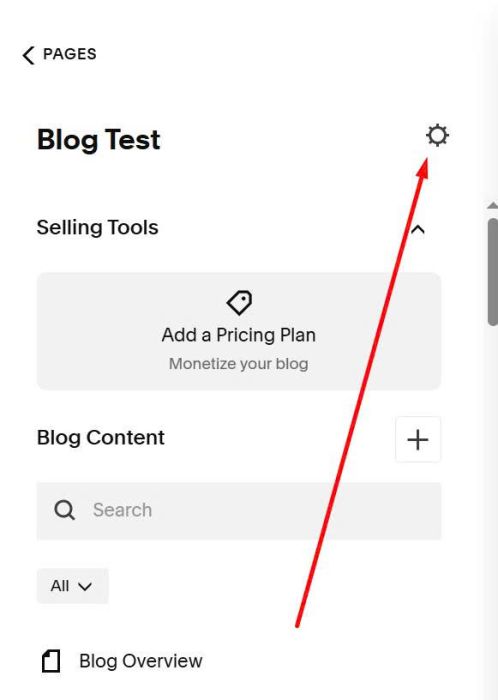
#2. Next, click Advanced > Page Header Code Injection
#3. Use this code to right box.
<!-- @tuanphan - Blog Category Name -->
<style>
  :root {
  	--category-title-color: #000;
    --category-title-size: 2.5rem;
    --category-title-top-space: 2rem;
    --category-title-bottom-space: 2rem;
    --category-title-align: center;
  }
.category-page-title {
  text-align: var(--category-title-align);
  margin-top: var(--category-title-top-space);
  margin-bottom: var(--category-title-bottom-space);
}
.category-page-title h1 {
  font-size: var(--category-title-size);
  color: var(--category-title-color);
}
  .category-page-title+div {
  	padding-top: 0px !important;
  }
</style>
<script>
window.addEventListener('DOMContentLoaded', function() {
  const currentUrl = window.location.pathname;
  const categoryMatch = currentUrl.match(/\/category\/([^\/]+)/);

  if (categoryMatch) {
    const jsonUrl = currentUrl + '?format=json';

    fetch(jsonUrl)
      .then(response => response.json())
      .then(data => {
        let categoryName = data.collection?.categoryFilter;

        if (!categoryName) {
          categoryName = decodeURIComponent(categoryMatch[1]);
          categoryName = categoryName.replace(/\+/g, ' ');
          categoryName = categoryName.replace(/-/g, ' ');
        }

        setTimeout(function() {
          const contentWrapper = document.querySelector('.blog-basic-grid.collection-content-wrapper');

          if (contentWrapper) {
            const categoryTitle = document.createElement('div');
            categoryTitle.className = 'category-page-title';
            categoryTitle.innerHTML = '<h1>' + categoryName + '</h1>';

            contentWrapper.parentNode.insertBefore(categoryTitle, contentWrapper);
          }
        }, 300);
      })
      .catch(error => {
        console.error('Error loading category:', error);
      });
  }
});
</script>
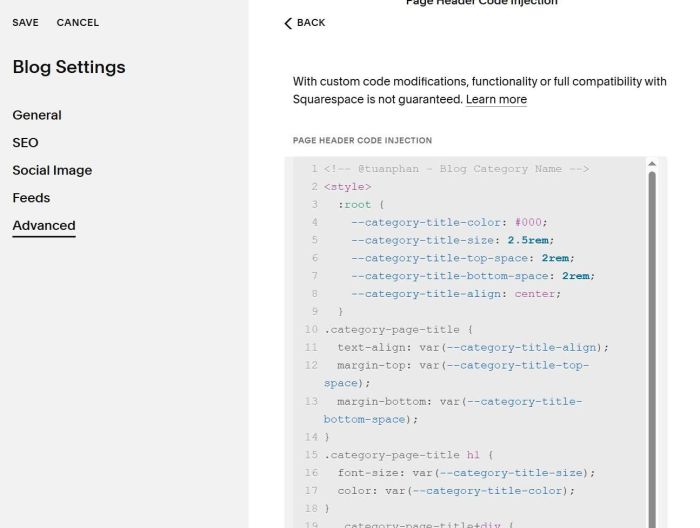
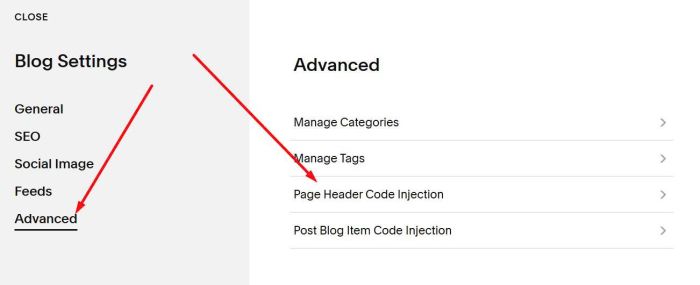
#4. To adjust category name color/size/spacing, you can adjust it here.