Description
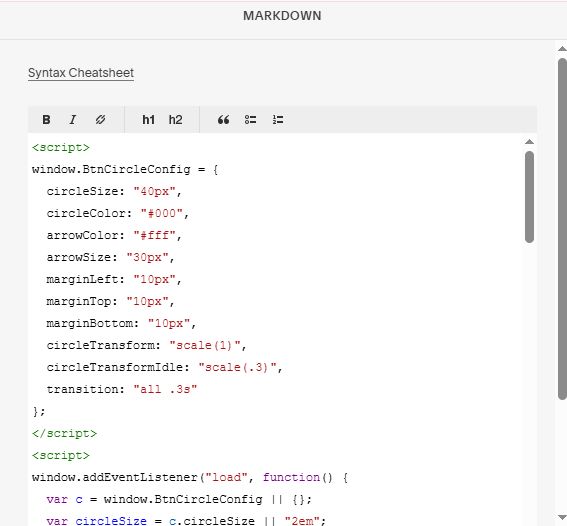
- Dot next to Button text (Button Block, Form Button)
- Hover button: change Dot to Circle arrow
- view demo – password: abc
- buy me a coffee
#1. Install Code
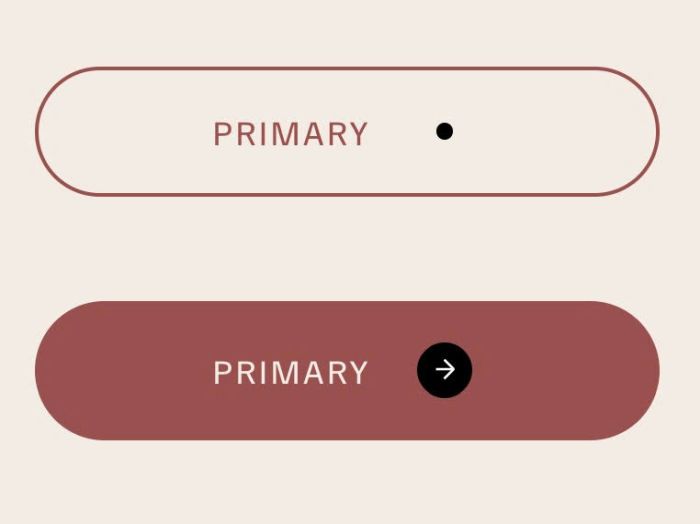
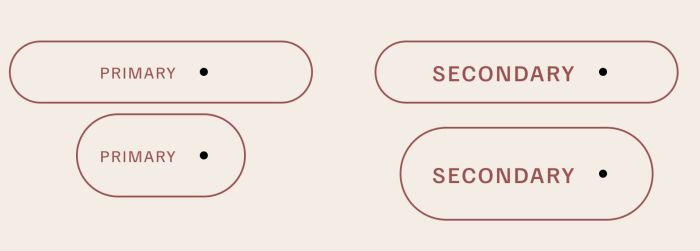
#1.1. Make sure you added Button Block to Page. Something like this
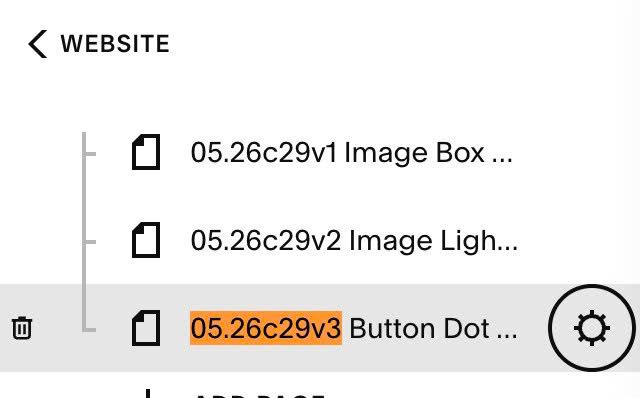
#1.2. Hover on Page where you use Buttons > Click Gear icon
Click Advanced > Paste this code
- If you use Personal/Basic Plan and your plan doesn’t support Injection, you can see #3.1
<!-- 05.26c29v3 Button Dot Hover -->
<script>
window.BtnCircleConfig = {
  circleSize: "40px",
  circleColor: "#000",
  arrowColor: "#fff",
  arrowSize: "30px",
  marginLeft: "10px",
  marginTop: "10px",
  marginBottom: "10px",
  circleTransform: "scale(1)",
  circleTransformIdle: "scale(.3)",
  transition: "all .3s"
};
</script>
<script>
window.addEventListener("load", function() {
  var c = window.BtnCircleConfig || {};
  var circleSize = c.circleSize || "2em";
  var circleColor = c.circleColor || "#000";
  var arrowColor = c.arrowColor || "#fff";
  var arrowSize = c.arrowSize || "30px";
  var marginLeft = c.marginLeft || "10px";
  var marginTop = c.marginTop || "10px";
  var marginBottom = c.marginBottom || "10px";
  var circleTransform = c.circleTransform || "scale(1)";
  var circleTransformIdle = c.circleTransformIdle || "scale(.2)";
  var transition = c.transition || "all .3s";

  var css = [
    ".btn-circle_wrap{aspect-ratio:1;justify-content:center;align-items:center;width:" + circleSize + ";height:" + circleSize + "!important;display:flex;position:relative;margin-left:" + marginLeft + ";margin-top:" + marginTop + ";margin-bottom:" + marginBottom + ";border-radius:50%;}",
    ".btn-circle{background-color:" + circleColor + ";border-radius:50vw;transition:" + transition + ";transform:" + circleTransformIdle + ";}",
    ".btn-arrow{opacity:0;transition:left .3s,opacity .2s;position:relative;left:-100%;}",
    ".w-embed:before,.w-embed:after{content:' ';grid-area:1/1/2/2;display:table;}",
    ".btn-arrow.w-embed{width:" + arrowSize + ";height:" + arrowSize + ";}",
    ".btn-arrow.w-embed svg *{stroke:" + arrowColor + ";}",
    "div.button-block a:hover .btn-circle,button.button:hover .btn-circle{transform:" + circleTransform + ";}",
    "div.button-block a:hover .btn-arrow,button.button:hover .btn-arrow{opacity:1;left:0%;}",
    "div.button-block a,button.button{display:flex!important;align-items:center;}",
    "button.button{margin:0 auto!important;}"
  ].join("");

  var style = document.createElement("style");
  style.textContent = css;
  document.head.appendChild(style);

  var svgHTML = '<div class="btn-circle_wrap"><div class="btn-circle"><div class="btn-arrow w-embed"><svg xmlns="http://www.w3.org/2000/svg" width="100%" height="100%" viewBox="0 0 32 32" fill="none"><path d="M15.7664 10L21.2664 15.5L15.7664 21" stroke="currentColor" stroke-width="1.35385" stroke-linejoin="bevel"></path><path d="M21.2649 15.5005L11 15.5005" stroke="currentColor" stroke-width="1.35385" stroke-linejoin="bevel"></path></svg></div></div></div>';

  var targets = document.querySelectorAll("div.button-block a, button.button.sqs-system-button.sqs-editable-button.form-submit-button.sqs-button-element--primary");
  targets.forEach(function(el) {
    el.insertAdjacentHTML("beforeend", svgHTML);
  });
});
</script>
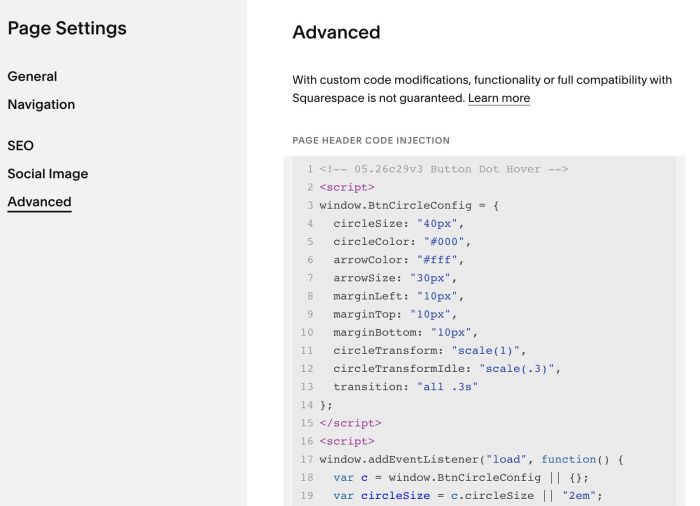
#2. Customize
#2.1. To change circle color (circle – dot will use same color), arrow color, change Line 05, Line 06
circleColor: "#000",
arrowColor: "#fff",
#2.2. To change circle size, arrow size, change Line 04, Line 07
 circleSize: "40px",
arrowSize: "30px",
#2.3. To change Dot size, change Line 12
circleTransformIdle: "scale(.3)",
#2.4. To change space between Dot – Button Text, change Line 08
marginLeft: "20px",
#3. Other
#3.1. If you use Personal/Basic Plan and your plan doesn’t support Injection, you can edit current page > Add a Block

Choose Markdown

Then paste this code into Markdown
<script>
window.BtnCircleConfig = {
  circleSize: "40px",
  circleColor: "#000",
  arrowColor: "#fff",
  arrowSize: "30px",
  marginLeft: "10px",
  marginTop: "10px",
  marginBottom: "10px",
  circleTransform: "scale(1)",
  circleTransformIdle: "scale(.3)",
  transition: "all .3s"
};
</script>
<script>
window.addEventListener("load", function() {
  var c = window.BtnCircleConfig || {};
  var circleSize = c.circleSize || "2em";
  var circleColor = c.circleColor || "#000";
  var arrowColor = c.arrowColor || "#fff";
  var arrowSize = c.arrowSize || "30px";
  var marginLeft = c.marginLeft || "10px";
  var marginTop = c.marginTop || "10px";
  var marginBottom = c.marginBottom || "10px";
  var circleTransform = c.circleTransform || "scale(1)";
  var circleTransformIdle = c.circleTransformIdle || "scale(.2)";
  var transition = c.transition || "all .3s";

  var css = [
    ".btn-circle_wrap{aspect-ratio:1;justify-content:center;align-items:center;width:" + circleSize + ";height:" + circleSize + "!important;display:flex;position:relative;margin-left:" + marginLeft + ";margin-top:" + marginTop + ";margin-bottom:" + marginBottom + ";border-radius:50%;}",
    ".btn-circle{background-color:" + circleColor + ";border-radius:50vw;transition:" + transition + ";transform:" + circleTransformIdle + ";}",
    ".btn-arrow{opacity:0;transition:left .3s,opacity .2s;position:relative;left:-100%;}",
    ".w-embed:before,.w-embed:after{content:' ';grid-area:1/1/2/2;display:table;}",
    ".btn-arrow.w-embed{width:" + arrowSize + ";height:" + arrowSize + ";}",
    ".btn-arrow.w-embed svg *{stroke:" + arrowColor + ";}",
    "div.button-block a:hover .btn-circle,button.button:hover .btn-circle{transform:" + circleTransform + ";}",
    "div.button-block a:hover .btn-arrow,button.button:hover .btn-arrow{opacity:1;left:0%;}",
    "div.button-block a,button.button{display:flex!important;align-items:center;}",
    "button.button{margin:0 auto!important;}"
  ].join("");

  var style = document.createElement("style");
  style.textContent = css;
  document.head.appendChild(style);

  var svgHTML = '<div class="btn-circle_wrap"><div class="btn-circle"><div class="btn-arrow w-embed"><svg xmlns="http://www.w3.org/2000/svg" width="100%" height="100%" viewBox="0 0 32 32" fill="none"><path d="M15.7664 10L21.2664 15.5L15.7664 21" stroke="currentColor" stroke-width="1.35385" stroke-linejoin="bevel"></path><path d="M21.2649 15.5005L11 15.5005" stroke="currentColor" stroke-width="1.35385" stroke-linejoin="bevel"></path></svg></div></div></div>';

  var targets = document.querySelectorAll("div.button-block a, button.button.sqs-system-button.sqs-editable-button.form-submit-button.sqs-button-element--primary");
  targets.forEach(function(el) {
    el.insertAdjacentHTML("beforeend", svgHTML);
  });
});
</script>